Best Audio Interface Under 500: Top 5 Picks (2026)
- Audio Interface, Buying Guides
- by Bruno Bontempo
Find the best audio interface under 500 in this hands-on guide. I compare 5 tested options for home studios with detailed specs, pros, cons, and real recommendations.
Our articles may include affiliate links and we may earn a commission. Here how it works.
Jump to...
| QUICK OVERVIEW
Intro: Best Audio Interface Under 500
If you’re reading this, you’ve likely outgrown your entry-level interface or you’re starting fresh and want something that won’t hold you back. The audio interface under 500 price range is where things get interesting — you’re no longer compromising on sound quality or build, and you have real choices to make based on what matters most for your setup.
I’ve spent time with each of these five interfaces, recording vocals, guitars, synths, and full band sessions. This guide focuses on what actually matters when you’re ready to invest in serious gear: preamp quality, conversion, latency, I/O flexibility, and how they feel in daily use.
Here’s what you need to know before deciding.
Best for Sound Character
MOTU M6
4.7
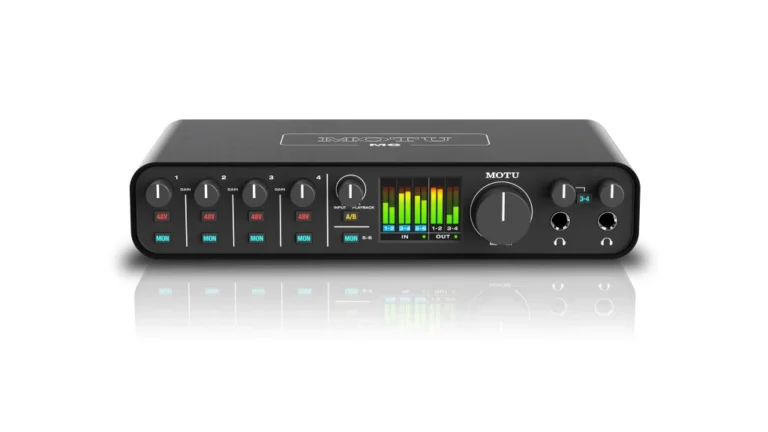
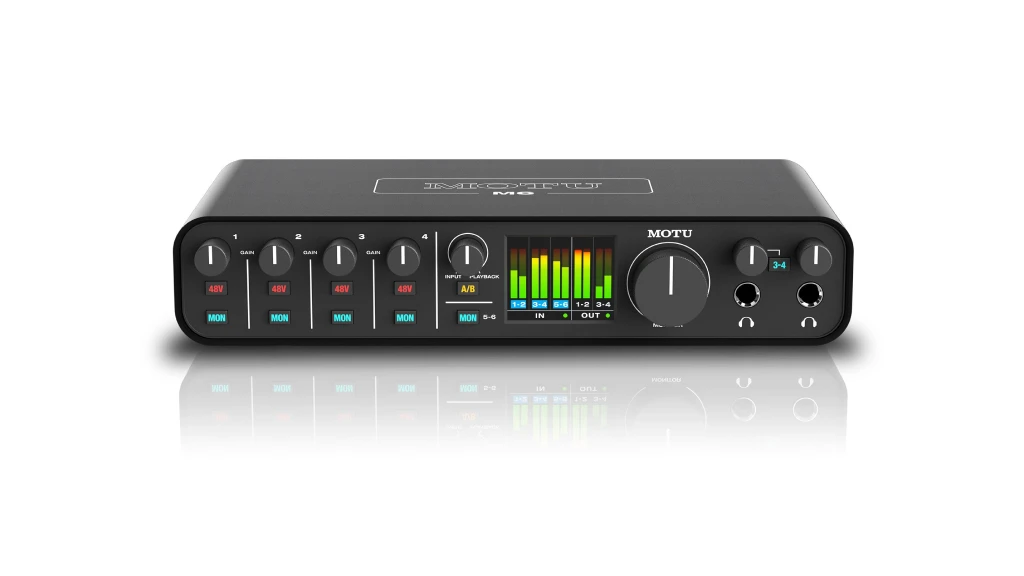
The MOTU M6 hits a sweet spot that’s hard to ignore. Four mic preamps, ESS Sabre32 Ultra DAC technology delivering 120dB dynamic range, USB-C connectivity, and that beautiful color LCD for metering — all in a package that feels more expensive than it is.
| Pros
- ESS Sabre32 converters with 120dB dynamic range
- Color LCD metering for all inputs and outputs
- Ultra-low 2.5ms round-trip latency at 96kHz
- A/B monitor switching built-in
- MIDI I/O included
| Cons
- No ADAT expansion option
- Requires external power for standalone use
- Loopback requires software setup
| Key Features
- Inputs: 4x XLR/TRS combo (mic/line/Hi-Z), 2x TRS line inputs
- Outputs: 4x TRS balanced line outputs, 2x headphone outputs
- Compatibility: macOS, Windows, iOS
- Connectivity: USB-C (USB 2.0)
- Resolution: 24-bit/192kHz
- Plus: DC-coupled outputs for CV control, standalone operation with included power supply, 6+GB software bundle including Performer Lite and Ableton Live Lite
| Best for...
- Home studio recording up to 4 mics simultaneously
- Podcasting with multiple hosts
- Synth integration requiring line inputs and MIDI
- Critical listening and mixing with accurate metering
- Live streaming with loopback capability
| Not ideal for...
- Large band recordings needing 8+ simultaneous mic inputs
- Studios requiring ADAT expansion
- Setups dependent on digital I/O connections
Overview
The M6 represents what MOTU does best — deliver converter quality that competes with interfaces costing twice as much. The ESS Sabre32 DACs are the same technology found in high-end audiophile equipment, and you hear it immediately in the headphone outputs. Monitoring through the M6 reveals details that cheaper interfaces smooth over.
Where the M6 really shines is latency. At 96kHz with a 32-sample buffer, you’re looking at 2.5ms round-trip — low enough to track through plugins without that disconnected feeling. The drivers are mature and stable on both Mac and Windows, which isn’t something you can assume at this price.
The four mic preamps measure at -129 dBu EIN, meaning they’re quiet enough for ribbon mics and dynamic mics that need significant gain. Each input has independent phantom power switching, so you can mix condenser and ribbon mics without worry.
The color LCD is more than a gimmick. When you’re setting levels during a session, having accurate visual feedback without switching to your DAW keeps you focused on the performance. The metering shows all inputs and outputs simultaneously, which is genuinely useful when routing gets complex.
Two headphone outputs with independent volume control solve the common problem of tracking with a collaborator. The second output can mirror the main mix or switch to outputs 3-4 for a completely independent mix — useful for giving an artist their own blend while you monitor the full session.
Build quality is solid without being heavy. The aluminum chassis feels professional, and the knobs have a satisfying resistance that makes precise adjustments easy. Inputs on the back keep your desk cleaner, though this might frustrate guitarists who prefer front-panel access.
The included software bundle — Performer Lite, Ableton Live Lite, and over 6GB of samples — provides genuine value for new producers. Performer Lite alone includes over 100 virtual instruments, making this a complete starter package.
Best for Sound Character
SSL 2+ MKII
4.7
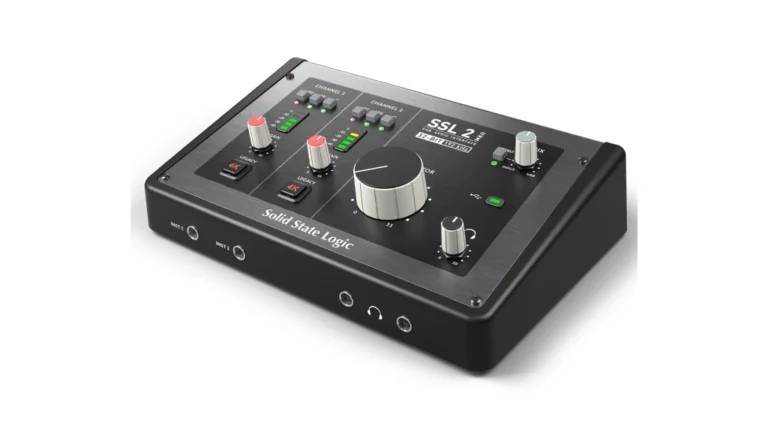
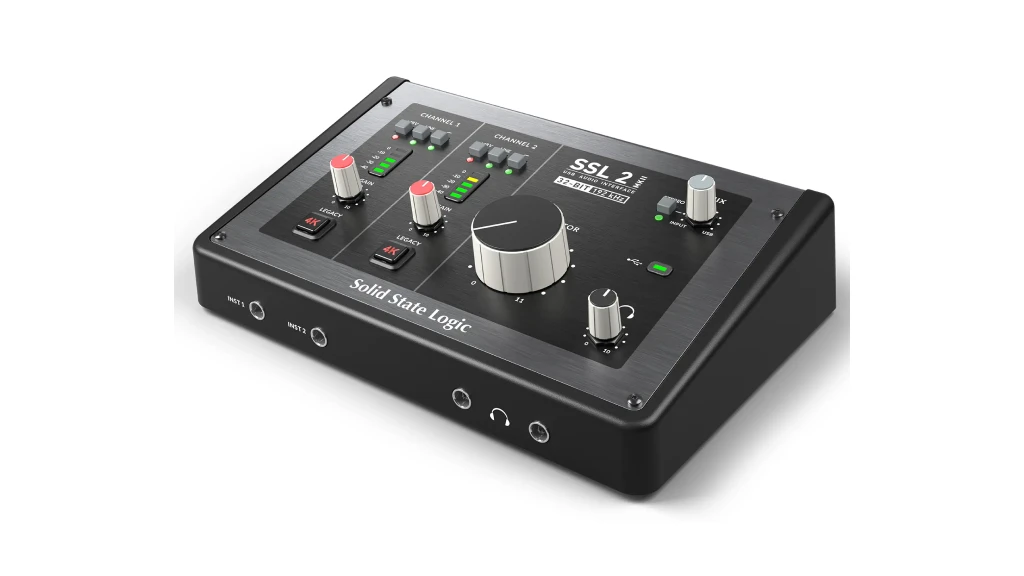
SSL built their reputation on consoles that shaped decades of hit records. The SSL 2+ MKII puts that DNA into a desktop interface, and the 4K button is the reason to pay attention. It’s analog hardware — not a plugin emulation — that adds the VCA compression character and high-frequency lift that made SSL consoles legendary.
| Pros
- Legacy 4K analog enhancement circuit (hardware, not emulation)
- 32-bit/192kHz next-generation converters
- 120dB dynamic range on outputs
- Dual independent headphone outputs
- DC-coupled outputs for CV/modular integration
| Cons
- No ADAT or digital expansion
- Bus-powered only (no external power option)
- Limited routing flexibility
| Key Features
- Inputs: 2x XLR/TRS combo (mic/line), 2x Hi-Z instrument inputs (front)
- Outputs: 4x TRS balanced line outputs, 2x independent headphone outputs
- Compatibility: macOS 12+, Windows 10+
- Connectivity: USB-C (USB 2.0)
- Resolution: 32-bit/192kHz
- Plus: Legacy 4K analog circuit, high-pass filter per channel, auto-detect Hi-Z inputs, SSL Production Pack software bundle worth over $1,100
| Best for...
- Vocal production requiring analog character
- Guitar and bass recording with DI
- Producers seeking "that SSL sound" on sources
- Dual-monitor studio setups (4 outputs)
- Musicians working with CV/modular synthesizers
| Not ideal for...
- Recording drums or full bands (only 2 preamps)
- Setups requiring more than 2 simultaneous mic inputs
- Users needing extensive digital I/O
Overview
The M6 represents what MOTU does best — deliver converter quality that competes with interfaces costing twice as much. The ESS Sabre32 DACs are the same technology found in high-end audiophile equipment, and you hear it immediately in the headphone outputs. Monitoring through the M6 reveals details that cheaper interfaces smooth over.
Where the M6 really shines is latency. At 96kHz with a 32-sample buffer, you’re looking at 2.5ms round-trip — low enough to track through plugins without that disconnected feeling. The drivers are mature and stable on both Mac and Windows, which isn’t something you can assume at this price.
The four mic preamps measure at -129 dBu EIN, meaning they’re quiet enough for ribbon mics and dynamic mics that need significant gain. Each input has independent phantom power switching, so you can mix condenser and ribbon mics without worry.
The color LCD is more than a gimmick. When you’re setting levels during a session, having accurate visual feedback without switching to your DAW keeps you focused on the performance. The metering shows all inputs and outputs simultaneously, which is genuinely useful when routing gets complex.
Two headphone outputs with independent volume control solve the common problem of tracking with a collaborator. The second output can mirror the main mix or switch to outputs 3-4 for a completely independent mix — useful for giving an artist their own blend while you monitor the full session.
Build quality is solid without being heavy. The aluminum chassis feels professional, and the knobs have a satisfying resistance that makes precise adjustments easy. Inputs on the back keep your desk cleaner, though this might frustrate guitarists who prefer front-panel access.
The included software bundle — Performer Lite, Ableton Live Lite, and over 6GB of samples — provides genuine value for new producers. Performer Lite alone includes over 100 virtual instruments, making this a complete starter package.
High Channel Count
Behringer UMC1820
4.5
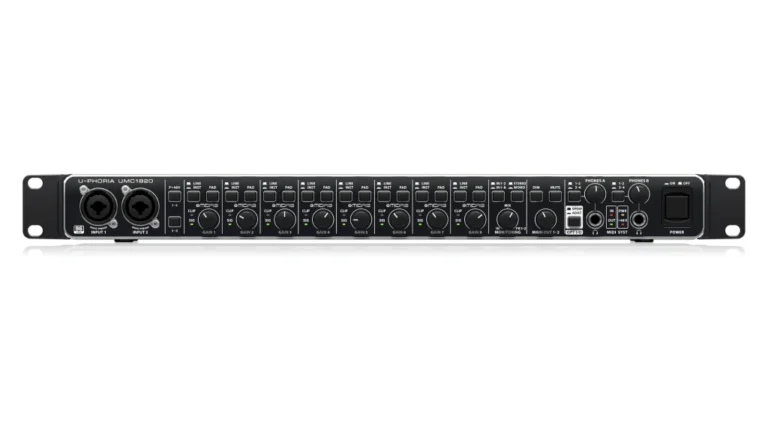
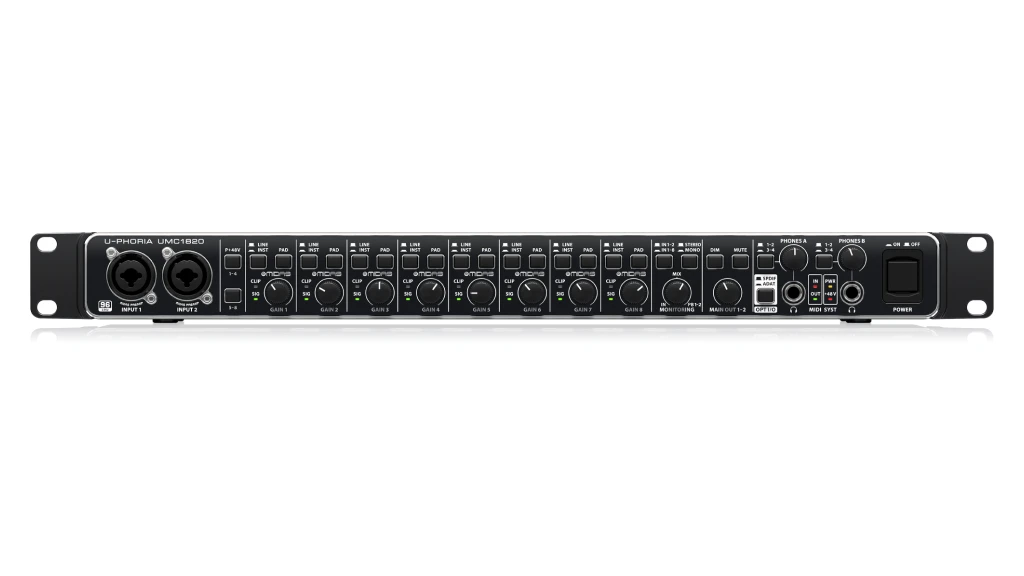
When you need to mic an entire drum kit, track a live band, or run multiple synths into your DAW simultaneously, channel count matters more than boutique preamps. The Behringer UMC1820 gives you 8 Midas-designed mic preamps, ADAT expansion for 8 more, MIDI, S/PDIF — all for roughly $300.
| Pros
- 8 Midas-designed mic preamps with switchable phantom power
- ADAT I/O expandable to 16 mic inputs total
- Rackmount design (1U) for studio integration
- Dual headphone outputs with A/B monitoring
- Complete MIDI I/O included
| Cons
- 24-bit/96kHz maximum (no 192kHz)
- USB 2.0 only (no USB-C)
- Requires external power supply
| Key Features
- Inputs: 8x XLR/TRS combo (mic/line/Hi-Z), ADAT optical (8 channels), S/PDIF coaxial
- Outputs: 10x TRS balanced (2 main + 8 line), 2x headphone, ADAT optical, S/PDIF coaxial
- Compatibility: macOS, Windows
- Connectivity: USB 2.0 Type-B
- Resolution: 24-bit/96kHz
- Plus: Rackmount design, zero-latency direct monitoring, dim/mute controls for main outputs, MIDI I/O, expandable via ADA8200 for 16 total preamps
| Best for...
- Recording full drum kits (8+ mics)
- Live band tracking in one take
- Studios needing extensive outboard gear routing
- Integration with ADAT-equipped preamps
- Project studios on strict budgets
| Not ideal for...
- Critical mixing requiring highest converter quality
- Users dependent on manufacturer software support
- Laptop-based portable setups (requires AC power)
Overview
The UMC1820 exists because not everyone needs boutique conversion — sometimes you need channels. At roughly $300 (street price varies), you get 18 inputs and 20 outputs when using the digital connections. That’s enough I/O to track a small band live, run a multi-synth studio, or handle podcast production with room to spare.
The Midas-designed preamps are the same topology found in Behringer’s higher-end mixers. They’re clean and functional with adequate gain for most microphones, though demanding dynamics like the SM7B may require an inline preamp. Each input has a 20dB pad and switchable phantom power in groups of four, which provides flexibility for mixed mic setups.
ADAT expansion is where this interface shows its value. Connect a Behringer ADA8200 (around $220) and you’ve added 8 more Midas preamps via a single optical cable. Suddenly you’re at 16 mic inputs for around $500 total — try finding that elsewhere.
The rackmount form factor (1U with removable ears) suits permanent installations. All connections except the first two inputs live on the rear panel, keeping your rack clean. The dual headphone outputs support A/B source switching, useful for DJ-style monitoring or separate artist mixes.
Zero-latency direct monitoring works as expected: a front-panel mix knob blends live input with DAW playback. It’s not as flexible as software-based monitoring, but it’s reliable.
Where the UMC1820 shows its budget origins is build quality and driver support. The chassis is sturdy enough for studio use but feels utilitarian. Driver updates can lag behind operating system releases, which has historically frustrated some users — though the current ASIO drivers are stable on most systems.
If your priority is maximum I/O per dollar and you’re working in a controlled studio environment (not touring), the UMC1820 delivers functionality that costs significantly more from other manufacturers. Manage your expectations on conversion quality — it’s good, not reference-class — and you’ll find real value here.
Best Preamp Quality
Audient iD14 MKII
4.5
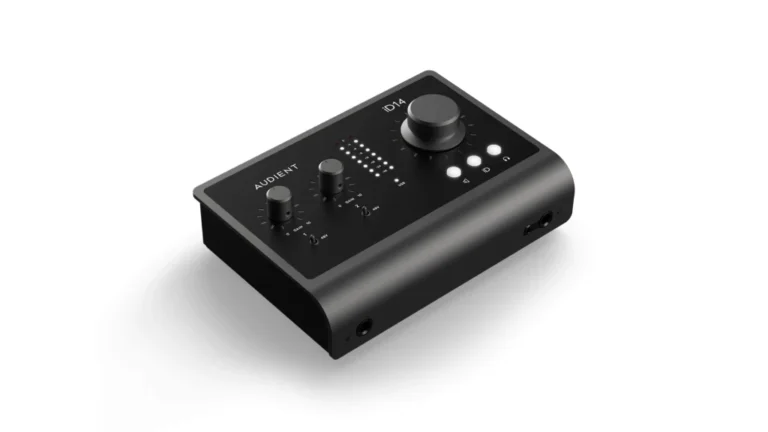
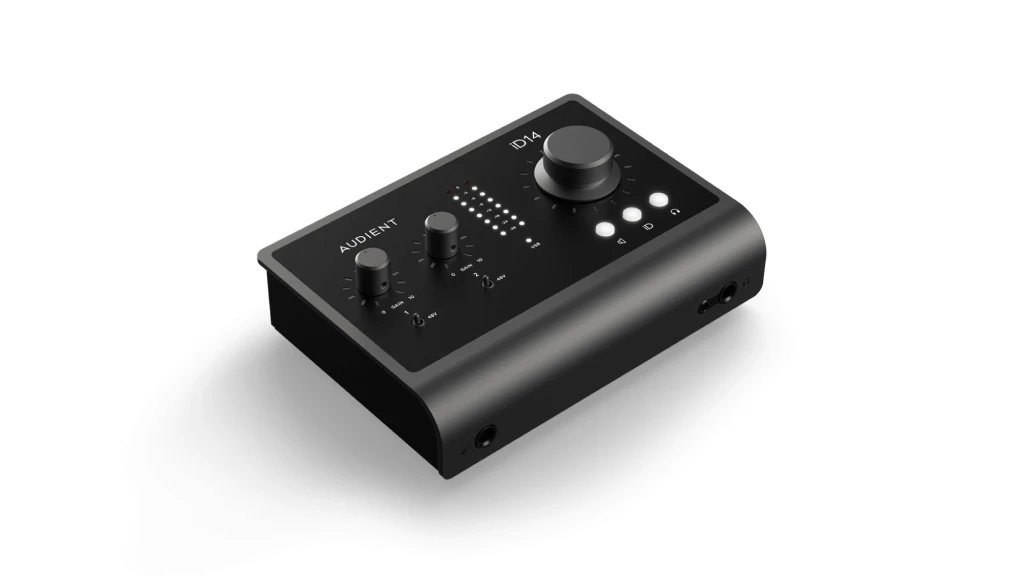
The preamps here aren’t just “good for the price” — they compete with dedicated preamps costing several times more. For vocal production, acoustic instruments, and any source where the front end matters, the iD14 MKII punches far above its weight class.
| Pros
- ASP8024-derived Class A mic preamps with 58dB gain
- JFET DI input with tube-like harmonic character
- ADAT optical input for 8 additional channels
- Dual headphone outputs with independent routing
- ScrollControl virtual scroll wheel feature
| Cons
- Bus-powered only (USB 3.0 required)
- JFET input on channel 1 only
- Only 2 mic preamps
| Key Features
- Inputs: 2x XLR/TRS combo (mic/line), 1x JFET instrument (front), ADAT optical (8 channels)
- Outputs: 4x TRS balanced line outputs, 2x headphone (1/4" and 3.5mm)
- Compatibility: macOS, Windows, iOS/iPadOS
- Connectivity: USB-C (USB 3.0)
- Resolution: 24-bit/96kHz
- Plus:
| Best for...
- Vocal recording demanding transparent, detailed preamps
- Acoustic instrument recording
- Studios planning to expand via ADAT later
- iOS recording with iPad Pro
- Users wanting DAW control integration
| Not ideal for...
- Simultaneous multi-mic recording (limited to 2)
- Users without USB 3.0 ports
- Those preferring hardware monitoring controls
Overview
The Audient iD14 MKII is built around its preamps, and they deserve the attention. These are the same Class A designs from Audient’s ASP8024 Heritage Edition console — the kind of gear that records major label albums. At this price, you’re getting conversion quality and preamp transparency that would have cost thousands a decade ago.
The preamps offer 58dB of gain with an additional 10dB available through the iD software. More importantly, they maintain their character across the entire gain range — quiet on low-level sources, clear without harshness when pushed. This matters for vocalists who vary in dynamics or for capturing the nuance of acoustic instruments.
The JFET instrument input is a deliberate choice. It’s designed to replicate the input stage of a tube amplifier, adding subtle harmonic content that flatters guitars and basses. It’s not a modeling effect — it’s the actual circuit topology. Direct recordings have more dimension than the typical sterile DI sound.
ADAT input separates the iD14 MKII from similarly-priced two-preamp interfaces. Connect an external 8-channel preamp and you’ve got 10 inputs total, making this a legitimate small studio centerpiece. The expansion path future-proofs your investment.
The iD software mixer handles monitoring and routing with loopback for streaming, talkback for communication during sessions, and ScrollControl — a feature that turns the main volume knob into a DAW controller. Hover over a plugin parameter or fader, and the knob adjusts it. It’s more useful than it sounds once you’re in the habit.
Four balanced outputs enable dual-monitor setups or external effect integration. Dual headphone jacks (1/4″ and 3.5mm) with independent routing cover artist monitoring needs.
Build quality is serious — all-metal construction with a satisfying heft. The knobs feel precise, the switches have positive engagement, and the whole unit suggests professional equipment rather than consumer electronics.
The main limitation is channel count: two mic preamps restrict you to solo or duo recording without expansion. There’s also no hardware monitoring control — input monitoring is handled through the iD software, which some users find less immediate. And the unit can produce a pop through connected speakers when your computer powers on or off — not damaging, but worth knowing.
For vocal-centric work, acoustic recording, or anyone prioritizing source capture over channel count, the iD14 MKII offers reference-quality front end at a genuinely accessible price.
Best for Expandability
Scarlett 18i16 4th Gen
4.6
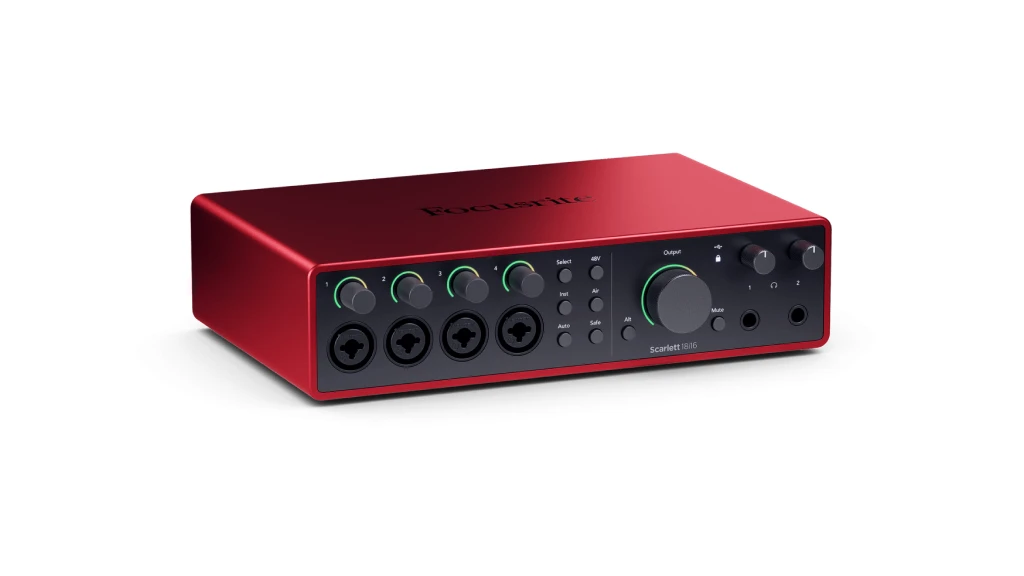
The 18i16 4th Gen represents Focusrite’s most capable desktop interface. It’s the logical choice for studios that need to grow — 4 mic preamps now, but ADAT expansion for 8 more, S/PDIF for digital sources, MIDI for hardware, and enough outputs to run multiple speaker pairs or outboard processing.
| Pros
- RedNet-derived converters with 122dB dynamic range
- Auto Gain and Clip Safe automatic level management
- 69dB preamp gain range (highest in this roundup)
- ADAT, S/PDIF, and MIDI I/O included
- Focusrite Control 2 with iOS/Android app
| Cons
- Higher price point in this category
- Bus power requires 3A USB source
- Complexity may overwhelm beginners
| Key Features
- Inputs: 4x XLR/TRS combo (mic/line), 2x Hi-Z instrument, 4x TRS line, ADAT optical, S/PDIF coaxial
- Outputs: 4x TRS balanced line, 2x headphone, ADAT optical, S/PDIF coaxial
- Compatibility: 4x TRS balanced line, 2x headphone, ADAT optical, S/PDIF coaxial
- Connectivity: USB-C (USB 2.0 protocol)
- Resolution: 4-bit/192kHz
- Plus: Air mode with Presence and Harmonic Drive, Auto Gain automatic level setting, Clip Safe real-time gain adjustment, A/B monitor switching, standalone operation, comprehensive software bundle (Pro Tools Intro+, Ableton Live Lite, 6 months FL Studio Producer, Splice subscription)
| Best for...
- Studios planning significant I/O expansion
- Recording situations with unpredictable dynamics (Clip Safe)
- Users wanting mobile app control of interface
- Multi-speaker studio setups
- Production requiring extensive digital I/O
| Not ideal for...
- Users seeking maximum preamp character
- Budget-constrained buyers
- Those preferring simpler interfaces without software dependency
Overview
Focusrite took the 18i16 4th Gen seriously. The converters come from their RedNet professional range — the same technology in broadcast facilities and major studios. 122dB dynamic range matches or exceeds interfaces at double the price.
The 4th Generation preamps provide 69dB of gain, the highest here. This matters for gain-hungry ribbon mics and quiet dynamic mics — you’ll get clean signal without reaching for external preamps. The Air mode has been redesigned with two options: Presence adds high-frequency lift and presence, while Harmonic Drive pushes into console-style saturation. Both are analog processing, not digital emulation.
Auto Gain and Clip Safe are the workflow features that separate this generation. Press a button, and the interface analyzes your input and sets appropriate gain automatically. Clip Safe monitors levels up to 96,000 times per second and reduces gain in real-time if you’re approaching clipping. For live recording situations or unpredictable vocalists, this provides insurance against ruined takes.
The I/O options cover virtually any studio need: 8 analog inputs total (4 with preamps), ADAT for 8 more mic inputs via external preamps, S/PDIF for digital sources, and full MIDI. Four analog outputs support dual monitor pairs with A/B switching from the front panel. Two custom-designed headphone amps handle even demanding high-impedance headphones.
Focusrite Control 2 manages all routing, monitoring, and settings. The companion iOS and Android apps provide wireless control — adjust preamp gain from the live room, change monitor levels from across the studio. This flexibility suits collaborative sessions.
The software bundle is extensive: Pro Tools Intro+, Ableton Live Lite, six months of FL Studio Producer Edition, three months of Splice Sounds, plus plugins from Antares, Softube, Native Instruments, and others. The Hitmaker Expansion alone includes Auto-Tune Access, Marshall amp simulation, and Focusrite’s own processors.
Build quality follows the Scarlett 4th Gen standard — solid metal construction, positive-feeling knobs, and the Dynamic Gain Halos that provide visual feedback on signal levels and settings.
The 18i16 isn’t cheap for this roundup, but it’s justified by expansion potential. If you’re building a studio that will grow over years, starting with an interface that accommodates that growth makes sense. The alternative — buying entry-level now and replacing it later — often costs more in the long run.
Specifications: Audio Interface Under 500
| Product | Category | Inputs | Outputs | Resolution | Plus |
|---|---|---|---|---|---|
| MOTU M6 | TOP PICK – Best Overall | 6 (4 mic + 2 line) | 4 line + 2 HP | 24-bit/192kHz | Color LCD, MIDI, 120dB DR |
| SSL 2+ MKII | Best Sound Character | 2 mic + 2 Hi-Z | 4 line + 2 HP | 32-bit/192kHz | 4K analog circuit, DC-coupled |
| Behringer UMC1820 | Best High Channel Count | 18 (8 analog + digital) | 20 (10 analog + digital) | 24-bit/96kHz | Rackmount, MIDI, ADAT expandable |
| Audient iD14 MKII | Best Preamp Quality | 10 (2 analog + ADAT) | 6 (4 line + 2 HP) | 24-bit/96kHz | Class A preamps, JFET DI |
| Focusrite 18i16 4th Gen | Best Expandability | 18 (8 analog + digital) | 16 (4 analog + digital) | 24-bit/192kHz | Auto Gain, Clip Safe, Air mode |
Choosing the Best Audio Interface Under 500
After working with these interfaces, I can tell you that specs only tell part of the story. Here’s what to consider:
If you prioritize sound quality and value: The MOTU M6 delivers converter performance that rivals interfaces at twice the price. The ESS Sabre32 DACs and low-latency drivers make it the most complete package for most home studio applications.
If you want analog character: The SSL 2+ MKII’s 4K circuit adds something that software can’t replicate. It’s limited to two channels, but those channels sound like records before you even mix.
If you need channels above all: The Behringer UMC1820 provides more I/O per dollar than anything else. Accept the limitations on conversion quality and driver support, and you get a functional 18×20 interface for roughly $300.
If preamp quality matters most: The Audient iD14 MKII’s Class A preamps come from serious console lineage. Two channels with expansion potential and reference-quality sound capture.
If you’re building for the future: The Focusrite Scarlett 18i16 4th Gen offers the most expansion options, the most advanced workflow features (Auto Gain, Clip Safe), and the most comprehensive software bundle.
Final Thoughts: Finding the Best Audio Interface Under 500
There’s no single “best” interface in this price range — there’s only what’s best for your specific needs. A solo vocalist-guitarist doesn’t need 8 preamps. A band recording live doesn’t need boutique conversion on two channels.
My recommendation for most users starting or upgrading a home studio is the MOTU M6. It balances sound quality, I/O flexibility, and features in a way that serves the widest range of applications. The converters genuinely compete with higher-priced interfaces, the latency is low enough for real-time monitoring through plugins, and the color LCD metering makes level management intuitive.
If your work centers specifically on vocals and acoustic instruments where source capture is paramount, consider the Audient iD14 MKII — those preamps will serve you for years.
If you’re recording bands or need maximum simultaneous inputs on a budget, the Behringer UMC1820 delivers I/O that costs significantly more elsewhere.
Whatever you choose, any interface in this guide represents a meaningful upgrade from entry-level gear. You’re investing in tools that won’t limit your recordings. While we’ve selected these specific models for their price, you can see how they compare to other priced options in our master guide to the best budget audio interface.If you are on a very tight budget, we recommend checking out our full list of the best audio interfaces under $50 , best audio interface under 100 and best audio interface under 200 where we test the ultra-budget options.
FAQ
How many inputs do I actually need for a home studio audio interface?
For most home studio work — solo vocals, guitar recording, podcasting — two preamps handle daily needs. But think about future sessions: recording guitar while monitoring playback, capturing a vocalist with a second ambient mic, or tracking a friend’s drums. Four preamps (like the MOTU M6) give flexibility without overwhelming complexity. If you’re certain you’ll record drums or full bands, look at the Behringer UMC1820’s 8 preamps or plan for ADAT expansion with the Audient iD14 MKII or Focusrite 18i16.
Can I use an audio interface under 500 for professional recordings?
Yes. The interfaces in this guide use converter and preamp technology that was genuinely professional-only a decade ago. The MOTU M6’s ESS Sabre32 DACs deliver 120dB dynamic range — the same technology in audiophile DACs costing $500+ alone. The Audient iD14 MKII’s preamps share DNA with consoles used on major label recordings. Professional sound comes from technique, microphone choice, acoustic treatment, and mixing skill. A $400 interface is not the limiting factor in a home studio; room acoustics and monitoring accuracy matter far more.
What's the difference between USB-C and USB 2.0 audio interfaces?
USB-C is a connector shape; USB 2.0 and USB 3.0 are speed protocols. Most audio interfaces — including the MOTU M6 and SSL 2+ MKII — use USB-C connectors but USB 2.0 protocol, which has more than enough bandwidth for the channel counts here. The Audient iD14 MKII requires USB 3.0 for adequate power delivery. For practical purposes, any modern computer with USB-C or USB-A (with adapter) works fine. Latency differences between USB versions are negligible compared to driver quality and buffer settings.
| Why Can You Trust Us

Bruno Bontempo
I've been recording, producing, and playing bass for over 20 years—from touring with my first band at 15 to playing progressive metal across Europe today. Through multiple albums, projects (Madness of Light, Rising Course, Roots of Ascendant, Human|Archive), and production work, I've tested audio interfaces in every scenario imaginable. At Best Audio Hub, I combine my historian background with years of hands-on music and audio experience. No marketing fluff—just honest insights from someone who's been in the trenches.
| ALSO REVIEWED