Best Audio Interface for Guitar (2026): Guitarist’s 8 Picks
- Audio Interface, Buying Guides
- by Bruno Bontempo
Struggling to choose the best audio interface for guitar? Compare 8 top models with our detailed guide and find your perfect match today!
Our articles may include affiliate links and we may earn a commission. Here how it works.
| QUICK OVERVIEW

A Guitarist's Take on Recording Guitar
As a guitarist and bassist who has spent many (many!) hours in both home and professional studios, I understand the critical role an audio interface plays in capturing the tone you are looking for.
Recording guitar has never been more accessible, but the options can feel overwhelming. As a guitarist and bassist myself, I understand the frustration of navigating technical specifications while wondering what actually matters for getting great guitar tone into your computer.
The truth is, guitarists have unique needs compared to vocalists or electronic music producers. We need proper Hi-Z instrument inputs that handle the high impedance of passive pickups. Moreover, we benefit from features like re-amping capabilities, ultra-low latency monitoring, and sometimes even built-in amp modelling. Therefore, choosing the right interface means understanding which features will actually improve your recordings and which are just marketing fluff.
In this comprehensive guide, I’ll walk you through eight different recording solutions specifically chosen for guitar players. Some are traditional audio interfaces, while others are multi-effects processors that double as interfaces or portable mobile solutions. For instance, you might be surprised to learn that a multi-effects unit like the Line 6 POD Go can serve double duty as both your live rig and studio interface.
We’ll cover everything from budget-friendly options to professional-grade interfaces with exceptional preamps. In addition, I’ll explain the key features that matter most: latency performance, conversion quality, re-amping capabilities, and how different interfaces handle that crucial direct guitar signal. By the end, you’ll know exactly which solution fits your recording needs, playing style, and budget.
Best for Live & Studio
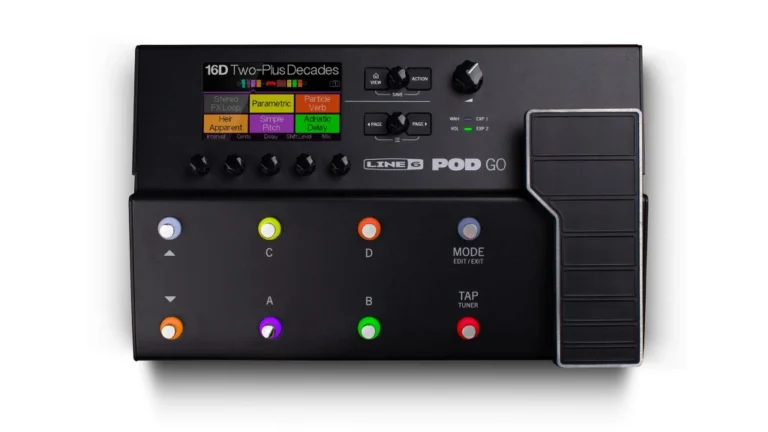
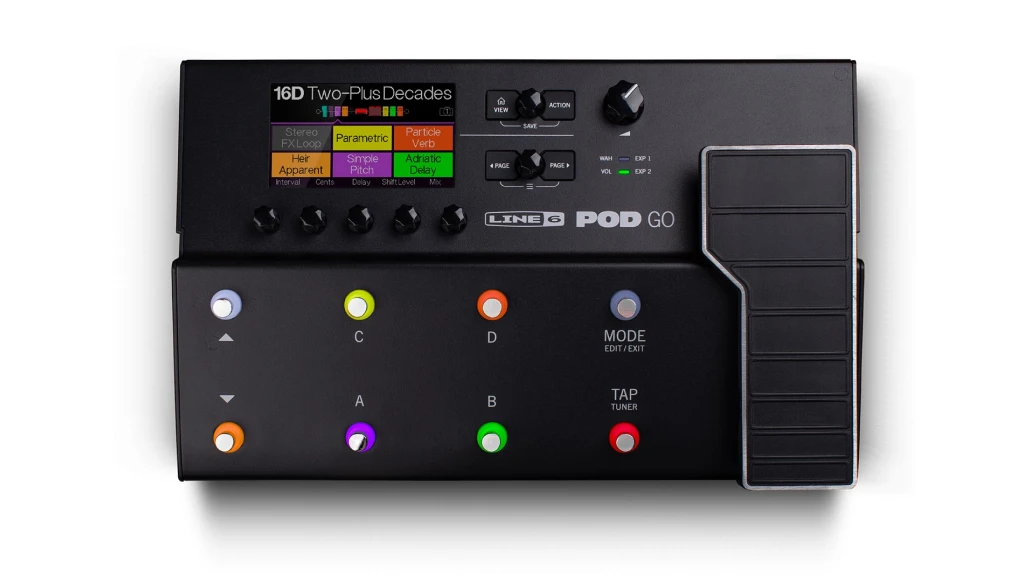
Line 6 POD Go
Stop lugging heavy gear to rehearsals and gigs. The POD Go packs legendary Line 6 amp modeling and effects into a compact floor unit that also works seamlessly as your USB audio interface. It’s your complete guitar rig and recording solution in one box.
| Key Features
- Inputs: 1 x Guitar Input, 1 x FX Loop Return (mono/stereo), 1 x Input for second expression pedal
- Outputs: 2 x Main Outs (L/Mono, R), 1 x Amp Out, 1 x Phones Out
- Resolution: 24-bit/192kHz
- Compatibility: Mac, Windows (via USB for POD Go Edit software and firmware)
- Connectivity: USB-B
- Plus: HX Amp Modelling, 8 Footswitches, Expression Pedal, 4-Channel Recording with Simultaneous Dry/Wet Signals, Built-in tuner, snapshots for preset changes, supports third-party Impulse Responses (IRs).
| Buy if
- You perform live and want one unit for stage and studio
- You need amp modelling and audio interface combined
- You want to record dry signals for re-amping flexibility
- You value portability without sacrificing sound quality
- You're building a pedalboard-style setup with professional tones
- You want to experiment with hundreds of amps
| Avoid if
- You need multiple simultaneous instrument inputs for recording full bands
- You prefer using only analog amps and pedals exclusively
- You require dedicated XLR microphone inputs for vocals
Overview: Your All-In-One Guitar Recording Studio
The POD Go represents a new breed of guitar gear that blurs the line between live performance tool and studio interface. During my time with this unit, what struck me most was how it eliminated the “one or the other” compromise many guitarists face.
The HX modelling engine delivers genuine amp feel. When you dig into the strings, the virtual amps respond with the same dynamic compression and harmonic saturation as tube amps. For instance, a Plexi-style amp model breaks up naturally when you hit it hard, then cleans up when you roll back your guitar’s volume—exactly like the real thing.
The interface capabilities shine during recording sessions. Track your guitar through your favorite preset while simultaneously recording a clean DI signal. Later, if you decide the tone needs more gain or a different cab, simply route that dry track back through the POD Go and print a new take. This flexibility is invaluable, especially when mixing reveals that your guitar tone needs adjustment.
Eight footswitches provide hands-free control that feels natural for guitarists. In other words, you’re not reaching for a mouse to change patches mid-performance. The color LCD screen makes editing intuitive, though the POD Go Edit software on your computer offers even deeper control when you’re crafting sounds.
One limitation: this is primarily a guitar-focused device. While it handles bass brilliantly and can accept line-level sources, it lacks XLR mic inputs. Additionally, if you’re recording a full band simultaneously, you’ll need something with more inputs.
For guitarists who split time between home recording and live performance, the POD Go eliminates redundancy. Your practice tones, recording sounds, and stage patches live in one unit that travels easily. Most importantly, the 4×4 USB interface means professional-quality recordings without needing separate amp modelling software that taxes your computer’s CPU.
Best for Modeling & Re-Amp
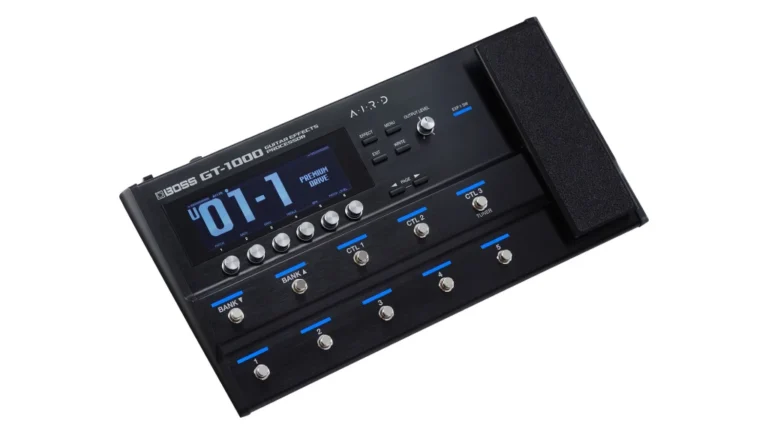
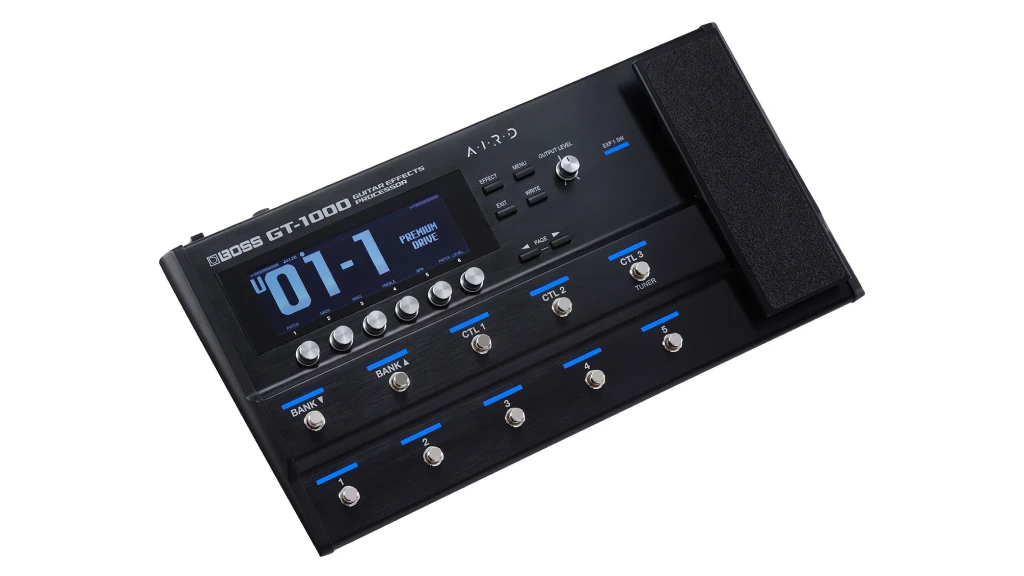
Boss GT-1000
Demand professional, recording-studio quality from your digital rig. The BOSS GT-1000 combines groundbreaking 32-bit/96 kHz conversion with its AIRD amp modelling to deliver uncompromising tone and feel, all while acting as a premium USB audio/MIDI interface.
| Key Features
- Inputs: 1 x Guitar Input, 2 x FX Loop Returns, 2 x Assignable Control/Expression jacks
- Outputs: 2 x Main Outputs, 2 x XLR Sub Outputs, 1 x Phones Out
- Resolution: 32-bit/96 kHz
- Compatibility: Mac, Windows, iOS/Android (for wireless editing via BOSS Tone Studio app).
- Connectivity: USB-B, Bluetooth for mobile editing
- Plus: AIRD Amp Modeling, Bluetooth Editing, 2 Stereo FX Loops, Fastest Patch Switching, Custom IR Loading, 116 Effects, Ten footswitches, integrated expression pedal, IR loader (16 slots), dedicated bass mode
| Buy if
- You want the most realistic amp modeling available in a multi-effects unit
- You need to integrate analog pedals with digital processing seamlessly
- You require professional XLR outputs for direct PA connection
- You value ultra-fast patch switching for complex live performances
- You want both live performance and studio re-amping capabilities
- ou're willing to invest more for premium processing and routing flexibility
| Avoid if
- You prefer simple, plug-and-play operation without deep editing
- You need multiple simultaneous instrument inputs for recording
- You're on a tight budget and don't need flagship features
Overview: Professional-Grade Modelling Meets Studio Interface
The GT-1000 stands as Boss’s most ambitious guitar processor to date, and using it feels distinctly different from other modellers. The AIRD technology isn’t just marketing—it genuinely affects how the virtual amps respond to your playing and interact with external gear.
Connect an analog overdrive into one of the GT-1000’s stereo effects loops, and it drives the virtual amp models exactly as it would a real tube preamp. This opens up hybrid rigs where your favorite pedals enhance digital amps, giving you the best of both worlds. In addition, the ability to place effects loops anywhere in the signal chain means you’re not restricted to pre-amp or post-amp placement.
As a recording interface, the GT-1000 excels at re-amping workflows. Record your dry guitar signal to your DAW, then later route it back through the GT-1000 to audition different amps, cabs, and effects. This approach transformed my recording process—instead of committing to a tone during tracking, I can experiment with dozens of amplifier options during mixing.
The 32-bit/96kHz audio quality is immediately apparent. High-gain tones remain articulate rather than turning muddy, and clean tones have a three-dimensional quality that sits well in mixes without extensive EQ. Moreover, the GT-1000’s converters are exceptionally quiet, contributing minimal noise even with high-gain patches.
Bluetooth editing through the Boss Tone Studio app adds convenience that seems minor until you experience it. Tweak your tone from your phone while your guitar hangs comfortably on your shoulder, or adjust settings from the audience position during soundcheck. Similarly, the desktop Tone Studio software provides visual signal flow that makes complex routing comprehensible.
One consideration: this is a deep device with extensive capabilities that require investment in learning. The hardware interface is logical, but mastering all routing options and effect parameters takes time. However, for guitarists who want professional-grade modelling and complete studio integration, the GT-1000 delivers everything needed in one unit.

Best Expandable & Processing
Tascam SERIES 208i
Build a professional home studio that can grow. The Tascam Series 208i gives you 4 great mic preamps, 20 total possible inputs via ADAT expansion, and built-in DSP effects, making it perfect for recording drums, full bands, or layering multiple guitar tracks.
| Key Features
- Inputs: 4 x XLR/TRS Combo (Mic/Line/Inst), 2 x Optical ADAT/SMUX Inputs (up to 16 extra channels)
- Outputs: 8 x TRS Line Outputs, 2 x Headphone Outputs
- Resolution: Up to 24-bit / 192 kHz
- Compatibility: Mac, Windows, iOS
- Connectivity: USB-B, Word Clock In/Out
- Plus: MIDI I/O, Onboard DSP (reverb, compressor, 4-band EQ), Ultra-HDDA Preamps, Zero-Latency Monitoring, ADAT Expansion, includes Cubase LE and AmpliTube software
| Buy if
- You plan to expand your input count as your studio grows
- You want built-in effects processing to reduce computer CPU load
- You need multiple outputs for different monitor setups or outboard gear
- You value Japanese build quality and reliable performance
- You want true zero-latency monitoring with DSP effects
- You need MIDI connectivity for controlling virtual instruments or synths
| Avoid if
- You only need minimal I/O and want the most compact solution
- You never plan to expand beyond basic stereo recording
- You prefer software plugins over hardware DSP processing
Overview: Expandable Recording Hub for Growing Studios
The SERIES 208i addresses a common guitarist problem: starting with a small interface, then outgrowing it when you want to record drums or multiple instruments simultaneously. With four front-panel combo inputs and eight additional channels via optical, this interface accommodates serious projects without forcing you to replace your entire setup.
Those Ultra-HDDA preamps deserve mention. They’re transparent and musical, capturing guitar pickups accurately without imposing a sonic signature. During direct monitoring, your guitar tone sounds natural and immediate. Moreover, the preamps provide ample gain for even passive single-coil pickups without introducing noise.
The built-in DSP mixer runs independently of your computer, eliminating latency issues that plague guitarists using software monitoring. Add reverb to your dry guitar signal for a more inspiring tracking experience, or apply compression to control dynamics before recording. These effects run internally, so your computer never sees the processing load.
For guitarists who sometimes record full bands, the eight line outputs enable flexible routing. Send click tracks to drummers, different cue mixes to vocalists, or route audio to outboard effects processors. Similarly, the two independent headphone amplifiers mean the guitarist and vocalist can both monitor comfortably with separate level controls.
The angled desktop design puts controls within easy reach. Large knobs for monitor level and balance make adjustments quick during recording sessions. In addition, the Tascam Control software provides matrix routing that lets any input feed any output—useful for complex monitoring scenarios.
MIDI I/O connectivity expands the interface’s utility beyond audio recording. Control virtual instruments, synchronize external synthesizers, or integrate MIDI footswitches for hands-free DAW control. Furthermore, if you’re into Guitar Pro 8 or other MIDI-based guitar notation software, the 208i handles these workflows seamlessly.
One note: at 192kHz maximum sample rate, some might prefer higher rates. However, for the vast majority of recording applications, 192kHz provides more than enough headroom and detail. Additionally, lower sample rates reduce file sizes and computer processing demands.
The more affordable Tascam SERIES 102i provides similar quality with two combo inputs and optical expansion, making it a smart choice for solo guitarists who want future-proof expandability without the current need for four simultaneous inputs.
Classic Console Vibe
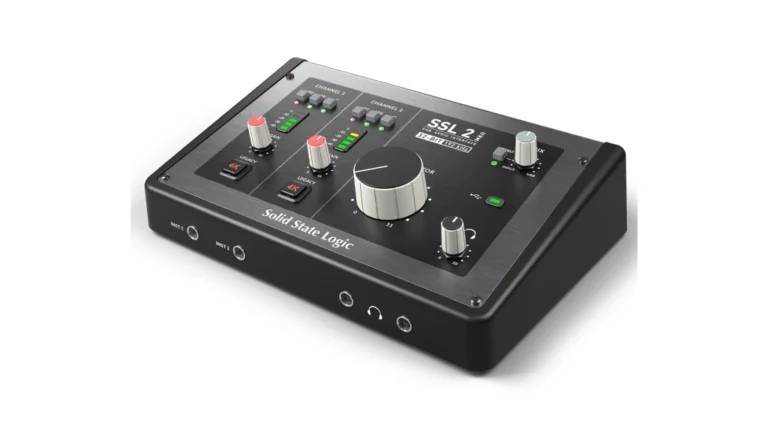
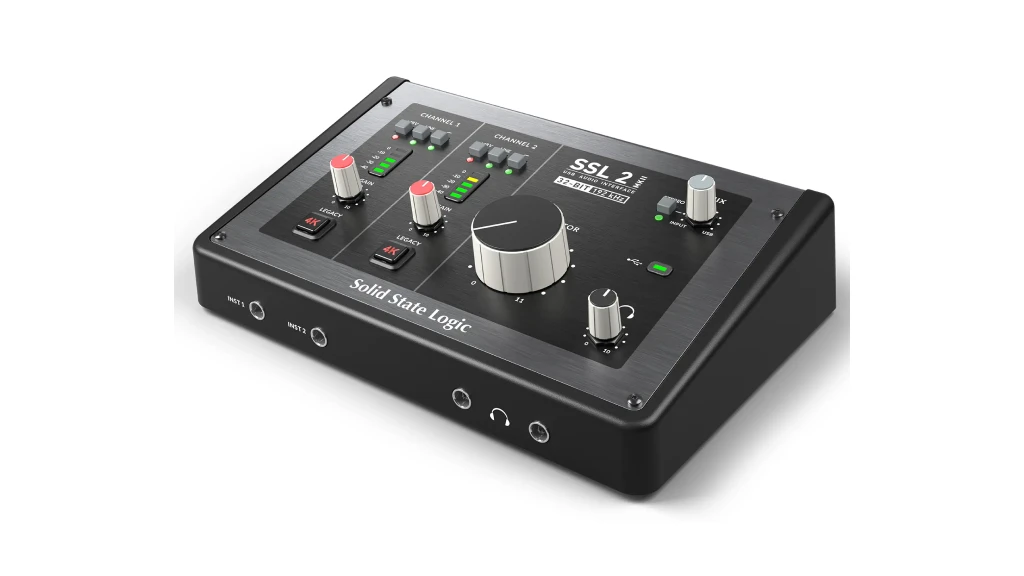
SSL 2 MKII
Inject the legendary “SSL sound” into your productions from the very first connection. The SSL 2 MKII offers two superb preamps with a dedicated “4K” analog enhancement mode, making everything from vocals to DI guitar sound bigger, warmer, and more polished.
| Key Features
- Inputs: 2x Combo XLR/TRS (Mic/Line), 2x TRS Instrument Inputs (front panel)
- Outputs: 2x TRS Monitor Outputs, 2x TRS Headphone Outputs (individual)
- Resolution: 24-bit / 192 kHz
- Compatibility: Mac (class-compliant), Windows (ASIO/WDM driver)
- Connectivity: USB-C (bus-powered)
- Plus: SSL 4K Console EQ/Dynamics on Every Input, “Legacy 4K” analog enhancement button, stereo loopback for streaming, includes SSL Production Pack software (over $1100 value)
| Buy if
- Sound quality is your absolute top priority
- You want professional-grade preamps from a legendary manufacturer
- You value SSL console character in a desktop form factor
- You need two instrument inputs for guitar and bass simultaneously
- You appreciate thoughtful workflow features like monitor mix control
| Avoid if
- You require MIDI connectivity for synthesizers or controllers
- You want built-in amp modeling or guitar-specific effects
Overview: Console-Grade Quality in a Compact Package
The SSL 2 MKII represents a different philosophy than the multi-effects units or feature-packed interfaces in this comparison. Instead of maximum I/O or built-in modeling, SSL focused on making two channels sound absolutely stellar.
Those preamps are the real story here. Recording a clean guitar DI through the SSL 2 MKII captures every nuance—the attack of your pick, the decay of each note, the harmonic complexity of your pickups. This transparency becomes crucial when you’re planning to re-amp later or use amp simulator plugins in your DAW. Moreover, the preamps maintain this clarity even when driven hard, never introducing harshness or brittleness.
The 4K console processing elevates the interface beyond typical desktop units. Engage the Legacy mode on a clean guitar DI, and you’ll hear subtle second-harmonic warmth that makes digital recordings feel more analog. Similarly, the E-Series EQ and compression derived from SSL’s G-Series consoles provide genuine studio-grade processing. For instance, roll off some low-end mud with the EQ’s high-pass filter before recording, solving mix issues before they start.
Front-panel instrument inputs accept guitar and bass directly, with proper high-impedance circuitry that respects your pickup’s signal. Many interfaces compromise on instrument input quality, but SSL treated these inputs with the same care as their mic preamps. As a result, passive pickups sound full and dynamic rather than thin or anemic.
The monitor section demonstrates SSL’s understanding of workflow. A single Monitor Mix knob blends input and DAW playback seamlessly. When tracking guitar, dial in just enough of your direct sound mixed with the backing track for perfect monitoring without complicated routing. In addition, the individual level controls for two headphone outputs mean you and a vocalist can both monitor comfortably with personalized mixes.
Build quality feels solid and professional. The unit sits firmly on your desk without sliding around, and every knob and switch operates with satisfying precision. Furthermore, SSL includes their Production Pack software bundle featuring Native Instruments Komplete Start and other tools to get you recording immediately.
For guitarists focused on tone and planning to use amp simulators like those in FL Studio or standalone plugins, the SSL 2 MKII provides the cleanest possible signal path.
One limitation: with only two inputs, this interface serves solo guitarists and small production setups rather than full band recordings. However, for capturing your guitar with uncompromising fidelity, SSL’s console heritage shines through.
Vintage Character & Plugins
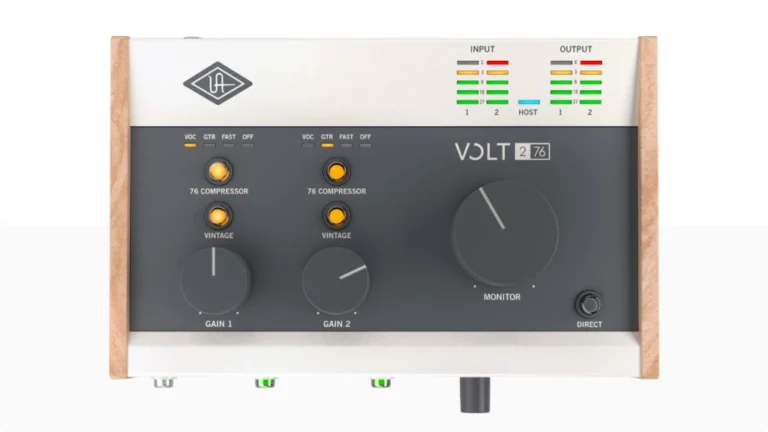
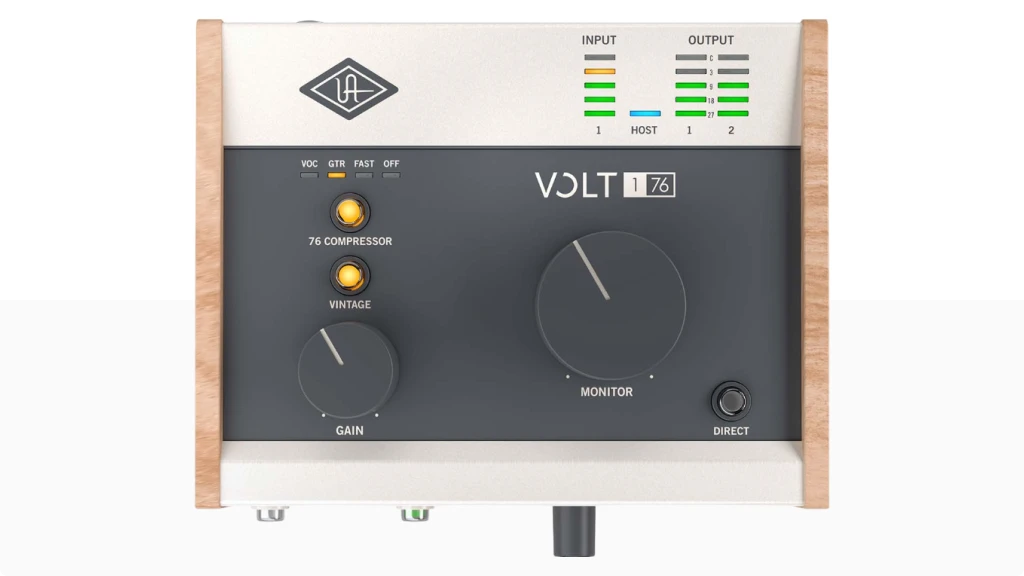
UA Volt 276
Crave the warm, saturated sound of classic recording gear? The Volt 276 builds genuine analog circuitry from UA’s legendary 610 tube preamp and 1176 compressor into a simple USB interface, giving you instant vintage vibe on vocals and instruments.
| Key Features
- Inputs: 2 x XLR/TRS Combo (Mic/Line/Inst) + MIDI I/O
- Outputs: 2 x TRS Monitor Outputs, 1 x Headphone Output
- Resolution: 24-bit / 192 kHz
- Compatibility: Mac, Windows, iPad, iPhone
- Connectivity: USB-C (needs power adapter for iOS)
- Plus: Vintage preamp mode (modeled on UA 610), Built-In 76 Compressor, includes LUNA Recording System, Free Marshall & Ampeg Plugin Suite and UAD Producer Suite software
| Buy if
- You want vintage analog character in your recordings
- You value included premium plugins from a legendary manufacturer
- You need iPad compatibility for mobile recording
- You want hardware compression before your signal hits the DAW
- You plan to use amp modeling plugins and want the best input quality
| Avoid if
- You prefer completely transparent, uncolored preamps
- You need to record multiple instruments
Overview: Analog Warmth Meets Modern Convenience
Universal Audio built their reputation on recreating vintage gear with meticulous accuracy, and the Volt 276 brings that expertise to an accessible price point. The Vintage 610 preamp mode isn’t just EQ adjustment—it’s an actual analog circuit path inspired by UA’s high-end 610 tube preamp.
Engaging Vintage mode on a guitar DI transforms the character immediately. The signal gains subtle harmonic richness and warmth that makes digital recordings feel more dimensional. This becomes particularly valuable when recording clean guitar parts that need to sit prominently in a mix. Moreover, the effect is musical and tasteful rather than overwhelming—your guitar still sounds like your guitar, just more polished.
The built-in 76 compressor provides FET-style compression inspired by the classic 1176 limiting amplifier. For guitarists, this means controlling your picking dynamics before recording, ensuring consistent levels that make mixing easier. During recording, I found the compressor particularly effective on fingerstyle playing and arpeggiated parts where note-to-note volume varies significantly.
UA’s inclusion of Marshall Plexi and Ampeg plugins significantly enhances the package’s value. Record your guitar clean through the Volt 276, then audition different Marshall amp models during mixing. The plugins sound convincing and integrate seamlessly with the interface’s hardware. In addition, UA provides a broader starter bundle including Ableton Live Lite and other production tools.
The Hi-Z instrument input on the front panel makes connecting your guitar convenient. Unlike some interfaces where instrument inputs feel like an afterthought, UA designed this input specifically for guitar and bass, with proper impedance matching for passive pickups. As a result, your tone remains full-bodied and dynamic.
USB-C connectivity with bus power means the Volt 276 draws power directly from your computer without needing a wall adapter. This simplifies setup and makes the interface genuinely portable. Furthermore, direct iPad compatibility opens up mobile recording workflows—the perfect solution for capturing ideas anywhere inspiration strikes.
Build quality matches UA’s professional reputation. The metal chassis feels substantial, and the knobs operate smoothly with clear detents. The compact footprint fits easily on crowded desktops, yet the controls remain accessible and well-spaced.
For guitarists seeking that elusive analog warmth in digital recordings, the Volt 276 delivers vintage character without requiring actual vintage gear. One consideration: the Vintage 610 mode adds coloration, which some might prefer remains optional. However, you can simply leave it disengaged for transparent recordings, making this truly the best of both worlds.
Best for Multi-Track Recording
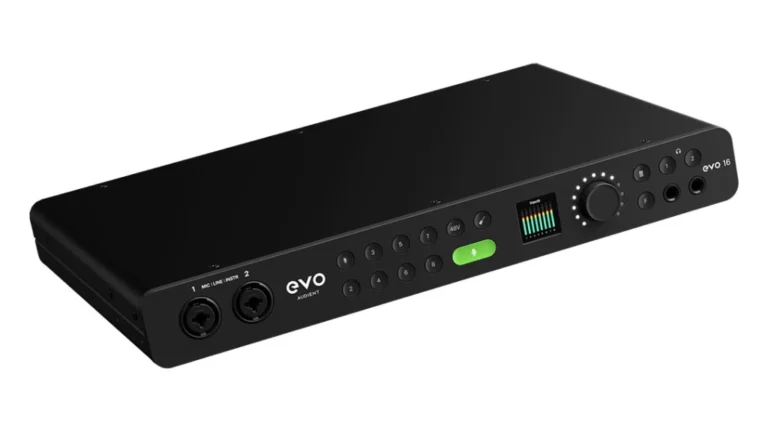
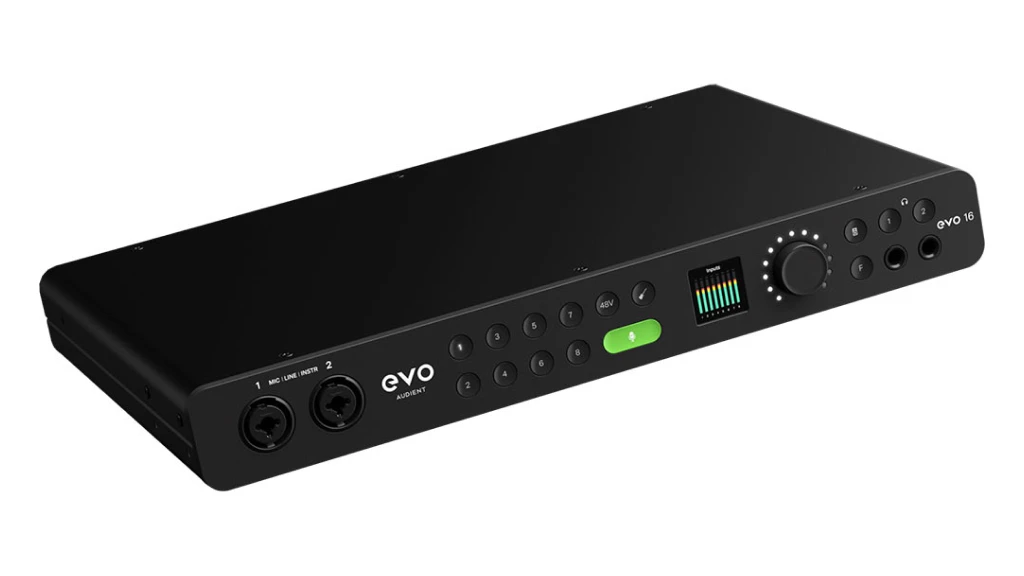
Audient EVO 16
Tired of technical headaches? The EVO 16 combines 8 great preamps, a clever Smartgain feature, and an intuitive screen-based workflow to simplify recording sessions, making it ideal for the guitarist who engineers their own full productions.
| Key Features
- Inputs: 8 x XLR/TRS Combo (Mic/Line), 2 x JFET Instrument Inputs, 16x ADAT Optical (at 44.1/48kHz)
- Outputs: 8 x TRS Line Outputs, 2 x Headphone Outputs
- Resolution: 24-bit / 192 kHz, 121dB dynamic range (DAC)
- Compatibility: Mac, Windows
- Connectivity: USB-C
- Plus: Smartgain automatic level setting, high-res LCD “Motion UI” screen, JFET instrument inputs, talkback function, TFT Color Display
| Buy if
- You record full bands or multiple instruments simultaneously
- You want auto-gain functionality to eliminate manual level setting
- You need extensive I/O expansion via ADAT for future growth
- ou value modern workflow features like loopback and talkback
- You want professional monitoring features including speaker switching
- You need multiple outputs for complex monitoring setups or outboard gear
| Avoid if
- You only record yourself solo and don't need extensive I/O
- You're on a tight budget and need minimal input count
- You prefer traditional analog gain controls over automatic settings
Overview: Professional Studio Hub with Smart Features
The EVO 16 represents Audient’s evolution from their acclaimed ID series interfaces, delivering professional studio features with modern convenience. For guitarists who’ve expanded beyond solo recording into band projects or content creation, this interface provides room to grow without compromise.
Smartgain technology initially seemed like a gimmick until I used it on a full band session. Position all your instruments—multiple guitar amps, bass DI, vocal mics—then press one button. The EVO 16 analyzes all eight inputs simultaneously and sets perfect gain levels in about five seconds. This eliminated the usual time-consuming soundcheck process while ensuring optimal signal-to-noise ratios across every channel.
The JFET instrument inputs provide something special for guitar. Unlike typical FET designs, JFET circuits add subtle second and third harmonic distortion similar to tube equipment. Recording a clean Stratocaster through the JFET inputs yielded a fuller, more three-dimensional tone compared to standard solid-state instrument inputs. Moreover, the warmth remains musical rather than muddy—your guitar’s natural character shines through with extra presence.
Eight EVO preamps deliver 58dB of clean gain with impressive 121dB dynamic range. Recording everything from passive single-coils to hot humbucker pickups, the preamps remained dead silent even with significant gain applied. In addition, Audient’s 25 years of preamp design experience is evident—these preamps sound accurate and detailed without imposing coloration.
ADAT expansion transforms the EVO 16 into a 24-channel recording system. Connect an 8-channel ADAT preamp (like the EVO SP8) and suddenly you’re tracking drums, guitars, bass, keys, and vocals simultaneously at 44.1 or 48kHz. For home studios that occasionally need to record full band sessions, this expandability prevents outgrowing your interface.
The Motion UI control system with its color TFT display makes operation intuitive. Pressing any input or output button displays detailed information—channel levels, phantom power status, input routing—directly on screen. Furthermore, the single encoder knob lets you navigate settings smoothly without menu diving.
Professional monitoring features include speaker switching (A/B between two sets of monitors), talkback (communicate with musicians in isolation rooms), and assignable F-button functionality. These features typically cost thousands in dedicated monitor controllers, yet Audient integrated them thoughtfully into the EVO 16.
Loopback functionality serves multiple purposes beyond podcasting. Jam along with backing tracks from online sources while recording your guitar and the playback together. Similarly, live streamers can route their DAW output mixed with their guitar input into streaming software seamlessly.
For guitarists producing content, recording bands, or building serious home studios, the EVO 16 provides professional capability without the professional price tag. One note: at 96kHz maximum sample rate, some might want higher resolution. However, most Grammy-winning records were made at 96kHz or less—this resolution is more than adequate for professional results.
Low-Latency & Re-Amp
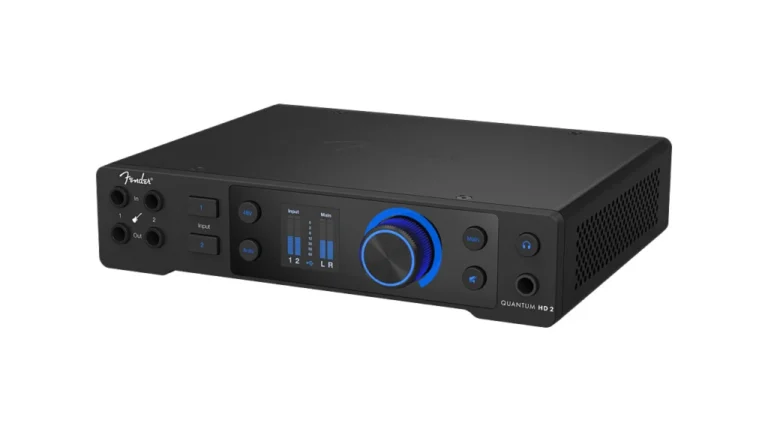
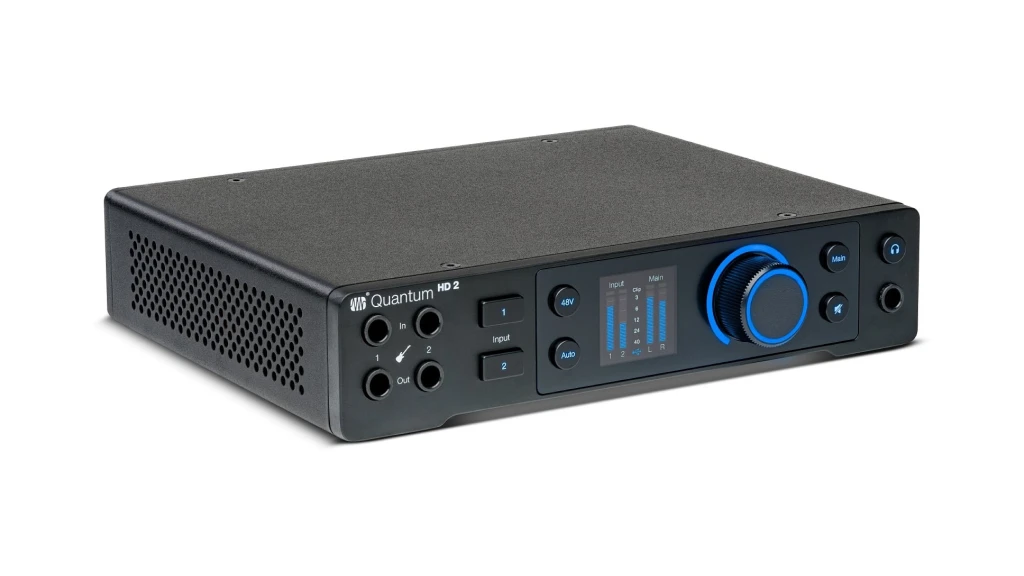
Fender Quantum HD 2
Chase the feeling of a real amp through your studio monitors. Co-developed with Fender, the Quantum HD 2 is built for near-zero latency with custom drivers, features dedicated re-amp outputs, and includes the superb Studio One Pro DAW, creating a seamless guitar-to-DAW experience.
| Key Features
- Inputs: 2x Combo XLR/TRS (Mic/Line), 2x Hi-Z Instrument Inputs (front panel), 16x ADAT Optical, S/PDIF
- Outputs: 2x TRS Main Outputs, 2x TRS Line Outputs, 2x Re-Amp Outputs, 1x RCA, 1x Headphone Output
- Resolution: 32-bit / 192 kHz, 124 dB dynamic range
- Compatibility: Mac, Windows, iOS
- Connectivity: USB-C
- Plus: Fender-co-developed instrument inputs, MAX-HD Preamps with +75dB Gain, dedicated Re-Amp outputs, Auto Gain feature, includes perpetual Studio One Pro license.
| Buy if
- You're serious about re-amping and experimenting with amp tones
- You need ultra-low latency for real-time monitoring without distracting delays
- You want the highest possible audio resolution for maximum recording flexibility
- You value premium preamps designed for modern broadcast and streaming
- You need a complete production system including professional DAW software
- You appreciate the ability to control preamp settings from within your DAW
| Avoid if
- You don't plan to use re-amping workflows
- You're on a budget and don't need flagship specifications
Overview: Studio-Grade Performance with Guitarist-Focused Features
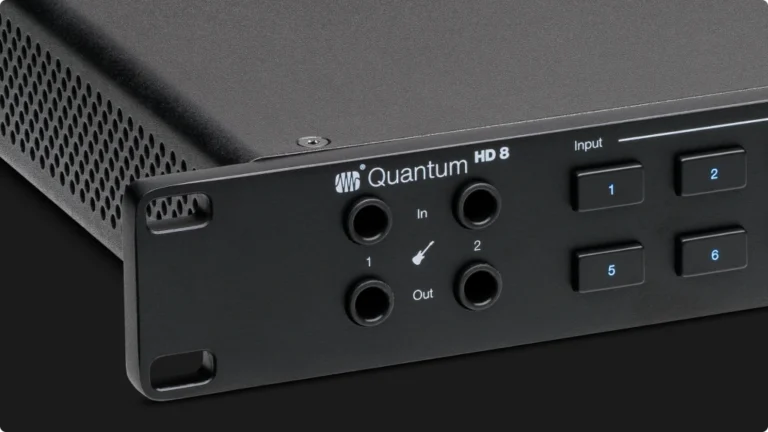
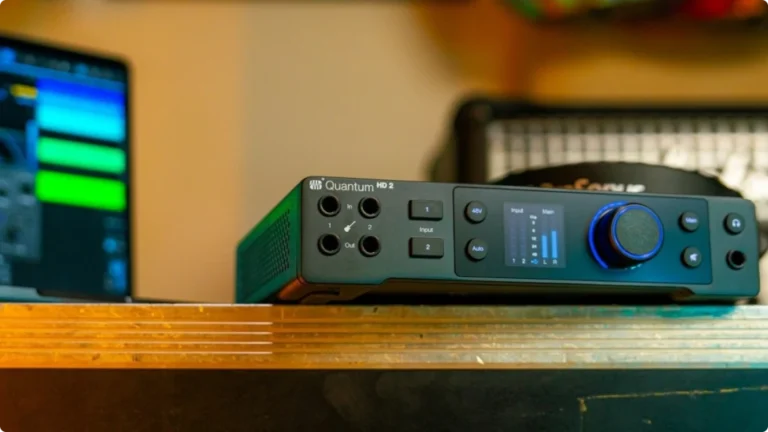
The PreSonus Quantum HD 2 is engineered to solve a specific problem: the disconnect guitarists often feel when swapping a real amp for studio software. Developed with Fender, its two front-panel Hi-Z inputs are tuned to feel like plugging into an amp’s clean channel, not a sterile digital box. This provides a dynamic, full-frequency signal that makes your favorite amp simulators in FL Studio or the included Studio One Pro respond more organically.
Its primary mission is eliminating latency. Through custom drivers, it achieves remarkably low round-trip latency. When monitoring through complex plugin chains, the sound feels immediate and connected, transforming your computer into a playable instrument. This is critical for capturing a natural performance.
The standout feature is its dedicated hardware re-amping outputs. This elegantly solves a common studio headache. After recording a perfect DI take, you can send it back out from your DAW through these outputs directly to a real guitar amp or pedalboard. You then re-record the new, miked tone—all without swapping a single cable. It unlocks endless post-recording tonal experimentation.
Including a full, perpetual license for Studio One 6 Professional DAW provides tremendous value. It creates a seamless, integrated system from recording to mixing, featuring useful tools like the Ampire XT amp suite.
Compared to others here, the Quantum HD 2 carves a unique niche. Unlike all-in-one modelers, it focuses on being a flawless conduit for your plugins and outboard gear. Unlike character interfaces, its preamps aim for transparent clarity. It’s the ultimate hub for the DAW-centric guitarist who demands real-amp feel during tracking and unparalleled flexibility for tone-shaping after.
Portability for Guitar & Bass
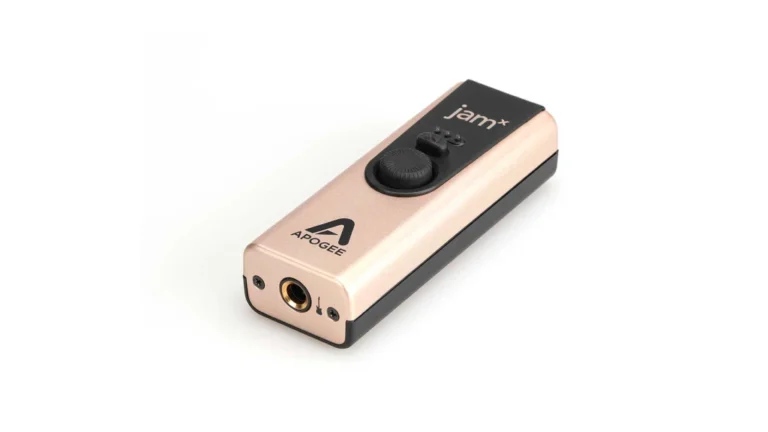
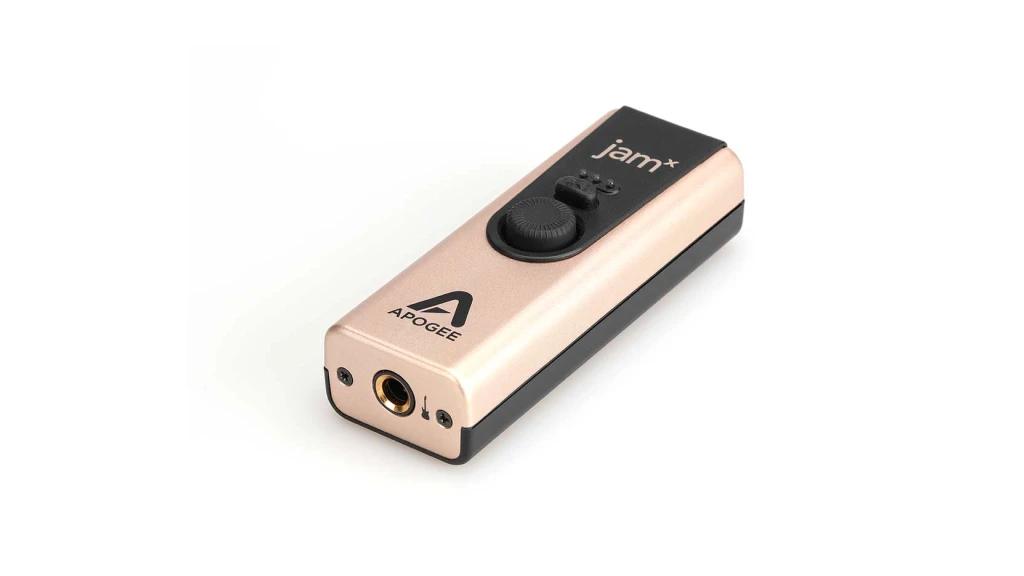
Apogee Jam X
Capture studio-quality guitar tones anywhere, instantly. The Apogee Jam X is a single-button, pocket-sized powerhouse that connects your instrument directly to your Mac, iPad, or iPhone, providing a flawless, low-latency signal for practicing, jamming, and recording.
| Key Features
- Inputs: 1 x Hi-Z Instrument Input (unbalanced TS)
- Outputs: 1 x 1/8″ (3.5mm) TRS stereo output
- Resolution: Up to 24-bit / 96 kHz
- Compatibility: Mac, iOS, iPad/iPhone
- Connectivity: Micro-USB port
- Plus: Extremely portable, Built-in Analog Compressor: 3 presets (Smooth Leveler, Purple Squeeze, Vintage Blue Stomp). Blend Mode: Enables zero-latency direct monitoring, PureDIGITAL Connection, Includes 60-day trial of Neural DSP's Archetype: Tim Henson plugin and Ableton Live Lite
| Buy if
- You need the ultimate plug-and-play experience and want a studio-quality signal with literally one cable
- You are a mobile songwriter it’s the perfect companion for your laptop or iPhone
- You want a dedicated, high-quality DI box that also happens to be a USB/Lightning interface
- You need a backup or travel interface to complement your larger studio setup
- You value Apogee's sound quality but don't need multiple inputs or microphone preamps
| Avoid if
- You need to connect microphones or record multiple sources simultaneously
- Your primary studio computer runs Windows. While it can work with Windows 10/11
- You require physical controls for monitoring
Overview: All in Your Pocket
The Apogee Jam X answers a fundamentally different question than the other interfaces in this guide: what is the absolute simplest, most portable way to get a professional-quality guitar signal into your computer or mobile device? It represents the minimalist extreme—a single, rugged metal dongle with one job.
Its standout innovation is a built-in analog compressor, a first for an interface of this size. This isn’t a software effect; it’s a hardware circuit that shapes your tone before the signal even hits your computer. With three simple presets—Smooth Leveler (gentle), Purple Squeeze (punchy), and Vintage Blue Stomp (aggressive drive)—it lets you fatten single-coil pickups, tighten humbuckers, or add sustain and grit directly to your clean signal. For guitarists, this means you can send a more dynamic and polished sound to your amp simulators your DAWs, often achieving a more lively and responsive feel from the very first plugin.
For latency, the Jam X offers a straightforward hardware solution: Blend Mode. This is a direct monitoring feature that routes your dry instrument signal directly to the headphone output, bypassing your computer’s processing delay completely. You can play in perfect time, and when you’re ready to record, you capture the pristine, high-resolution (24-bit/96kHz) signal being sent to your software. It’s a no-fuss approach that guarantees your performance timing stays intact.
Its design is all about plug-and-play mobility. Compatible with Mac, Windows, and iOS devices (though older iOS devices need a separate cable), it’s the ultimate tool for capturing ideas anywhere. The bundle includes a compelling 60-day trial of Neural DSP’s Archetype: Tim Henson plugin, directly aligning it with modern guitar-centric production.
Compared to the full-scale interfaces, the Jam X exists in its own category. It has no microphone preamps, no MIDI ports, and no onboard DSP for re-amping. Instead, it excels as a dedicated, ultra-portable DI box for guitar and bass that happens to have excellent conversion and clever tone-shaping.
Choose it if your priority is maximum simplicity for mobile recording, songwriting on an iPad, or as a always-available, high-quality backup for your main studio setup. It’s the golden nugget you keep in your gig bag for when inspiration strikes, no matter where you are.
Key Differences
To simplify your choice, let’s group these eight products by their core purpose:
- The All-in-One Guitar Rigs: The Line 6 POD Go and BOSS GT-1000 are primarily amp modellers and multi-effects processors that also function as audio interfaces. Choose these if you want one device to create tones, play live, and record. The GT-1000 is the premium, studio-grade option.
- The Character-Filled Studio Starters: The SSL 2 MKII and Universal Audio Volt 276 are classic 2-in/2-out interfaces that add desirable analog coloration (console sheen or vintage warmth) to your sound. They are perfect for singer-songwriters and those who want a “pro sound” quickly. The Volt adds iOS compatibility.
- The Expandable Studio Hubs: The Tascam Series 208i and Audient EVO 16 are for building a bigger project studio. They offer multiple clean preamps and ADAT expansion for recording bands or drums. The EVO 16 adds smart, workflow-focused features like Smartgain and a great screen.
- The Guitar-Production Specialist: The PreSonus Quantum HD 2 is engineered for a seamless guitar workflow in a DAW, with unique re-amp outputs, Fender-designed inputs, and included pro software, all optimized for low latency.
- The Ultra-Portable DI: The Apogee Jam X is in a class of its own as a pure, simple connection from your guitar to your Mac or iOS device for maximum portability and ease.
Comparison Table
Compare to choose the best audio interface for guitar.
| Feature | AXE I/O ONE | AXE I/O Solo | AXE I/O |
|---|---|---|---|
Inputs |
1 Hi-Z/combo XLR |
1 Hi-Z + 1 combo XLR/TRS |
2 Hi-Z + 2 combo XLR/TRS |
Outputs |
3 (including Amp Out) |
3 (including Amp Out) |
5 (including Amp Out) |
Resolution |
24-bit/192kHz |
24-bit/192kHz |
24-bit/192kHz |
Compatibility |
iOS / iPadOS / macOS |
iOS / iPadOS / macOS /PC |
iOS / iPadOS / macOS /PC |
Connectivity |
USB-C |
USB-C |
USB-C |
Plus |
Z-TONE, JFET/PURE, ACTIVE/PASSIVE, MIDI I/O |
Z-TONE, JFET/PURE, ACTIVE/PASSIVE, MIDI I/O |
Z-TONE, JFET/PURE, ACTIVE/PASSIVE, Preset knob, Built-in tuner, MIDI I/O |
Software Bundle |
AmpliTube 5 SE, TONEX SE, 4 Deluxe, Ableton Live Lite and 2 Free Bonus Software |
AmpliTube 5 SE, TONEX SE, 4 Deluxe, Ableton Live Lite and 2 Free Bonus Software |
AmpliTube 5 SE, TONEX SE, 4 Deluxe, Ableton Live Lite and 2 Free Bonus Software |
Guitarist’s Needs and Pain Points That We’re Really Solving
Let’s be honest. When you plug your guitar into a computer, you’re fighting a few key battles. First, there’s feel. A standard interface input can suck the life out of your signal, making even the best amp sim feel stiff and unresponsive. That’s why dedicated Hi-Z inputs with the right impedance (like the JFET circuits in the EVO 16 or the Fender-designed inputs on the Quantum HD 2) are so important—they preserve the interaction between your guitar’s pickups and the “virtual amp”.
Then there’s latency, the tiny delay between hitting a string and hearing the sound. It kills your timing and groove. Interfaces with high-performance drivers and converters, like the PreSonus Quantum HD 2, are built to minimize this. Direct monitoring—hearing your dry input signal directly from the interface—bypasses this delay completely and is a crucial feature.
Finally, there’s flexibility. You record a great DI track, but later you think, “This would sound insane through my real tube amp.” Without a dedicated re-amping output, that process is a cable-patching nightmare. The Quantum HD 2 solves this elegantly. Likewise, the ability to add more inputs via ADAT optical (on the Tascam 208i or EVO 16) means your studio can grow with your ambitions without replacing your core interface. Every interface in this list addresses one or more of these fundamental guitar-player issues.
Final Thoughts: Choosing Your Best Audio Interface for Guitar
So, which one is your best audio interface for guitar? It completely depends on how you make music.
- For the “One Pedalboard to Rule Them All” Player: Choose the Line 6 POD Go. It’s the most streamlined path from live performance to recorded track. If budget allows and you demand the highest fidelity, step up to the BOSS GT-1000.
- For the Singer-Songwriter & Home Studio Charmer: You can’t go wrong with the SSL 2 MKII or Universal Audio Volt 276. Both make everything sound better with a button press and include fantastic software. Pick the SSL for console polish and dual headphones, or the Volt for vintage warmth and iPad compatibility.
- For the Budding Producer & Band Recorder: Look at the Audient EVO 16 for its smart, solo-friendly workflow and great JFET DIs. If you need more expansion and onboard DSP for zero-latency mixes, the Tascam Series 208i is a powerful workhorse (and the 102i is a great Budget Audio Interface starting point).
- For the DAW-Driven Tone Sculptor: The PreSonus Quantum HD 2 is your tool. Its re-amping outputs and low-latency design are purpose-built for crafting perfect guitar tones in the box and out.
- For the “Record Anywhere” Idea Machine: Keep an Apogee Jam X (or similar) in your gig bag. It guarantees a quality signal to your mobile device anytime inspiration strikes.
The right interface doesn’t just connect your guitar to your computer; it connects your creativity to your finished song. Think about your main pain point—is it portability, tone, feel, or expansion?—and let that guide your choice.
FAQ
What Makes an Audio Interface Good for Guitar?
For most guitarists, the two most critical features are a dedicated, high-quality Hi-Z/Instrument input and low-latency performance. The Hi-Z input properly matches your guitar’s pickup impedance to preserve tone and feel, while low latency ensures that playing through amp simulators feels responsive and immediate, not delayed and disconnected.
Can I use a multi-effects processor like the POD Go as my only audio interface?
Yes, you can. Units like the Line 6 POD Go and BOSS GT-1000 are designed to function as USB audio interfaces. This is a great, streamlined solution if you primarily record guitar and bass using their built-in amp models. However, they typically lack microphone preamps and multiple inputs, so if you plan to record vocals, acoustic instruments, or drums with multiple mics, you will likely need a dedicated, traditional audio interface.
Why would a guitarist need an interface with more than two inputs?
While you only need one input for your guitar, more inputs provide crucial flexibility. For example, you might use one input for a DI guitar signal and a second for a microphone on your guitar cabinet simultaneously. With four or more inputs, you can record a full drum kit, a live band, or layer multiple guitar parts at once without re-patching cables. Interfaces like the Tascam Series 208i also offer ADAT optical expansion, allowing you to add even more preamps later for growing your studio.

| ALSO REVIEWED