
Best Audio Interface for Dolby Atmos: 9 Top Picks (2026)
- Audio Interface, Buying Guides
- by Bruno Bontempo
Discover the best audio interface for Dolby Atmos mixing. I compare 9 top interfaces for 5.1.4 to 9.1.6 speaker setups with hands-on insights and practical recommendations.
Our articles may include affiliate links and we may earn a commission. Here how it works.
Jump to...
| QUICK OVERVIEW
Introduction
Mixing in Dolby Atmos requires one thing your stereo setup never needed: outputs. Lots of them. A 7.1.4 speaker configuration—which Dolby recommends as the minimum for professional Atmos work—demands 12 discrete output channels. That’s before you even think about headphone feeds or alternate monitors.
I’ve spent the past months testing interfaces specifically for immersive audio workflows. The challenge isn’t just finding enough outputs. It’s finding an interface with the routing flexibility, software control, and build quality to handle a complex speaker array without creating a tangled mess of compromises.
The interfaces in this guide range from budget-friendly entry points that handle 5.1.4 configurations to professional solutions capable of 9.1.6 and beyond. I’ve categorized them by their maximum immersive capability, so you can find exactly what fits your room and budget.
Budget Explorer (5.1.2)
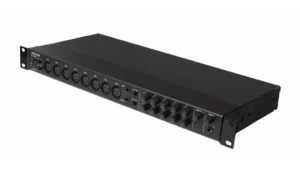
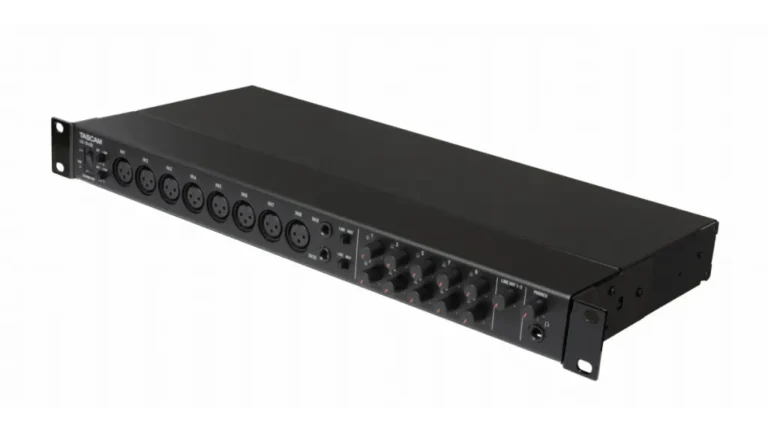
TASCAM US-16x08
4.6
The TASCAM US-16×08 offers an accessible entry point for producers testing the waters of immersive mixing. With eight balanced line outputs, you can configure a 5.1.2 system natively—enough to understand Atmos workflows before committing to a full 7.1.4 setup. The built-in DSP mixer handles routing without taxing your computer, and the standalone mic preamp mode adds flexibility for live applications.
| Pros
- Ultra-affordable entry point for immersive exploration
- Excellent Ultra-HDDA preamps with -125dBu EIN
- Robust DSP mixer for zero-latency monitoring
- Can double as standalone 8-channel mic preamp
- Angled desktop design with included rack ears
| Cons
- Limited to 8 outputs (5.1.2 maximum natively)
- No ADAT expansion for additional outputs
- USB 2.0 only, no Thunderbolt option
| Key Features
- Inputs: 8 XLR mic inputs with Ultra-HDDA preamps, 8 TRS line inputs (2 switchable to Hi-Z)
- Outputs: 8 balanced TRS line outputs
- Compatibility: macOS, Windows, iOS (class compliant)
- Connectivity:
- Resolution: 24-bit/96kHz
- Plus: Built-in DSP mixer with 4-band EQ and compression per channel; standalone mic preamp mode
| Best for...
- Producers exploring immersive audio on a budget
- Home studios needing 16 simultaneous inputs
- Live recording with standalone preamp backup
- Podcasters requiring multiple mic channels
- Educational settings and audio schools
| Not ideal for...
- Full 7.1.4 Dolby Atmos configurations
- Professional immersive mixing studios
- Users needing ADAT expansion capability
Overview
The US-16×08 represents TASCAM’s commitment to making professional recording accessible. The eight Ultra-HDDA microphone preamps deliver the same discrete circuit design found in their broadcast-grade equipment, achieving an impressive -125dBu equivalent input noise. For immersive work, the eight balanced outputs allow a 5.1.2 configuration—Left, Center, Right, Left Surround, Right Surround, LFE, and two height channels.
What sets this interface apart for beginners is the built-in DSP mixer. You can create custom monitor mixes with four-band EQ and compression on each channel without any computer-induced latency. The mixer stores up to 10 scene snapshots, so switching between stereo mixing and immersive monitoring becomes a one-click operation.
The US-16×08 lacks ADAT expansion, which limits its growth potential. However, at this price point, many producers use it as their “learner” interface before upgrading to a more capable unit. The included rack ears and angled desktop design give you installation flexibility, and iOS class compliance means you can use it with an iPad for truly mobile immersive production.
Portable Powerhouse (7.1.4)
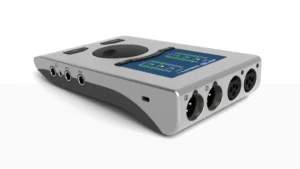
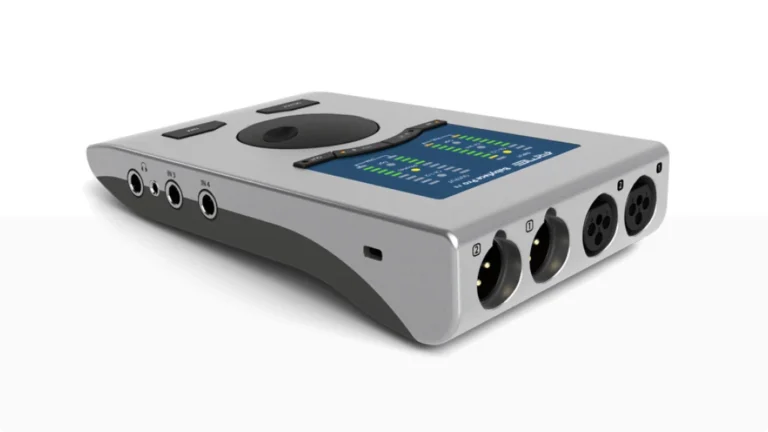
RME Babyface Pro FS
4.9
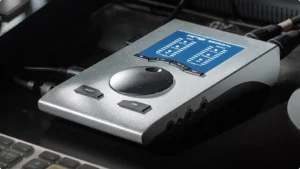
The RME Babyface Pro FS punches well above its compact size. While it only offers four analog outputs natively, the ADAT optical port adds eight more channels—giving you 12 total outputs when paired with an external DA converter. That’s enough for a complete 7.1.4 system. The legendary TotalMix FX software provides routing flexibility that rivals interfaces twice its price.
| Pros
- Reference-quality conversion matching units at twice the price
- SteadyClock FS delivers femtosecond-level jitter performance
- ADAT expansion enables full 7.1.4 with external converter
- TotalMix FX provides unlimited routing flexibility
- Truly portable with USB bus power
| Cons
- Only 4 analog outputs (requires ADAT expansion for 7.1.4)
- Premium price for a "portable" interface
- Learning curve for TotalMix FX software
| Key Features
- Inputs: 2 XLR mic/line inputs, 2 TRS line/Hi-Z inputs, 8 channels ADAT optical
- Outputs: 2 XLR line outputs, 2 headphone outputs, 8 channels ADAT optical
- Compatibility: macOS, Windows, iOS
- Connectivity:
- Resolution: 24-bit/192kHz
- Plus: SteadyClock FS for ultra-low jitter; TotalMix FX with built-in DSP effects; bus-powered operation
| Best for...
- Mobile Atmos production and location mixing
- Mastering studios needing reference-quality conversion
- Composers working between multiple locations
- Users with existing ADAT converters
- Engineers prioritizing conversion quality over I/O count
| Not ideal for...
- Studios needing many analog outputs without expansion
- Users wanting plug-and-play simplicity
- Budget-conscious beginners
Overview
RME’s reputation for driver stability and conversion quality is legendary, and the Babyface Pro FS delivers on both fronts. The SteadyClock FS technology, borrowed from RME’s flagship ADI-2 Pro, provides jitter performance measured in femtoseconds. In practical terms, this translates to stereo imaging and depth that makes spatial mixing decisions much easier.
The four analog outputs might seem limiting for immersive work, but the ADAT port changes everything. Connect an 8-channel DA converter like the Behringer ADA8200 or RME ADI-8 DS, and you’ve got 12 discrete outputs. Route your main L/R through the analog outputs for critical monitoring, and send the remaining 10 channels through ADAT to your surround speakers.
TotalMix FX is the software that makes this possible. Every output can carry any combination of inputs and playback channels, with independent EQ, dynamics, and reverb available on every channel. The learning curve is real, but once mastered, you’ll have routing capabilities that dedicated hardware monitor controllers can’t match.
The Babyface Pro FS also excels at portability. It runs entirely on USB bus power without performance degradation, making it ideal for composers who work between a home studio and commercial facilities. Your TotalMix settings travel with you, ensuring consistent monitoring everywhere.
Read Fulll REview
Console Quality (7.1.4)
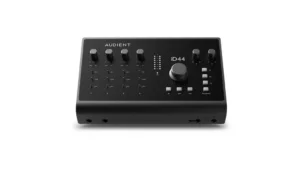
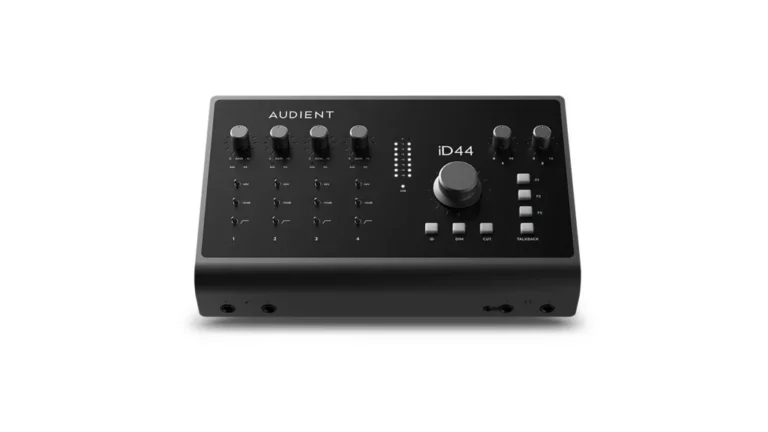
Audient iD44 MKII
4.5
The Audient iD44 MKII delivers the sound of a full-format console in a desktop package. Four Audient Console microphone preamps provide the foundation, while dual ADAT ports enable expansion to 20 inputs and 24 outputs. For immersive mixing, the eight analog outputs handle a 7.1 bed, and ADAT expansion covers your height channels. The DSP mixer allows sophisticated monitoring setups without relying on your DAW.
| Pros
- Console-quality mic preamps with 60dB gain
- Dual ADAT ports for 16-channel digital expansion
- Balanced insert points for outboard processing
- DSP mixer with four independent cue mixes
- 126dB dynamic range on outputs
| Cons
- Only 4 analog outputs (needs ADAT for full 7.1.4)
- Limited to 96kHz sample rate
- USB 2.0 connection only
| Key Features
- Inputs: 4 XLR mic inputs with Audient Console preamps, 2 JFET instrument inputs, 16 channels ADAT I/O
- Outputs: 4 line outputs, 2 headphone outputs, 16 channels ADAT I/O
- Compatibility: macOS, Windows
- Connectivity:
- Resolution: 24-bit/96kHz (32-bit ADC performance)
- Plus: 112dB THD+N on ADC; balanced insert points on channels 1-2; audio loopback for streaming
| Best for...
- Project studios building toward immersive capability
- Producers needing high-quality tracking and mixing
- Users with existing ADAT-equipped gear
- Engineers who value insert points for hardware
- Studios requiring multiple headphone mixes
| Not ideal for...
- Users needing 8+ analog outputs without expansion
- High sample rate (176.4/192kHz) work
- Those requiring Thunderbolt connectivity
Overview
Audient made their name building recording consoles for major studios, and that DNA runs through the iD44 MKII. The four mic preamps share circuit topology with the ASP8024-HE console, delivering 60dB of clean gain with just enough analog character to keep recordings musical without coloration.
The MKII revision improved the ADC performance by 9dB, now achieving 112dB THD+N—numbers that compete with interfaces costing significantly more. For immersive work, this means your bed channels capture every spatial detail in your source material.
The real story for Dolby Atmos users is the dual ADAT expansion. Connect two 8-channel converters, and the iD44 MKII becomes a 20×24 interface. Route your main L/C/R through analog outputs, surrounds and heights through ADAT, and you’ve got a complete 7.1.4 system with outputs to spare for alternate monitoring or cue feeds.
The balanced insert points on channels 1 and 2 deserve special mention. They let you integrate outboard compressors or EQs before conversion—or use the returns as direct converter inputs, bypassing the preamps entirely when connecting high-end external pres.
Category
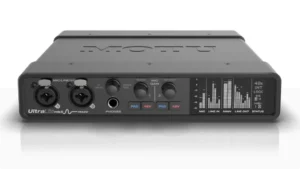
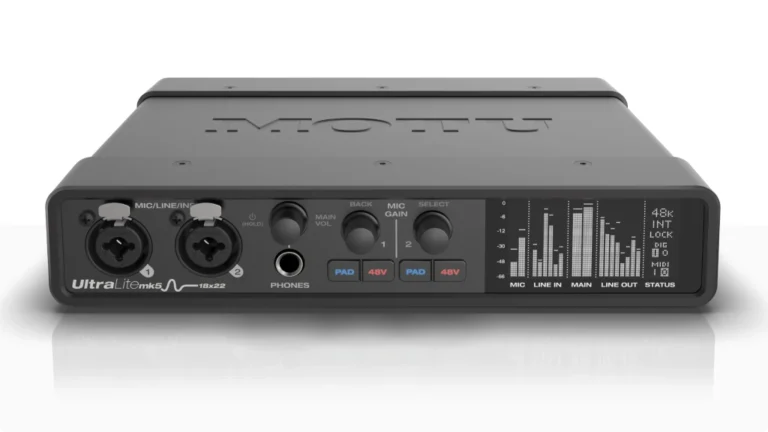
MOTU UltraLite-mk5
4.6
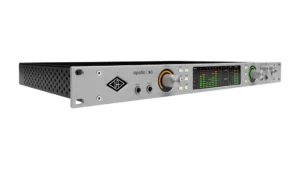
The MOTU UltraLite-mk5 stands out in this category for one simple reason: 10 analog line outputs in a half-rack form factor. That’s enough for a 7.1.2 system without touching the ADAT port. Add the optical expansion, and you’ve got 18 outputs total—more than enough for 7.1.4 with plenty left over for headphone feeds and alternate monitoring.
| Pros
- 10 analog outputs enable 7.1.2 without expansion
- ESS Sabre32 DAC delivers 125dB dynamic range
- DC-coupled outputs for modular/CV integration
- Onboard DSP with reverb, EQ, and dynamics
- Half-rack size with optional rackmount kit
| Cons
- Only 2 mic preamps built-in
- Windows surround support requires third-party software
- OLED display lacks color-coded clipping indicators
| Key Features
- Inputs: 2 mic/line/Hi-Z inputs, 6 line inputs, 8 channels ADAT optical
- Outputs: 10 DC-coupled line outputs, 1 headphone output, 8 channels ADAT optical
- Compatibility: macOS, Windows, iOS (class compliant)
- Connectivity:
- Resolution: 24-bit/192kHz
- Plus: ESS Sabre32 DAC technology with 125dB dynamic range; CueMix 5 software; DC-coupled outputs for CV
| Best for...
- Immersive mixers needing maximum analog outputs
- Modular synth users (DC-coupled outputs)
- iOS-based mobile production
- Studios with existing external preamps
- Compact installations where space matters
| Not ideal for...
- Users tracking multiple microphones simultaneously
- Windows users needing native surround support
- Those wanting extensive front-panel controls
Overview
MOTU designed the UltraLite-mk5 for maximum flexibility in minimum space. The 10 analog outputs are the headline feature for immersive work—seven ear-level channels plus LFE, with two outputs remaining for stereo height or alternate monitoring. The ADAT port adds eight more channels, bringing your total to 18 outputs.
The ESS Sabre32 DAC technology delivers 125dB dynamic range, putting the UltraLite-mk5’s conversion quality in the same conversation as interfaces costing twice as much. Sound on Sound’s testing confirmed output performance on par with the Focusrite Clarett+ and even Prism’s ADA-128—serious mastering-grade territory.
CueMix 5 software handles all mixing and routing, with six independent mix buses that can each feed a different output pair. The onboard DSP includes reverb, four-band parametric EQ, and dynamics processing on every input—all calculated in the hardware without loading your computer. For immersive monitoring, you can create separate mixes for your main array and headphones without any DAW routing complexity.
The DC-coupled outputs deserve attention if you work with modular synthesizers. You can send control voltage directly from your DAW, making the UltraLite-mk5 equally valuable for electronic producers who might be mixing Atmos-enabled spatial electronic music.
Smart Studio (7.1.2)
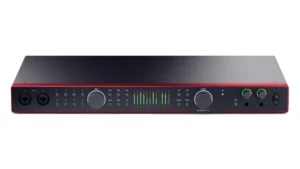
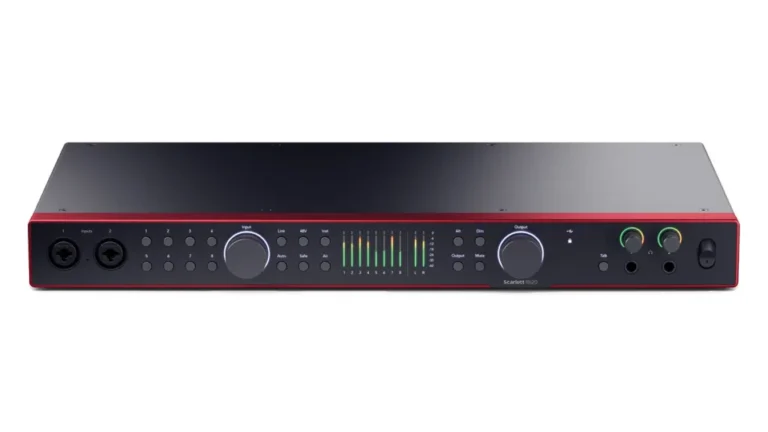
Scarlett 18i20 4th Gen
4.6
The Focusrite Scarlett 18i20 4th Gen represents the accessible end of professional immersive mixing. With 10 analog outputs and dual ADAT ports, you can configure a complete 7.1.4 system with room to spare. The fourth-generation updates brought RedNet-derived conversion, Auto Gain for effortless level setting, and Clip Safe to protect your takes from transient peaks.
| Pros
- 10 analog outputs handle 7.1.2 natively
- RedNet-quality conversion at consumer pricing
- Auto Gain and Clip Safe simplify recording
- Dual ADAT ports for 16-channel expansion
- Built-in talkback and A/B monitor switching
| Cons
- USB only (no Thunderbolt)
- Limited to six low-latency mixer tabs
- Phantom power switched in banks of four
| Key Features
- Inputs: 8 XLR mic/line inputs with Focusrite preamps, 2 front Hi-Z inputs, 18 channels digital (ADAT + S/PDIF)
- Outputs: 10 line outputs, 2 headphone outputs, 18 channels digital (ADAT + S/PDIF)
- Compatibility: macOS, Windows
- Connectivity:
- Resolution: 24-bit/192kHz
- Plus: Auto Gain and Clip Safe; 122dB dynamic range; talkback microphone; A/B speaker switching
| Best for...
- Project studios on a professional budget
- Self-recording musicians needing smart tools
- Home studios building 7.1.4 systems
- Users wanting extensive software bundle
- Producers who track drums and mix immersive
| Not ideal for...
- Those requiring individual phantom power switching
- Users needing onboard DSP effects
- Professionals requiring Thunderbolt latency
Overview
Focusrite brought their flagship RedNet conversion technology down to the Scarlett line with the fourth generation. The 122dB dynamic range matches what you’d find in broadcast facilities and major studios, making critical monitoring decisions for immersive mixing far more reliable.
The 10 analog outputs let you build a 7.1.2 system from the box—Left, Center, Right, four surrounds, LFE, and two heights all on discrete outputs. Connect an 8-channel ADAT preamp like the Focusrite OctoPre, and you’ve added two more height speakers while gaining eight additional mic inputs for tracking.
Auto Gain deserves special mention for self-recording engineers. Hit the button, play your source, and the Scarlett sets optimal levels across all eight preamps simultaneously. Clip Safe monitors in real time and automatically reduces gain if you’re approaching digital clipping—a lifesaver when tracking dynamic sources that will eventually live in an immersive soundfield.
The Focusrite Control 2 software manages all routing, and the iOS/Android apps let you adjust mix settings from anywhere in your room. For immersive mixing, the A/B monitor switching lets you quickly compare your main array against a stereo downmix—essential for checking Atmos compatibility.
Tracking Workhorse (7.1.2)
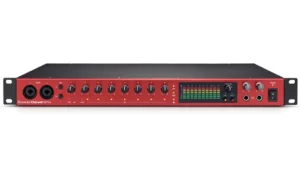
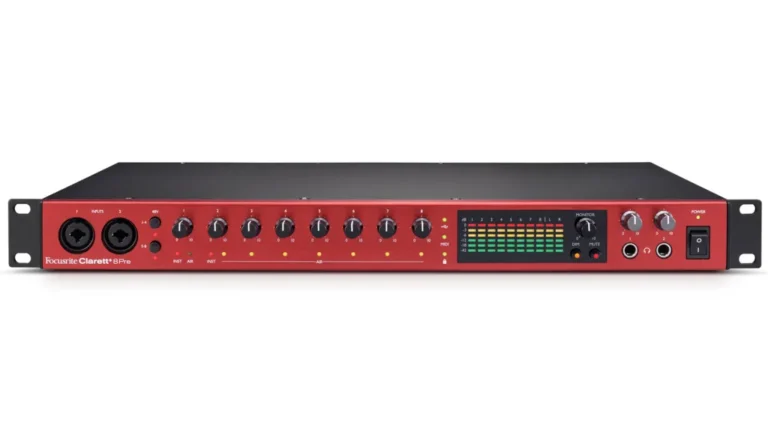
Focusrite Clarett+ 8Pre
4.7
The Focusrite Clarett+ 8Pre occupies a sweet spot between prosumer and professional. Eight ISA-inspired preamps handle serious tracking sessions, while 10 analog outputs and ADAT expansion support complete 7.1.4 monitoring. The Air mode adds transformer-like character when you want it, and 124dB dynamic range keeps your monitoring transparent enough for critical immersive decisions.
| Pros
- ISA-inspired preamps with Air mode
- 124dB output dynamic range for critical monitoring
- 10 analog outputs plus ADAT expansion
- Word clock output for multi-device sync
- 1U rackmount form factor
| Cons
- Higher price than Scarlett alternatives
- Phantom power grouped in banks of four
- No talkback or built-in DSP effects
| Key Features
- Inputs: 8 XLR mic/line inputs with Air mode, 2 front Hi-Z inputs, 10 channels digital (ADAT + S/PDIF)
- Outputs: 10 balanced line outputs, 2 headphone outputs, 10 channels digital (ADAT + S/PDIF)
- Compatibility: macOS, Windows, iPadOS
- Connectivity:
- Resolution: 24-bit/192kHz
- Plus: All-analog Air mode with impedance switching; 124dB dynamic range; word clock output; MIDI I/O
| Best for...
- Professional project studios mixing immersive
- Engineers who track and mix in one space
- Studios needing premium preamps and conversion
- Post-production facilities entering Atmos work
- Users who value analog character options
| Not ideal for...
- Budget-conscious beginners
- Those requiring built-in DSP monitoring effects
- Users needing individual phantom power control
Overview
The Clarett+ 8Pre represents Focusrite’s serious studio offering. Where the Scarlett line focuses on accessibility, the Clarett+ prioritizes sonic performance. The preamps were designed specifically for this range, achieving -129dBu equivalent input noise—quieter than most standalone mic pres.
The all-analog Air mode distinguishes the Clarett+ from competitors. It’s not a digital EQ curve; it’s actual impedance switching that changes how your microphone interacts with the preamp. The result adds presence and high-frequency clarity similar to Focusrite’s classic ISA transformer-based designs. For immersive work, this means spatial details in room mics and overheads become more apparent without digital manipulation.
The 124dB output dynamic range matters significantly for immersive monitoring. When you’re positioning sounds in a 3D space, you need to hear subtle level differences between channels. Lower-spec converters can compress these differences, making placement decisions harder than they should be.
Ten analog outputs handle a 7.1.2 configuration natively. The ADAT port adds eight more channels at 48kHz, though the single optical port means only four channels at 96kHz—a consideration if you’re working at higher sample rates. The word clock output keeps external converters synchronized when you expand via ADAT.
Speed Demon (7.1.2)
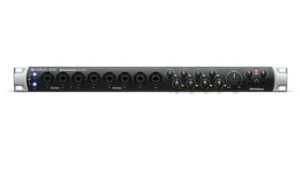
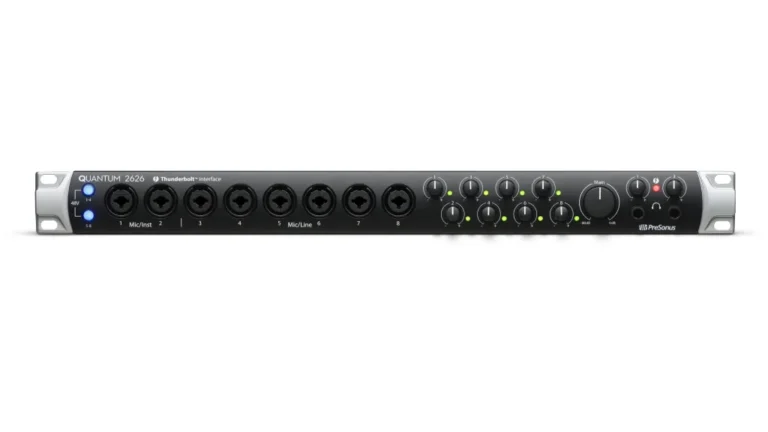
PreSonus Quantum 2626
4.5
The PreSonus Quantum 2626 brings something unique to immersive audio: the fastest round-trip latency of any interface I’ve tested. At sub-1ms with a 64-sample buffer, you can run plug-ins in real time during tracking without dedicated DSP. For Dolby Atmos work, this means monitoring through your DAW’s spatial plugins with virtually no perceptible delay.
| Pros
- Fastest Thunderbolt latency available
- 10 analog outputs (8 DC-coupled for CV)
- XMAX preamps with 60dB clean gain
- Insert points on channels 1-2
- Includes Studio One Artist DAW
| Cons
- No built-in DSP mixer
- Only one Thunderbolt port (end of chain only)
- Requires Universal Control for basic settings
| Key Features
- Inputs: 8 XLR mic/line inputs with XMAX preamps, 2 Hi-Z inputs, 18 channels digital (ADAT + S/PDIF)
- Outputs: 10 line outputs (8 DC-coupled), 2 headphone outputs, 18 channels digital (ADAT + S/PDIF)
- Compatibility: macOS, Windows (Thunderbolt)
- Connectivity:
- Resolution: 24-bit/192kHz
- Plus: Sub-1ms round-trip latency; DC-coupled outputs; 2 insert points; includes Studio One Artist
| Best for...
- Engineers monitoring through DAW plugins
- Modular synth integration (DC-coupled outputs)
- Studio One users wanting tight integration
- Post-production needing lowest latency
- Professional studios upgrading from USB
| Not ideal for...
- Users wanting hardware DSP monitoring
- Those needing to daisy-chain Thunderbolt devices
- Budget-focused home studios
Overview
PreSonus designed the Quantum series with a radical philosophy: make the interface so fast that you don’t need DSP monitoring. At 192kHz with a 64-sample buffer in Studio One, the round-trip latency measures under 1ms. That’s faster than sound traveling one foot through air.
The practical benefit for immersive mixing is significant. You can monitor through the Dolby Atmos Renderer, spatial plugins, and room correction software without building a separate DSP monitoring path. The interface becomes transparent—what you hear through your DAW is what you’re recording and mixing.
Eight XMAX preamps deliver the same discrete Class A design that made PreSonus’ StudioLive consoles popular. They offer 60dB of clean gain with generous headroom for dynamic sources. The insert points on channels 1 and 2 let you patch in external processing before conversion—useful for tracking through hardware compressors that you want printed to the spatial mix.
The 10 analog outputs configure into a 7.1.2 system natively. Dual ADAT ports add 16 more channels at 48kHz, giving you a maximum of 26×26 I/O. The DC-coupled outputs mean eight of those channels can send control voltage to modular synthesizers or other CV-equipped gear.
One consideration: the single Thunderbolt port means the Quantum 2626 must sit at the end of your Thunderbolt chain. If you’ve got other Thunderbolt devices, plan your connections accordingly.
Analog Character (7.1.4)
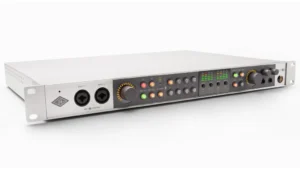
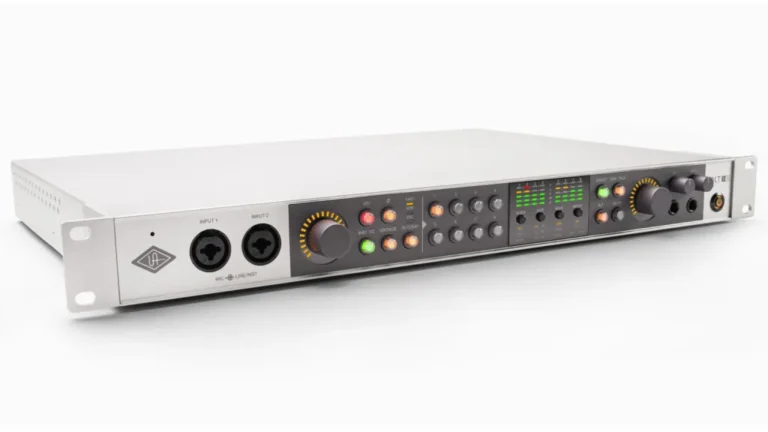
Universal Audio Volt 876
4.8
The Universal Audio Volt 876 brings UA’s analog modeling expertise to a rackmount USB interface at an accessible price. Every channel features Vintage mode (modeling the classic 610 tube preamp) and a 76 Compressor inspired by the legendary 1176. For immersive work, eight analog outputs plus ADAT expansion covers a 7.1.4 system, while the UAD Console app provides sophisticated monitor control.
| Pros
- Analog 610 tube modeling on every channel
- 1176-style compressor built into each input
- 32-bit/192kHz conversion
- Can link up to three units for 24 channels
- UAD Producer Suite included
| Cons
- No UAD plug-in processing (unlike Apollo)
- Only 8 analog outputs (needs ADAT for 7.1.4)
- Vintage mode and compressor add subtle latency
| Key Features
- Inputs: 8 XLR/TRS combo inputs with Vintage mode and 76 Compressor, 2 front Hi-Z inputs, 16 channels ADAT I/O
- Outputs: 8 line outputs, 2 headphone outputs, 16 channels ADAT I/O
- Compatibility: macOS, Windows, iOS/iPadOS (class compliant)
- Connectivity:
- Resolution: 32-bit/192kHz
- Plus: Vintage preamp mode on all channels; 76 Compressor on all channels; UAD Console app; LUNA DAW included
| Best for...
- UA users wanting Volt's analog character
- Studios needing colored recording options
- Producers tracking bands live
- LUNA DAW users seeking integration
- Apollo owners needing ADAT expansion
| Not ideal for...
- Those expecting Apollo's UAD plug-in support
- Users needing 10+ analog outputs without expansion
- Engineers wanting purely transparent preamps
Overview
Universal Audio positioned the Volt 876 as the analog character alternative to their Apollo line. Where Apollo focuses on DSP-powered plug-in processing, the Volt 876 delivers its sonic signature through actual analog circuits.
The Vintage mode on each preamp models UA’s classic 610 tube console. It’s not a plug-in—it’s an analog circuit that adds harmonic saturation to your input signal. For immersive work, tracking bed elements through Vintage mode can give sources a cohesive character that helps them sit together in a 3D space.
The 76 Compressor is equally analog and modeled after the legendary 1176 limiting amplifier. Three preset modes (voice, guitars, and fast for drums) apply compression before conversion. Used subtly, it controls dynamics without the pumping artifacts that can distract from spatial placement.
Eight analog outputs handle a 7.1 bed without height channels. The dual ADAT ports add 16 more channels at 48kHz, bringing total outputs to 24—enough for 7.1.4 with plenty remaining for headphone feeds and alternate monitoring.
The UAD Console app provides mixing and routing control with the same interface familiar to Apollo users. You can link up to three Volt 876 units via ADAT for a 24-channel analog input system, though this requires separate USB connections for each unit.
DSP Flagship (7.1 / 5.1)
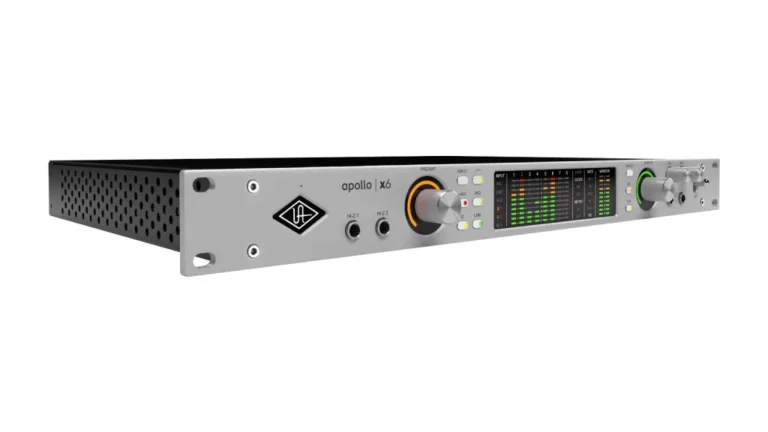
Apollo x6 Gen 2
4.9
The Universal Audio Apollo x6 Gen 2 represents the premium choice for immersive audio production. While it offers only two Unison preamps, the six additional line inputs and comprehensive digital expansion support complete 7.1.4 monitoring—with built-in surround support up to 5.1 and expandability to higher configurations. The HEXA Core DSP enables real-time tracking through UAD plug-ins with near-zero latency.
| Pros
- HEXA Core DSP runs UAD plug-ins in real time
- 130dB dynamic range with elite-class conversion
- Built-in 5.1 surround monitoring support
- Apollo Monitor Correction for room calibration
- Thunderbolt for lowest latency
| Cons
- Only 2 mic preamps built-in
- Premium price point
- UAD plug-ins require separate purchase
| Key Features
- Inputs: 2 Unison mic preamps, 6 line inputs, 2 Hi-Z, 8 channels ADAT, 2 channels S/PDIF
- Outputs: 8 line outputs (2 monitor + 6 line), 2 headphone outputs, 8 channels ADAT, 2 channels S/PDIF
- Compatibility: macOS, Windows (Thunderbolt 3)
- Connectivity:
- Resolution: 24-bit/192kHz
- Plus: HEXA Core DSP for real-time UAD plug-ins; 130dB dynamic range; Dual Crystal Clocking; 5.1 surround monitoring; Apollo Monitor Correction by Sonarworks
| Best for...
- Professional studios mixing in surround/Atmos
- Engineers tracking through UAD plug-ins
- Post-production facilities
- Artists wanting zero-latency monitoring effects
- Studios already invested in UAD ecosystem
| Not ideal for...
- Budget-conscious users
- Those who don't use UAD plug-ins
- Studios needing many mic preamps built-in
Overview
The Apollo x6 Gen 2 exists for engineers who want the UA sound and workflow without the additional mic preamps found in the x8 and x8p models. For immersive mixing specifically, the six line outputs plus stereo monitor outputs give you eight channels—a 7.1 configuration before any digital expansion.
The HEXA Core processing is the Apollo’s defining feature. Six DSP chips run UAD plug-ins in real time with near-zero latency, independent of your computer. Track vocals through an LA-2A compressor, guitars through a Marshall amp simulation, and drums through a Neve console strip—all while monitoring with imperceptible delay.
Gen 2 brings several immersive-specific improvements. The built-in surround monitoring supports 5.1 configurations natively, with Bass Management for proper subwoofer integration. Apollo Monitor Correction, powered by Sonarworks, applies room calibration through the onboard DSP—meaning your corrections happen in hardware without loading your DAW.
The 130dB dynamic range on the outputs deserves attention. This is reference-quality conversion that reveals subtle spatial details in your mix. Combined with Dual Crystal Clocking for ultra-low jitter, the Apollo x6 Gen 2 provides monitoring you can trust for critical immersive decisions.
For larger immersive systems, you can combine up to four Apollo interfaces over Thunderbolt. An Apollo x6 paired with an Apollo x8p gives you 16 analog outputs—enough for 9.1.4 with headroom for alternate monitoring.
Comparison Table
| Product | Inputs | Outputs | Resolution | Surround Capability | Plus |
|---|---|---|---|---|---|
| TASCAM US-16x08 | 16 (8 mic + 8 line) | 8 line + 1 HP | 24-bit/96kHz | 5.1.2 | DSP mixer, standalone preamp mode |
| RME Babyface Pro FS | 12 (4 analog + 8 ADAT) | 12 (4 analog + 8 ADAT) | 24-bit/192kHz | 7.1.4 (with ADAT) | SteadyClock FS, TotalMix FX, bus-powered |
| Audient iD44 MKII | 20 (4 mic + 16 ADAT) | 24 (4 analog + 16 ADAT + 2 HP) | 24-bit/96kHz | 7.1.4 (with ADAT) | Console preamps, insert points, 126dB DR |
| MOTU UltraLite-mk5 | 18 (8 analog + 8 ADAT) | 22 (10 analog + 8 ADAT + 1 HP) | 24-bit/192kHz | 7.1.2 native | ESS Sabre32 DAC, 125dB DR, DC-coupled |
| Focusrite Scarlett 18i20 4th Gen | 18 (8 mic + 18 digital) | 20 (10 analog + 18 digital + 2 HP) | 24-bit/192kHz | 7.1.2 native | Auto Gain, Clip Safe, 122dB DR |
| Focusrite Clarett+ 8Pre | 18 (8 mic + 10 digital) | 20 (10 analog + 10 digital + 2 HP) | 24-bit/192kHz | 7.1.2 native | Air mode, 124dB DR, word clock out |
| PreSonus Quantum 2626 | 26 (8 mic + 18 digital) | 26 (10 analog + 18 digital + 2 HP) | 24-bit/192kHz | 7.1.2 native | Sub-1ms latency, DC-coupled, Thunderbolt |
| Universal Audio Volt 876 | 24 (8 mic + 16 ADAT) | 28 (8 analog + 16 ADAT + 2 HP) | 32-bit/192kHz | 7.1.4 (with ADAT) | Vintage mode, 76 Compressor, LUNA included |
| Universal Audio Apollo x6 Gen 2 | 16 (2 mic + 6 line + 10 digital) | 22 (8 analog + 10 digital + 2 HP) | 24-bit/192kHz | 7.1 native (5.1 monitored) | HEXA Core DSP, 130dB DR, Monitor Correction |
The Educational Deep Dive – Building Your System
1. The Complete Ecosystem: More Than Just an Interface
A Dolby Atmos mixing setup involves three interconnected systems: your speakers, your software, and your audio interface. Understanding how they work together helps you make better purchasing decisions.
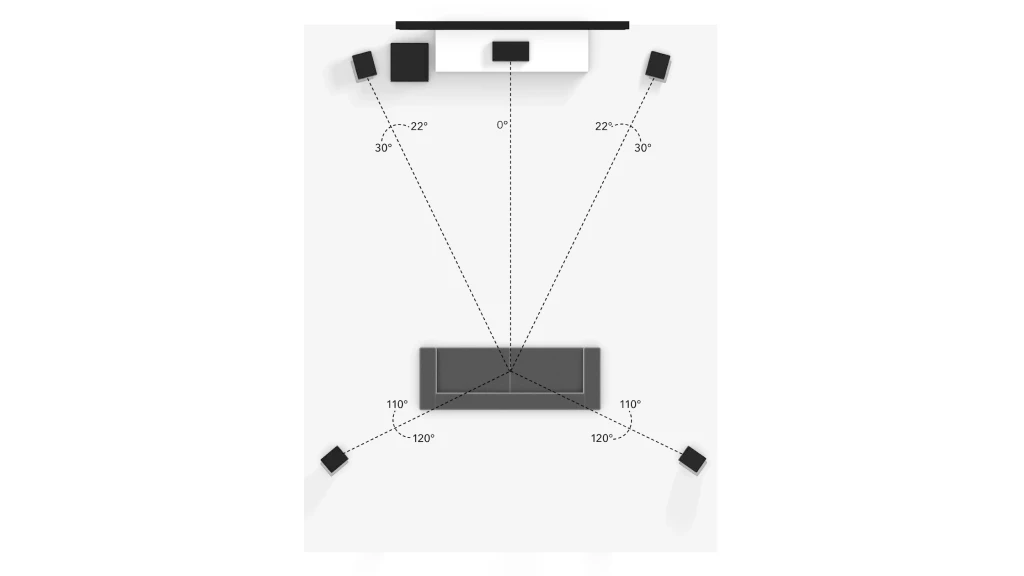
Speaker Layouts Explained
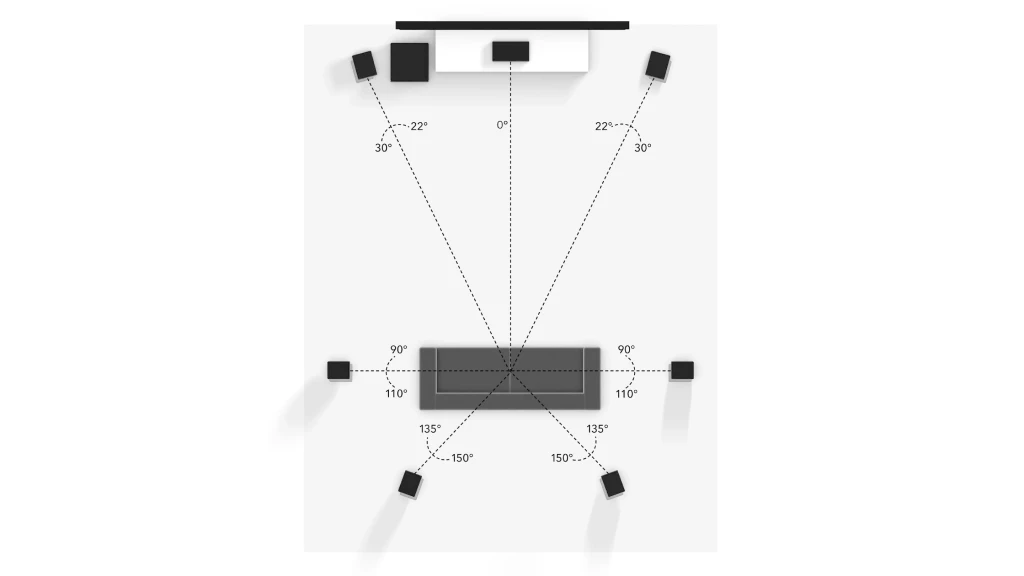
Dolby recommends 7.1.4 as the minimum configuration for professional Atmos mixing. The numbers break down like this:
- 7 = Seven ear-level speakers (Left, Center, Right, Left Side, Right Side, Left Rear, Right Rear)
- 1 = One subwoofer for the LFE (Low Frequency Effects) channel
- 4 = Four height speakers (Front Left Height, Front Right Height, Rear Left Height, Rear Right Height)
That’s 12 discrete output channels total.
A 5.1.4 system reduces the ear-level speakers to five (removing the dedicated side surrounds), requiring 10 output channels. A 5.1.2 system uses only two height speakers, requiring 8 channels—the minimum configuration for experiencing Atmos height information.
The Software Chain
Your DAW communicates with the Dolby Atmos Renderer, which translates your spatial positioning data into discrete speaker feeds. The supported DAWs include:
- Logic Pro (built-in Atmos support)
- Pro Tools (with Dolby Atmos Production Suite)
- Nuendo (built-in Atmos support)
- Studio One (with Dolby Atmos Music Panner)
- Ableton Live (with Dolby Atmos Music Panner)
The Dolby Atmos Renderer runs either as a standalone application or integrated within your DAW. It processes up to 128 audio objects and outputs them to your speaker configuration. The Renderer is essential—without it, you’re not actually mixing in Atmos.
The Interface's Role
Your audio interface sits between the Renderer and your speakers. Here’s the signal flow:
DAW → Dolby Atmos Renderer → Audio Interface → Speakers
The interface receives discrete digital audio for each channel (L, C, R, surrounds, heights, LFE) and converts them to analog signals feeding your monitors. This is why output count matters so much: each speaker needs its own dedicated output channel.
Some interfaces with built-in monitor controllers (like the Apollo x6) can handle volume control, speaker switching, and even room correction internally. Others require an external monitor controller for these functions.
2. The Magic of ADAT: Your Key to Affordable Channels
Think of ADAT as a freeway that adds 8 more output lanes to your interface. One Toslink optical cable carries eight channels of 24-bit/48kHz digital audio. Many interfaces have dual ADAT ports, meaning 16 additional channels over two cables.
How ADAT Expansion Works
Connect an ADAT-equipped DA converter (like the Behringer ADA8200) to your interface’s ADAT output. The converter receives digital audio from your DAW and converts it to eight analog signals for your speakers.
For a 7.1.4 system using the Focusrite Scarlett 18i20:
- Use analog outputs 1-10 for L, C, R, surrounds (4), LFE, and two heights
- Connect an 8-channel ADAT converter
- Route the remaining two height channels through ADAT outputs 1-2
- You’ve now got a complete 7.1.4 system with six extra outputs for alternate monitoring or cue feed
Recommended ADAT Expansion Units
- Behringer ADA8200: Budget option with eight channels and Midas preamps
- Focusrite OctoPre: Matches Focusrite interfaces with Air mode
- Audient ASP880: High-quality conversion with premium preamps
- RME ADI-8 DS: Reference-grade conversion for critical monitoring
The key consideration is clocking. When using ADAT, one device must be the master clock. Typically, your main interface serves as master, and the ADAT expander syncs to the incoming digital signal. This ensures all your outputs stay perfectly aligned.
3. Critical Feature: Advanced Monitor Control
A basic volume knob won’t cut it for immersive monitoring. You need software (or hardware) that can:
- Control individual speaker levels: Calibrate each channel to equal SPL at your listening position
- Mute speaker groups: Solo your height speakers to check panning, or mute surrounds to verify front-stage imaging
- Switch configurations: Quickly compare your full 7.1.4 array against a stereo downmix
- Apply room correction: Compensate for acoustic problems in your monitoring environment
Software Monitor Control Examples
MOTU CueMix 5 provides six independent mix buses with per-channel level, pan, and mute controls. Create a main monitor mix for your full array, then alternate mixes for stereo checking or individual speaker groups.
Focusrite Control 2 offers routing flexibility across all Scarlett and Clarett outputs. The A/B monitor switching enables instant comparison between speaker sets—useful for checking translations between full immersive and stereo.
UAD Console on Apollo interfaces includes speaker calibration, bass management, and Sonarworks room correction running on the hardware DSP. You can solo and mute individual outputs, adjust trim per channel, and even apply delay for time alignment.
RME TotalMix FX deserves special mention for its unlimited routing capabilities. Every output can receive any combination of inputs, with independent EQ, dynamics, and effects. For immersive work, you can create extremely complex monitoring setups that would require expensive hardware controllers elsewhere.
Final Thoughts: Choosing Your Path to Immersive Audio
The interfaces in this guide span from budget-friendly exploration to professional-grade production. Your choice depends on where you are in your immersive journey and where you’re heading.
If you’re exploring immersive audio for the first time, the TASCAM US-16×08 or RME Babyface Pro FS let you experience spatial mixing without major investment. The TASCAM provides 8 outputs for a 5.1.2 starter system, while the Babyface’s ADAT expansion enables growth to 7.1.4 when you’re ready.
If you’re building a dedicated immersive mixing room, the MOTU UltraLite-mk5, Focusrite Scarlett 18i20 4th Gen, or PreSonus Quantum 2626 offer the best balance of outputs, quality, and price. All three provide enough analog outputs for 7.1.2 natively, with ADAT expansion for full 7.1.4 and beyond.
If you’re a professional facility entering Atmos production, the Focusrite Clarett+ 8Pre, Universal Audio Volt 876, or Apollo x6 Gen 2 provide the conversion quality and features that critical work demands. The Apollo’s DSP monitoring and room correction capabilities are particularly valuable for facilities mixing for streaming distribution.
Remember that your interface is one part of a larger system. Budget for speakers (12 of them for 7.1.4), room treatment, and potentially external monitor control. The interfaces with built-in monitoring features like the Apollo x6 or those with comprehensive software like RME’s TotalMix can reduce the need for additional hardware, potentially saving money overall.
Whatever you choose, start mixing. Dolby Atmos rewards experimentation, and the skills you develop working in any of these configurations will transfer as your system grows.
FAQ
Can I use multiple audio interfaces together for Dolby Atmos?
Yes, but with significant caveats. On macOS, you can create an Aggregate Device combining multiple interfaces, though this introduces potential sync issues. On Windows, some manufacturers (RME, PreSonus) offer drivers that recognize their own multiple interfaces as a single device. However, ADAT expansion through a single interface is more reliable than aggregating separate units. The potential for clock drift between interfaces can cause subtle timing issues that become audible in surround monitoring.
Do I need Thunderbolt for Dolby Atmos mixing, or is USB sufficient?
USB works fine for most immersive mixing workflows. The PreSonus Quantum 2626 demonstrates that Thunderbolt’s lower latency matters most when monitoring through plug-ins in your DAW. If you’re using an interface with hardware monitoring (like the Apollo’s DSP or RME’s TotalMix), USB latency becomes less relevant since monitoring happens before the computer. Choose Thunderbolt if you need the absolute lowest round-trip latency for live plug-in processing.
Can I mix Dolby Atmos using headphones only?
Technically, yes—the Dolby Atmos Renderer includes a binaural monitoring mode that simulates spatial audio over headphones. Apple’s Spatial Audio also renders Atmos content for headphone playback. However, professional Atmos mixing requires speaker monitoring to accurately judge how your spatial decisions will translate to real rooms. Headphone binaural rendering is useful for checking mixes on the go or as a secondary reference, but shouldn’t be your primary monitoring environment for critical mixing decisions.
| Why Can You Trust Us

Bruno Bontempo
I've been recording, producing, and playing bass for over 20 years—from touring with my first band at 15 to playing progressive metal across Europe today. Through multiple albums, projects (Madness of Light, Rising Course, Roots of Ascendant, Human|Archive), and production work, I've tested audio interfaces in every scenario imaginable. At Best Audio Hub, I combine my historian background with years of hands-on music and audio experience. No marketing fluff—just honest insights from someone who's been in the trenches.
| ALSO REVIEWED