Get Free Splice 2026: Audio Interfaces with Free Subscription
- Audio Tools
- by Bruno Bontempo
Get free Splice plans with Focusrite and Arturia audio interfaces. Discover if it worth you money in 2026. Splice Sounds plans compared: Sounds+, Creator, Creator+.
Our articles may include affiliate links and we may earn a commission. Here how it works.
For musicians building a home studio, the choice often starts with hardware: which audio interface has the best preamps, the right connections, and fits your budget? But in 2026, the smarter question is: which interface comes with the software to instantly fill your tracks with professional sounds?
Brands like Focusrite and Arturia have partnered with Splice to include free 3-month subscriptions with their hardware. This guide breaks down exactly which interfaces offer this valuable bonus, helping you choose a bundle that jumpstarts your studio with both gear and a world-class sound library.
Quick Answer:
Splice Plans & Free Bundles
🎯 Splice is a subscription service for royalty-free samples, loops, and presets. When you buy a qualifying audio interface, you get a free trial to start building your library. The key detail is the plan you receive, as it dictates your monthly download credits and extra software
Audio Interface | Splice Plan | Value | Audio Interface Specs |
|---|---|---|---|
Focusrite Scarlett 4th Gen | Sounds+ (3 months) | ~$39 | Industry-standard preamps with "Air" mode, USB-C, includes Ableton Live Lite. |
Arturia MiniFuse | Creator (3 months) | ~$60 | Includes mic, headphones & cable; built-in MIDI I/O; extensive software bundle |
SPLICE REVIEW
4.8
Splice Sounds transformed my music production by replacing endless sample pack purchases with a focused, credit-based system that built my permanent sound library.
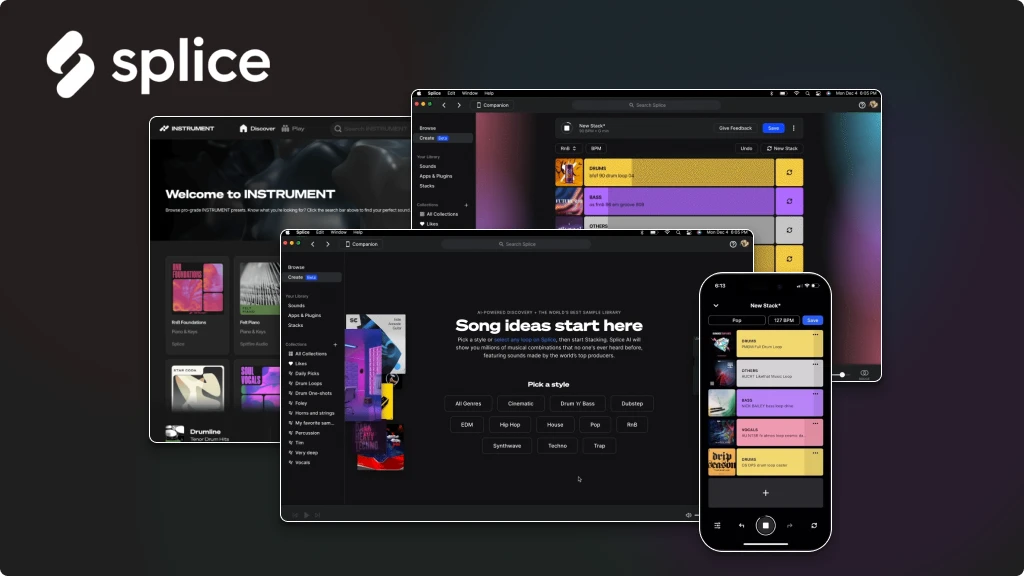
The desktop app and Bridge plugin save me hours by letting me audition sounds in my DAW before downloading.
If you’re tired of wasting money on sample packs, Splice’s risk-free first-month trial is the most efficient way to start building your professional sound collection strategically.
Get Splice
Or try now
| Pros
- Keep every downloaded sound forever
- Audition samples in your DAW with Bridge plugin
- Rent-to-own top plugins like Serum & Analog Lab
- Credits roll over & first-month trial is low-risk
- Scales from hobbyist to pro with three clear plans
| Cons
- Not ideal if you exclusively make your own sounds
- Credits can feel limiting vs. unlimited download services
- Mobile/DAW integration varies, desktop app is core
I’ve been there – when all this was new, standing at the edge of Splice’s vast sound library, excited by the promise of millions of royalty-free samples, but confused by the subscription options and credits. You don’t want to overpay for credits you’ll never use, but you also don’t want to be the producer constantly hitting your limit mid-project.
Having tested these plans in real-world production scenarios, I’m cutting through the marketing noise to help you choose the subscription that matches your actual creative rhythm.
This isn’t just a feature list—it’s a strategic guide to making Splice work for your workflow.
Splice Ecosystem: More Than Just a Sample Library
Before we dive into dollars and credits, let’s establish what makes Splice different from just downloading sample packs.
A Royalty-Free Library That's Actually Yours
You get access to millions of samples, loops, and presets, all cleared for commercial use. But here’s the game-changer: every sound you download is yours to keep forever, even if you cancel your subscription. No tricks, no takebacks. This transforms Splice from a rental service into a strategic investment in building your permanent sound library.
Splice Desktop App & Bridge
This is where Splice Sounds and Creator plans moves from library to genuine workflow partner. The desktop app keeps your sounds organized and synced across devices. But the real magic happens with Splice Bridge a plugin that lets you audition samples directly in your DAW, in the correct key and tempo, before you spend a single credit.
I can’t overstate how much time this has saved me. No more downloading 20 kicks to find the one that fits, no more manual pitch-shifting to match tracks. Bridge lets you test-drive sounds in context, ensuring every credit you spend is intentional.
Rent-to-Own Plugins
Beyond samples, Splice plans offers a budget-friendly path to industry-standard plugins through their rent-to-own program. Want Serum 2? Analog Lab? High-quality Spitfire Audio instruments? Pay monthly instalments until you own them outright—no massive upfront investment required. For producers building their toolkit, this alone can justify a subscription.
Bonus Features: Instrument, Astra, and Beatmaker
Depending on your plan, you’ll also get access to:
- Splice INSTRUMENT: A sample-based virtual instrument plugin with a growing library of playable presets—think chromatic keyboards made from professional sound design.
- Astra: Splice’s proprietary synthesizer, comparable to Serum but slightly more intuitive for beginners.
- Beatmaker: A drum sequencer with a 16-step grid that integrates seamlessly with the Splice library.
- Skills: A library of 150+ production tutorials covering everything from sound design to songwriting.
Splice Plans Breakdown
Here’s the direct comparison: Splice Sounds +, Creator and Creator +.
Plan | mo Credits | What You Get | Price |
|---|---|---|---|
Sounds+ | 100 | - 100 monthly credits with rollover - All premium INSTRUMENT presets - Rare Finds filter for sounds - Splice Bridge plugin - Desktop & Mobile apps - Works with any DAW - Annual plans with savings | |
Creator | 200 | - Everything in Sounds+, PLUS: - 200 monthly credits (2x more) - Full Splice INSTRUMENT subscription - Astra synthesizer plugin - Beatmaker drum machine plugin - Access to Skills tutorials - Best value for most producers | |
Creator+ | 500 | - Everything in Creator, PLUS: - 500 monthly credits (5x Sounds+) - Maximum downloading capacity - Never think about credit limits - Ideal for high-volume work |
Plan Analysis: Which One Fits Your Needs?
Now let’s translate specs into actual use cases.
Sounds+ Plan
The Smart Starting Point
- Producers just starting their journey
- Hobbyists making a few tracks per month
- Anyone testing whether Splice fits their workflow
- Budget-conscious beatmakers who don't need massive variety yet
I started here. The 100 monthly credits were plenty for my first few months of production. The key is the rollover—I built up a 200-credit cushion over three months, which gave me the freedom to go deep on a single project without worrying about hitting my limit.
The first-month promotion makes this a no-brainer trial. For less than a coffee, you get 100 credits to explore the entire library and test the workflow integration. If Splice Sounds+ isn’t for you, you’re out a dollar. If it transforms your production process (as it did mine).
When to upgrade: You’re consistently using all 100 credits monthly, or you want the included INSTRUMENT plugin without paying separately.
View Splice Sounds+
Or try now
Creator Plan
The Sweet Spot for Most Producers
- Active producers releasing music regularly
- Anyone who wants Splice INSTRUMENT but also needs sample credits
- Producers interested in Astra synth or the Skills tutorials
- Collaborators working on multiple projects simultaneously
Here’s where the math gets interesting. By upgrading to Creator from Sounds+, you get:
- Double the credits (200 vs 100)
- Full Splice INSTRUMENT access (which is available as a separate standalone subscription)
- The Astra synthesizer plugin
- The Beatmaker drum machine
- Access to 150+ Skills tutorials
f you were considering both Splice Sounds + and a separate INSTRUMENT subscription, Splice Creator actually saves you money while giving you more credits. This is the plan I personally upgraded to, and it’s where most active producers find their home.
When to upgrade: You need maximum sound discovery capacity, you’re working on commercial projects with tight deadlines, or you’re a sound designer who treats sampling as your primary creative process.
View Splice Creator
Or try now
Creator+ Plan
The Professional's Power Tool
- Professional composers and sound designers
- Producers scoring for media (film, TV, games, podcasts)
- Artists with high output who release frequently
- Anyone who never wants to think about credit limits
| The Reality Check:
With 500 credits per month, the question shifts from “Do I have enough credits?” to “Do I have enough time to explore?” This tier is for producers whose workflow consumes sounds at a professional rate—sample collectors, producers working on multiple client projects simultaneously, or creators building extensive sound design libraries.
If you’re consistently hitting your Splice Creator plan limit (200 credits) and finding yourself waiting for next month’s refill, Splice Creator+ removes that constraint entirely. The premium price over the Splice Creator plan might seem steep, but for professionals, the cost of not having the right sound when inspiration strikes is far higher.
View Splice Creator+
Or try now
Student & Educator Discount
If you have a valid educational email address (typically .edu in the US or .ac in other countries), you can access the Splice Sounds+ plan for much cheaper price. That’s represents a considerable annual saving, plus you get a free Baby Audio TAIP plugin (a faithful emulation of a 1971 European tape machine) included with your subscription.
🎯 Audio Interfaces That Include Free Splice
Getting a free Splice subscription with your interface isn’t just a bonus—it’s a strategic advantage. If you’re investing in hardware, this deal provides the immediate creative fuel (samples, instruments) to make music from day one, saving you money on software.
Arturia MiniFuse Recording Pack
🏆 Best for Beatmakers
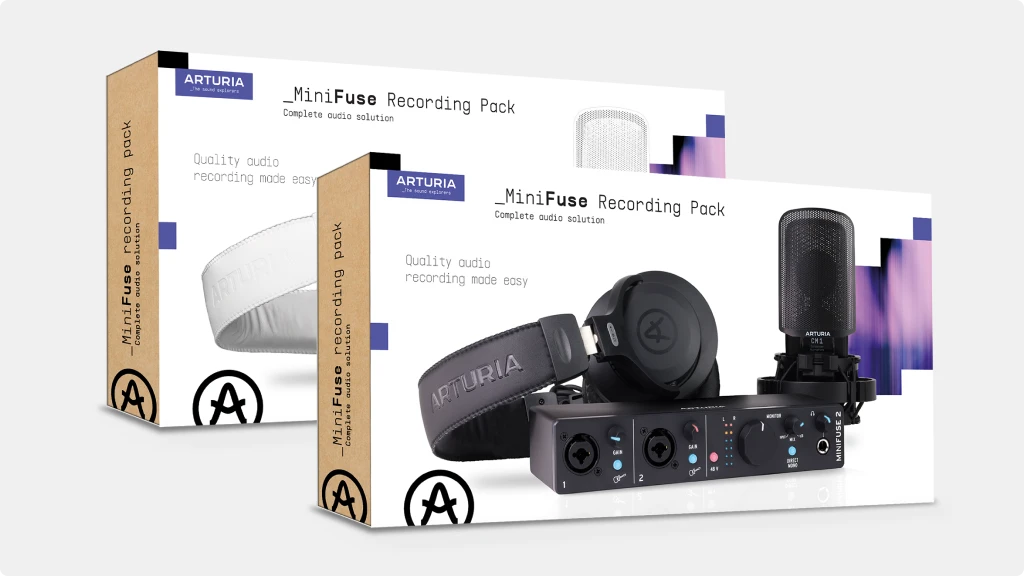
This bundle stands out because it’s a complete studio starter kit. Beyond the 2-in/2-out MiniFuse 2 interface, you get a condenser microphone, headphones, and an XLR cable. It’s designed as an all-in-one solution for beginners and content creators.
For Splice users, the Creator Plan is the true prize. For three months, you get 200 credits per month (vs. 100 on Sounds+), plus access to the Splice INSTRUMENT plugin, Astra synth, and Beatmaker. This is perfect for electronic producers and beatmakers who want to explore synthesis and build a diverse sample library from the start.
- Complete Kit: Interface, CM1 condenser mic, EF1 headphones, 3m XLR cable
- Superior Splice Plan: 3-month Creator Plan trial (200 credits/month + INSTRUMENT plugin)
- Studio Software Suite: Also includes Ableton Live Lite, Analog Lab Intro, and Auto-Tune Unlimited
- Connectivity: 2 combo inputs, MIDI In/Out, and a USB hub port
💰 Value calculation: A full recording setup + $60 of premium samples/plugins.
Arturia MiniFuse Recording Pack
🎤 Best for Singer-Songwriters
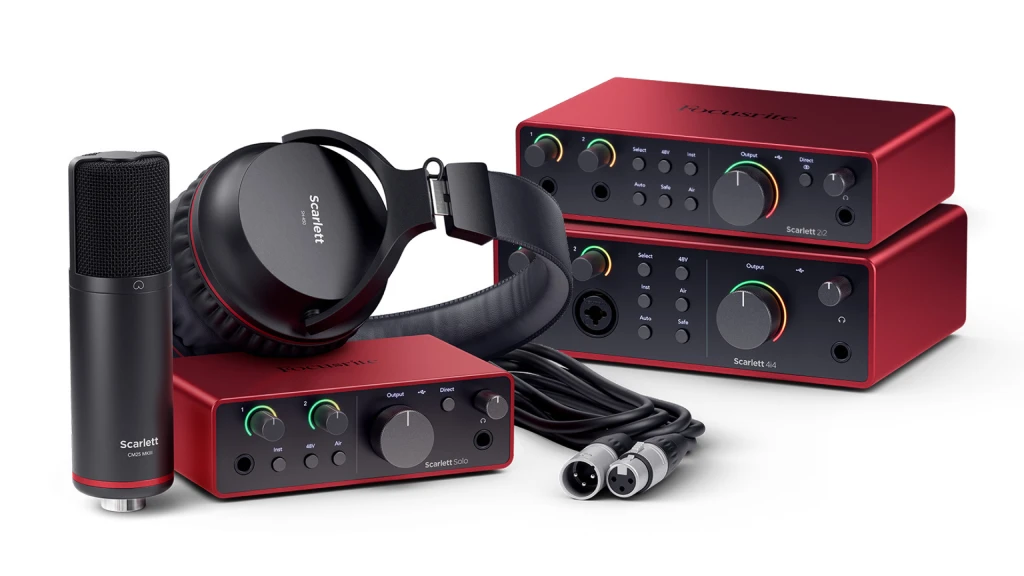
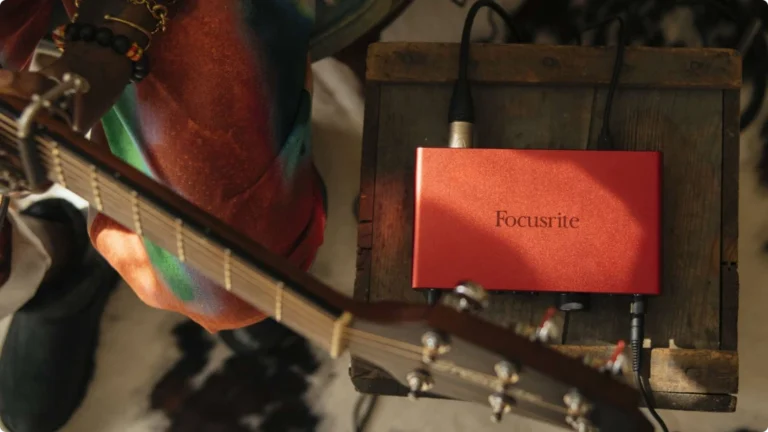
The Scarlett Solo is the definitive one-person studio. Its legendary Focusrite preamp with “Air” mode adds clarity to vocals and acoustics. For a solo artist, podcaster, or streamer, its simplicity is its strength.
The included Sounds+ Plan is an ideal match. With 100 monthly credits, you can selectively download the perfect drum loops, bass hits, and atmospheric textures to complement your recordings without overwhelming choice. It’s a low-risk, high-reward way to enhance your tracks professionally.
- Focusrite Quality A pristine preamp with switchable Air mode for vocal presence
- Perfect Simplicity: One XLR/instrument input and one headphone output
- Plug-and-Play: Renowned for driver stability on Mac and PC
- Software Bundle: Also includes Ableton Live Lite, Focusrite's Red Plug-in Suite, and more
💰 Value calculation: Top-tier solo interface + $39 to start your sample library.
CHECK THIS OUT
🛠 How to Claim Your Free Splice Subscription
Claiming your free months is straightforward, but the process differs by brand.
For Focusrite Scarlett Owners:
- Register your interface at focusrite.com using the serial number.
- Navigate to the “My Software” or “My Products” section of your account.
- Find and click the “Redeem” button for the Splice offer.
- Follow the link to create a new Splice account or log in.
- Enter the provided redemption code. Your 3-month Sounds+ trial will activate.
For Arturia MiniFuse Owners:
- Register your product on the Arturia website.
- Access your dedicated software download portal.
- Locate the Splice Creator Plan offer among your available software.
- You will receive a unique code or a direct activation link to redeem on the Splice website.
Pro Tip: You will need to enter a payment method to activate the free trial, but you will not be charged until after the 3 months. Cancel anytime before the trial ends to avoid charges. All samples you download during the trial are yours to keep forever, even if you cancel.
Splice in Your DAW: Compatibility Check
A common concern: “Will Splice work with my setup?”
The good news: Since you’re downloading actual audio files (WAV format), Splice Sounds work with any DAW—Ableton, FL Studio, Logic Pro, Pro Tools, Studio One, Cubase, Reaper, you name it. The sounds are just standard audio files once downloaded.
The even better news: Splice has direct integrations with several DAWs that bring the entire library inside your project:
- Ableton Live 12.3+ (currently in beta)
- Studio One 7+
- Pro Tools 2025.6+
For other DAWs, the Splice Bridge plugin (included with all plans) provides the crucial “audition before downloading” functionality, even if the full integration isn’t available yet.
Mobile workflow note: The Splice mobile app lets you browse and favorite sounds on the go, syncing back to your desktop. On iPad, downloaded sounds are accessible through the Files app, making them available in mobile DAWs like FL Studio, GarageBand or Cubasis.
Splice Credit System Explained
Let’s talk about how you actually “spend” in Splice, because the system is more flexible than you might think.
The Exchange Rate
- 1 sample or loop = 1 credit
- MIDI patterns and presets = 1-3 credits (depending on complexity)
The Rollover Advantage
This is perhaps the most user-friendly feature of all Splice plans: unused credits roll over to the next month automatically. No “use it or lose it” pressure. If you download 40 samples one month, those 60 unused credits from Splice Sounds+ carry forward. Over time, you can build a substantial credit cushion for when inspiration strikes hard or you’re working on multiple projects.
The Keep-Everything Guarantee
Worth repeating: Every sound you download remains in your library forever, even after cancellation. You’re not renting access—you’re strategically building a permanent collection using your monthly allowance.
The Strategic Decision: Your Checklist
Let’s make this concrete. Here’s how to choose:
Choose Sounds+ if
- You're testing the waters with music production
- You make 1-3 tracks per month casually
- You're on a tight budget but want professional sounds
- First-month promotional offers make it risk-free to try
- You primarily need drums, percussion, and FX—not massive loop libraries
Upgrade to Creator if
- You're actively releasing music (even if just to SoundCloud)
- You want Splice INSTRUMENT without paying for a separate subscription
- The Astra synth or Skills tutorials appeal to your learning style
- You're consistently using 80+ credits monthly on Sounds+
- You work on multiple projects simultaneously
Go for Creator+ if
- You're a professional whose income depends on music production
- You score for media or work on client projects
- You're building an extensive sound design library
- You never want to wait for next month's credit refill
- You treat sound selection as a core part of your creative process
View Splice Creator+
Or try now
My Honest Take: Is Splice Worth?
After a long time of using Splice in real production environments, here’s my straightforward assessment:
Splice is worth it if: You value workflow efficiency over hoarding complete sample packs. If you’re tired of buying expensive packs where you only use a few sounds, Splice’s credit system is a revelation. You pay only for what you actually use, and the Bridge plugin ensures you’re making informed decisions before spending credits.
Splice might not be for you if: You prefer making your own sounds from scratch, you already have an extensive sample library that covers your needs, or you work in genres where highly specific, boutique sounds matter more than broad variety.
The flexibility factor: Remember, you can upgrade, downgrade, or cancel anytime. Your credits roll over, your downloaded sounds stay with you forever, and there’s genuinely no risk in starting with what feels right today and adjusting as your needs evolve.
The promotional first-month pricing removes almost all financial risk from testing the platform. My recommendation? Start with the Splice Sounds and test it, you can get a cheap first month trial to test it, then decide if it’s enough for you or if you want to upgrade, let your actual usage guide any future changes.
The ability to audition sounds in context, build a permanent library strategically, and only spend credits on sounds that genuinely serve your creative vision has made my production process more intentional and efficient. For most modern producers, that’s exactly what a sample subscription should do.
FAQ
Can I get free Splice with any audio interface?
No. As of 2026, these bundled trials are specific promotional partnerships. The most widely available offers are with Focusrite Scarlett (3rd Gen and later) interfaces and the Arturia MiniFuse Recording Pack
What happens after the 3-month free trial ends?
Your subscription will automatically convert to a paid plan at the standard monthly rate (e.g., $12.99 for Sounds+, $19.99 for Creator). To avoid charges, you must cancel before the trial ends through your Splice account settings online.
What happens to my downloaded samples if I cancel my Splice subscription?
This is one of Splice’s best features—you keep everything forever. Every sample, loop, preset, or MIDI pattern you download with your credits remains in your library permanently, even after cancellation. There’s no “rental” model here. Think of your subscription as a monthly allowance to build a permanent sound collection. The sounds are yours to use in any project, commercial or personal, for life. This means every credit you spend is actually an investment in your permanent toolkit, not a temporary rental.
Can I switch between Splice plans, or am I locked into my choice?
You have complete flexibility. You can upgrade, downgrade, or cancel anytime without penalties or contracts. If you start with Sounds+ and realize you need more credits, upgrading to Creator takes effect immediately—you’ll get the additional credits and features right away. Downgrading works too, though it typically takes effect at your next billing cycle. Your unused credits roll over regardless of plan changes, so you never lose what you’ve paid for. This flexibility means there’s genuinely no risk in starting with the plan that feels right today and adjusting based on your actual usage patterns.
Do Splice credits expire if I don't use them?
No, your credits roll over automatically every month. If you subscribe to the Sounds+ plan (100 credits/month) but only use 40 credits, those unused 60 credits carry forward to the next month, giving you 160 total. You can build up a substantial credit bank over time, which is perfect for when you’re working on a big project or want to go deep on sound selection. The only exception is if you cancel your subscription entirely—at that point, unused credits do expire, but all the sounds you’ve already downloaded remain yours forever.
I already have a Splice account. Can I use the free trial?
Typically, these offers are for new Splice accounts only. If you already have an account, you may not be able to apply the free trial months. You can contact Splice support to see if an exception or alternative is possible.

| ALSO REVIEWED