Best Audio Interface for Podcasting (2026): Expert Tested
- Audio Interface, Buying Guides
- by Bruno Bontempo
Do you need an audio interface for podcasting? Learn about the features that can optimize your podcasting setup and sound quality.
Our articles may include affiliate links and we may earn a commission. Here how it works.
Why Podcast Bundles Are Taking Over
The podcasting equipment market has shifted dramatically toward complete bundles in 2026. Instead of piecing together individual components, podcasters are choosing all-in-one solutions that include everything needed to start recording immediately—interfaces, microphones, cables, and often headphones.
This makes sense: bundles eliminate compatibility concerns, simplify setup, and typically save money compared to buying components separately. Whether you’re recording on your phone, need portable battery-powered recording, or want a professional desktop setup, there’s a bundle designed specifically for your workflow.
Key Benefits for Podcasters
The best podcasting setups now include:
- Complete bundles – Everything included, guaranteed to work together
- Portable options – Battery-powered interfaces for recording anywhere
- Phone compatibility – Record directly to iPhone, iPad or Android
- Loopback functionality – Essential for recording remote guests via Zoom or Skype
- Multiple inputs – Record with co-hosts or guests in the same room
| QUICK OVERVIEW
1. What Makes an Audio Interface Good for Podcasting?
Not all audio interfaces are created equal for podcast work. Based on our testing with various dynamic and condenser microphones across different recording scenarios, these features matter most:
Clean, Powerful Preamps
Podcasting relies heavily on voice, so preamp quality directly affects how natural and engaging your recordings sound. The best podcasting interfaces have:
- High-gain range (60dB+) to drive demanding mics like the Shure SM7B
- Low self-noise (below -125 dBu EIN) for clean, hiss-free recordings
- Phantom power (48V) if you use condenser microphones
During our testing with various budget and premium interfaces, we noticed how clean preamps eliminate that “cheap mic” sound entirely. The difference between a basic interface and a quality one is immediately audible in the clarity and warmth of spoken word.
Essential Podcasting Features
For podcasting specifically, you need:
- Loopback or mix-minus – Essential for recording remote guests via Zoom, Skype, or phone calls without echo
- Multiple headphone outputs – So you and your co-host can both monitor in real-time
- Direct monitoring – Hear yourself with zero latency, critical for natural delivery
- Portable power options – Battery power for on-location recording
Podcast-Specific Conveniences
The interfaces and recorders designed specifically for podcasters include thoughtful touches:
- Sound pads – Trigger intro music, sound effects, or ads instantly
- Auto-gain settings – Some interfaces automatically set proper recording levels
- Mute buttons – Quickly mute between takes or during coughs
- Simple routing – Easy management of multiple audio sources without complex software
💡 Real-World Example:
During our testing with the Zoom PodTrak P8, we recorded a six-person panel podcast in a coffee shop running entirely on batteries. The built-in mix-minus handled a remote guest via phone call flawlessly, and the sound pads let us drop in our intro music and sponsor message without needing a computer. This is the kind of flexibility traditional interfaces can’t match.
Portable Recording
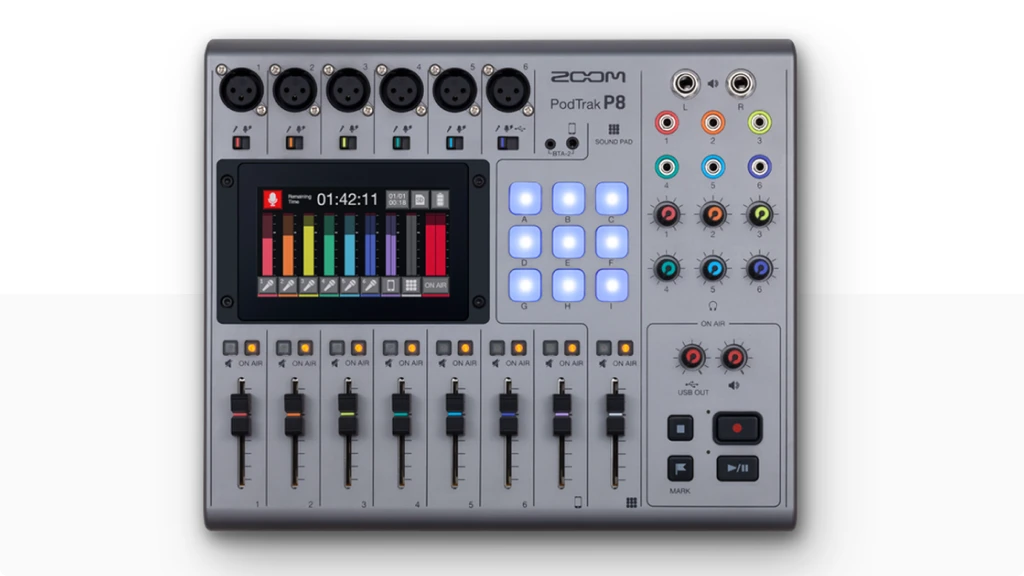
Zoom PodTrak P8
4.7
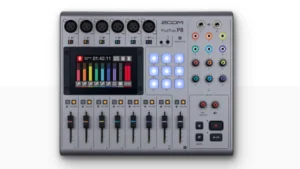
The Zoom PodTrak P8 is a complete portable recording solution with 6 XLR inputs, 70dB of gain to handle any microphone including the Shure SM7B, and built-in mix-minus for remote guests. This is the recorder designed for ambitious multi-person podcasts.
| Key Features
- 6 XLR inputs with 70dB gain (handles SM7B without cloudlifter)
- 4.3" full-color touchscreen for intuitive control
- Battery powered (4 AA batteries for ~2 hours) or USB power
- Built-in mix-minus for echo-free remote recording
- 9 sound pads with 4 banks (36 total sound clips)
- Records multitrack to SD card up to 512GB
- Works as 2-in/2-out USB audio interface
- 6 independent headphone outputs plus speaker outputs
- Onboard editing (trim, split, fade)
- Compressor/de-esser and tone controls
Best for: Podcasters running large panel discussions, on-location recordings with multiple guests, or anyone who needs a complete portable production studio that can operate without a computer.
Overview: What sets the P8 apart is the combination of true portability with professional features. This isn’t just an interface you can carry around—it’s a complete recording studio that runs on four AA batteries for approximately two hours. During our field testing at a local bookstore podcast event, we recorded a six-person panel discussion entirely on battery power. No computer needed, no power outlet required, just plug in mics and press record.
The 4.3-inch full-color touchscreen makes the P8 the most intuitive portable recorder we’ve tested. Everything is accessible with a tap—gain staging, tone adjustment, effects, and routing all happen through the touchscreen interface. Unlike button-heavy recorders that require menu diving, the P8’s touchscreen works like a smartphone. During our testing, first-time users were adjusting settings confidently within minutes.
The six independent headphone outputs each have dedicated volume controls, eliminating the common problem of everyone needing the same monitoring volume. This is critical for roundtable podcasts where you might have six different people with six different monitoring preferences.
The nine sound pads with four banks give you access to 36 different sound clips—intro music, outros, sound effects, sponsor messages, or pre-recorded segments. We loaded an entire podcast’s recurring audio elements into the P8 and triggered them with single button presses during recording. This is particularly powerful for live podcast recordings where you need instant access to audio elements.
For remote interviews, the P8 handles phone calls (via TRRS cable or optional Bluetooth adapter with the BTA-2) and computer calls (via USB on channel 6) simultaneously. The built-in mix-minus works automatically on both channels, preventing that annoying echo where your guest hears themselves delayed. During our testing with multiple Zoom calls and phone interviews, the routing worked flawlessly without any configuration.
The P8 records multitrack to SD card (up to 512GB), capturing each mic to a separate track for easier editing. This is invaluable when one person coughs or has background noise—you can edit just their track without affecting everyone else. The onboard editing lets you trim, split, and fade clips directly on the device, meaning you can produce a finished episode without ever touching a computer.
The compressor and de-esser processing give voices more presence and polish in real-time. During our testing, we compared raw recordings to processed ones, and the difference was immediately noticeable—voices sounded fuller, more broadcast-ready, without the harshness that can come from heavy compression. The tone controls (dark to bright) let you dial in the perfect voice character for each person.
The P8 also includes speaker outputs (2x balanced 1/4″), so you can connect studio monitors for high-quality playback during editing sessions. This makes the P8 genuinely usable as both a field recorder and a studio production station.
The limitations: battery life is approximately two hours with four AA batteries (shorter than the P4’s 3-4 hours), and the plastic construction feels less premium than metal interfaces. The P8 records at 16-bit/44.1kHz, not 24-bit, which is a compromise compared to studio interfaces but perfectly adequate for podcast distribution. At a premium price point, it competes with desktop solutions like the RODECaster Duo and Pro II.
Best Overall
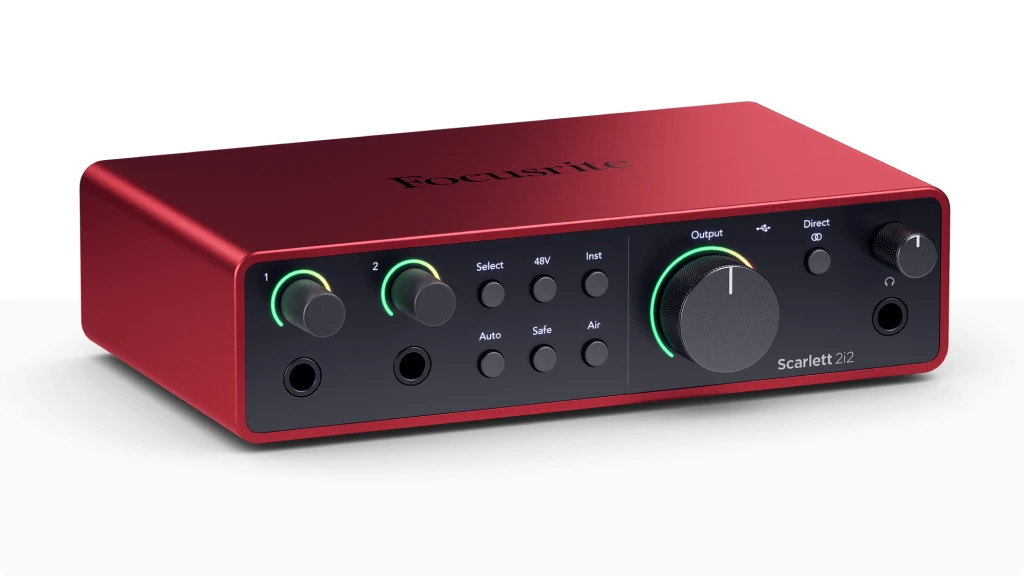
Scarlett 2i2 4th Gen
4.6
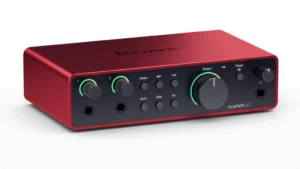
The Scarlett 2i2 remains the world’s best-selling audio interface, and the 4th generation adds features podcasters specifically requested. This is the standard against which all other podcast interfaces are measured.
| Key Features
- Auto Gain and Clip Safe for consistent levels
- Air mode for broadcast-quality vocal presence
- 69dB gain range handles any microphone
- Class-leading preamp clarity (-128 dBu EIN)
- 2 inputs for co-host or interview setups
- Includes Studio One Artist and effects plugins
Best for: Solo podcasters or interview shows who primarily record locally and want professional sound with minimal fuss.
Overview: The updated Air mode brings broadcast-style clarity to voices without sounding harsh or artificial. During our testing with both dynamic mics (Shure SM58) and condensers (Audio-Technica AT2020), the Air mode consistently made dialogue more present and intelligible. That matters enormously when you’re competing with thousands of podcasts in listeners’ feeds.
What sets this apart for podcasting is the new Auto Gain and Clip Safe features. Set your levels once, and the interface maintains consistent volume even if you lean back from the mic or get animated during storytelling. For podcasters who edit their own shows, this dramatically reduces post-production time spent adjusting levels.
The Scarlett 2i2 drives any mic you throw at it, including notoriously gain-hungry options like the Shure SM7B. We tested it with 69dB of available gain, and there was still headroom to spare. The preamps measure at -128 dBu EIN—among the cleanest in this price range.
Phone Podcasting
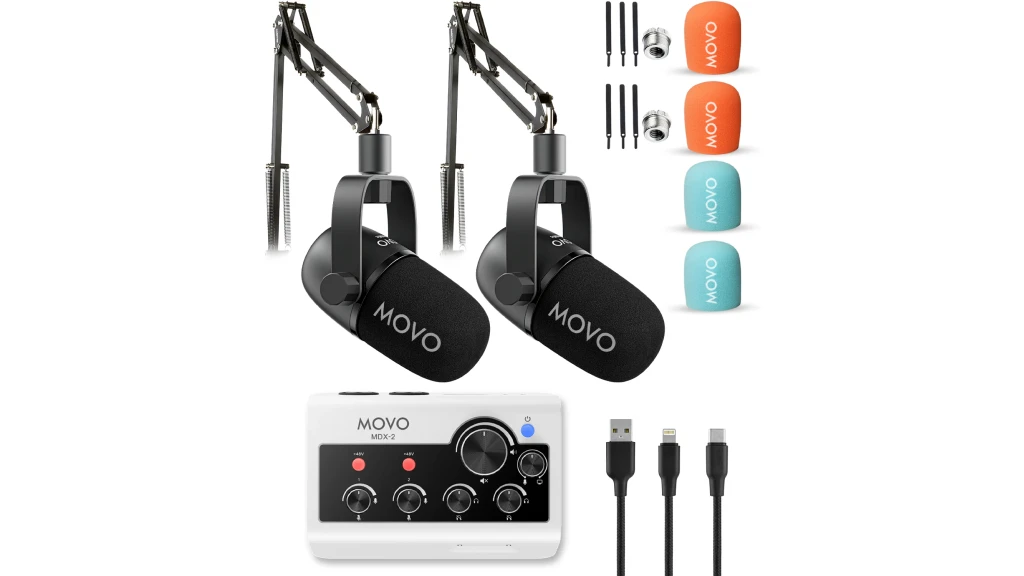
Movo Portable Bundle
4.2
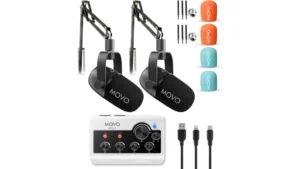
The Movo bundle represents a new category of podcast equipment—complete setups designed specifically for recording directly to smartphones. The MDX-2 dual-channel interface includes USB-A, USB-C, and Lightning cables for seamless connection to any device, making it genuinely universal.
- Includes: MDX-2 interface, 2 CastMic XLRs, cables, stands
| Key Features
- Complete bundle (interface, 2 mics, cables, stands)
- Works with iPhone, iPad, Android, PC, Mac
- 3 hours battery life, included travel case
- 2 XLR inputs with 48V phantom power
- 2 headphone outputs for host and guest
- True plug-and-play—no drivers needed
Best for: Mobile podcasters, phone-based content creators, or anyone who wants a complete ready-to-record bundle without a computer.
Overview: What makes this bundle special is the portability combined with completeness. The MDX-2 is battery-powered with 3-hour battery life and includes a travel case for on-the-go recording. During our testing, we recorded entire podcast episodes directly to an iPhone 15 and Samsung Galaxy in various locations—coffee shops, cars, hotel rooms—with zero computer involvement.
The two CastMic dynamic microphones deliver rich, balanced sound with 40Hz-16kHz frequency response, and the cardioid pattern rejects background noise effectively. We tested them in a room with AC running, and background noise was minimal. They’re not broadcast-grade like a Shure SM7B, but for mobile podcasting, they’re impressive.
The MDX-2 interface provides 48V phantom power and two headphone outputs, so you and your co-host can both monitor. The interface feels solid despite being plastic, and all cables are included—no hunting for the right adapter or cable type.
The bundle approach is smart for beginners: everything is guaranteed to work together, and you’re recording in minutes. No driver installation, no software configuration, just plug and record.
Duo Podcasters
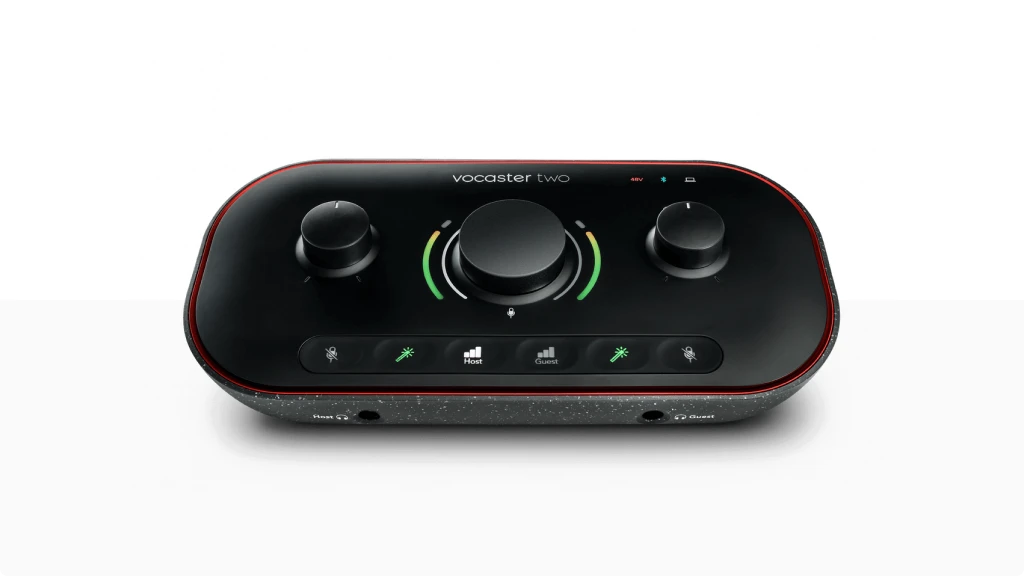
Focusrite Vocaster Two
4.3
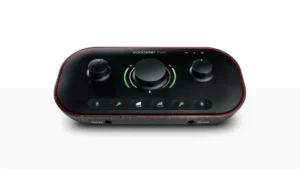
The Vocaster One is purpose-built for solo podcasters, and it shows. This is the first audio interface we’ve tested that genuinely feels designed by podcasters, for podcasters.
| Key Features
- Auto Gain automatically sets perfect recording levels
- Built-in Enhance processing for polished sound
- Loopback for recording remote guests with mix-minus
- Camera output for video podcasts
- Large mute button with LED indicator
- Bluetooth connectivity for phone interviews
Best for: Duo or solo podcasters who want the easiest path to professional sound quality, especially those who frequently record remote guests
Overview: The Auto Gain feature works remarkably well. Press the button, speak normally for a few seconds, and the Vocaster sets perfect levels automatically. During our testing across dozens of recording sessions, we never had to adjust gain manually—it just worked consistently. This is invaluable for podcasters who aren’t comfortable with audio engineering concepts.
The Enhance feature applies subtle processing that makes spoken word sound more polished without the artificial quality of heavy compression. Think of it as a “make my podcast sound professional” button. We compared processed and unprocessed recordings, and the Enhance setting consistently improved clarity and warmth without sounding over-processed or “radio voice” fake.
Podcasters will appreciate the built-in loopback for recording remote guests and the dedicated mute button with visual indicator. The large physical mute button is positioned perfectly—you can reach it instinctively mid-sentence without looking. During our long-form interview testing, this became second nature.
The camera output makes this interface video-podcast-ready, routing your processed audio to video recording software automatically. During our testing with OBS and Zoom simultaneously, the routing worked flawlessly without complex configuration—unusual in this price range.
Professional
RØDECaster
4.9
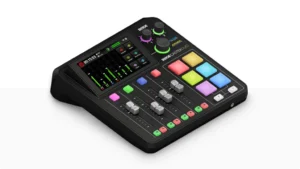
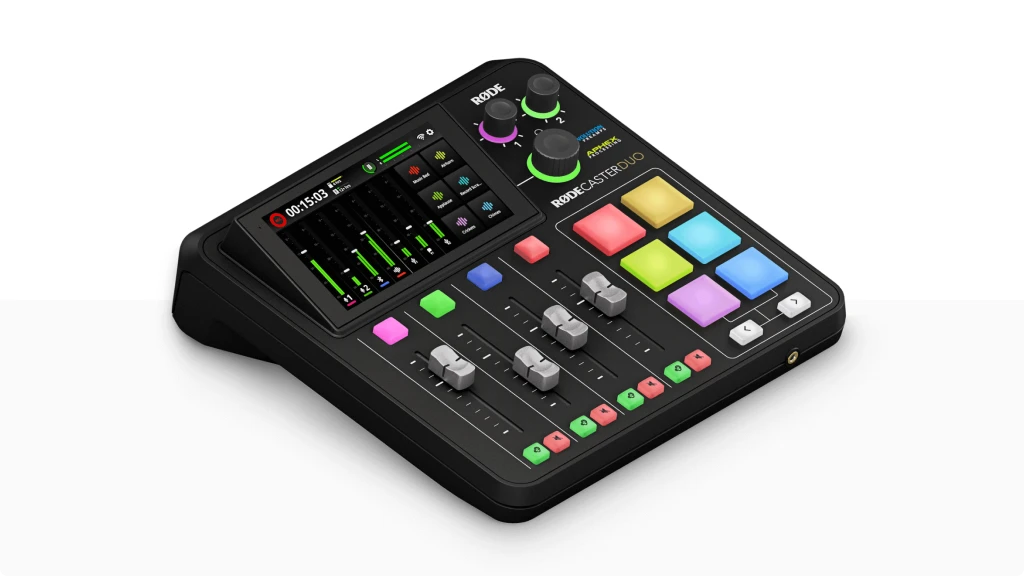
The RODECaster Duo is less of an interface and more of a complete podcast production studio. The Duo brings professional recording features with touchscreen control and is brilliant for small and medium podcast recording.
| Key Features
- Touchscreen interface with smartphone-like usability
- APHEX audio processing for professional radio sound
- Dual USB-C ports for complex routing
- 6 smart pads for sound effects and music
- Built-in recording to microSD card (no computer needed)
- Bluetooth connectivity for phone interviews
- Presets for popular podcast microphones
Best for: Serious podcasters who want professional features without complex setup and value speed in their workflow
Overview: This is the most intuitive interface we’ve ever tested. The touchscreen interface works like a smartphone—tap a channel, adjust settings, done. RODE includes presets for popular microphones including the Shure SM7B, Rode PodMic, and Electro-Voice RE-20. Select your mic from the menu, and the Duo applies optimal gain, EQ, and processing automatically.
The APHEX processing (Aural Exciter and Big Bottom) gives podcasts that professional radio sound without requiring post-production expertise. During our testing, we compared raw recordings to processed ones, and the difference was substantial. Voices sounded fuller, more present, and more engaging—exactly what you want for long-form content.
For podcasters recording remote guests, the dual USB-C ports are brilliant. Connect your recording computer to one port and your gaming/guest call computer to the other. The Duo handles routing automatically with proper mix-minus to prevent echo. Or use Bluetooth to bring phone calls directly into your mix—we tested this with both iPhone and Android devices, and the audio quality was surprisingly good for wireless.
The six smart pads can trigger music beds, sound effects, intro music, or even recorded sponsor messages. During our testing for a weekly podcast, having instant access to recurring audio elements dramatically sped up the recording workflow. You can customize the pads with different colors and labels, making it easy to remember which pad does what.
The Duo can also record directly to microSD card without a computer—handy for backup recording or truly mobile setups. The recordings are broadcast-quality WAV files ready for editing.
Complete Starter
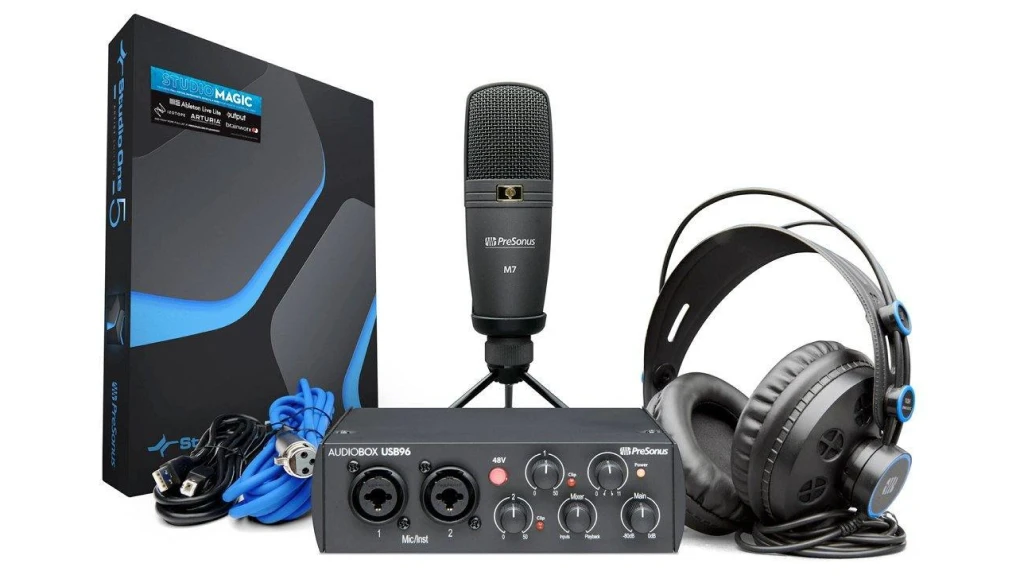
PreSonus AudioBox Studio
4.5
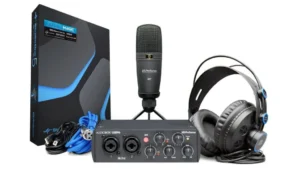
The PreSonus Studio Recording Package delivers everything needed to start podcasting immediately at an entry-level price point. This is the bundle we recommend most often to complete beginners.
- Includes: AudioBox 96, M7 mic, HD7 headphones, software
| Key Features
- Complete bundle (interface, mic, headphones, software)
- Class-A preamps with 48V phantom power
- 50dB gain range (adequate for most podcast mics)
- Zero-latency direct monitoring with mix control
- Bus-powered (no external power supply needed)
Best for: Beginning podcasters who want a complete package to start recording immediately without piecing together components
Overview: The AudioBox USB 96 interface provides Class-A preamps with 50dB of gain—adequate for most dynamic podcast microphones, though the Shure SM7B might need a cloudlifter. During our testing, background noise was noticeably lower than typical budget interfaces. It’s not quite as pristine as the Scarlett 2i2, but the value proposition is strong for beginning podcasters.
The included M7 condenser microphone is surprisingly capable. It’s not a $300 broadcast mic, but for podcast vocals it sounds clean and present. The cardioid pattern rejects off-axis noise well, important for untreated home recording spaces. The HD7 headphones are functional for monitoring—not studio reference quality, but perfectly adequate for podcast work.
The mix control for zero-latency monitoring works flawlessly. You can blend your mic input with your computer playback, critical for hearing yourself naturally while recording. The headphone output is genuinely loud—important if you’re in a noisy environment.
This interface lacks loopback functionality, so recording remote guests requires additional software routing. But for local recording with one or two people, it’s a complete solution right out of the box.
The bundle includes Studio One Artist DAW and the Studio Magic plugin suite (over $1,000 worth of software), making this an exceptional value for podcasters who plan to do their own editing.
Budget Portable
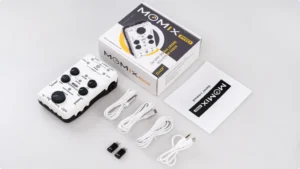
Joyo Momix Pro
4.3
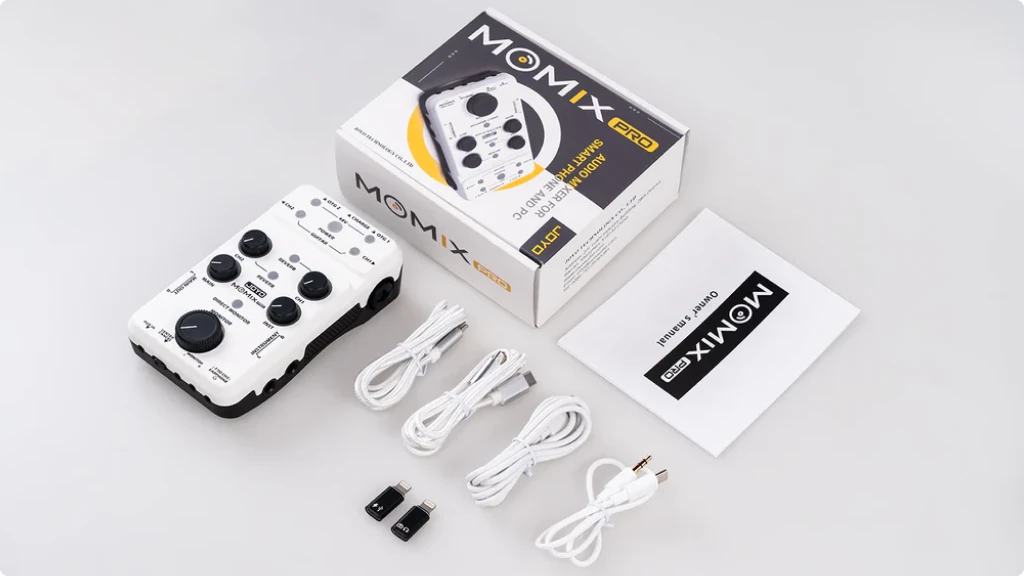
The JOYO MOMIX PRO is a mini audio mixer for live streaming and recording with 2-in-1 XLR & 6.35mm jack for guitars, microphones, pedals, and keyboards. While originally designed for musicians, podcasters have discovered it as an ultra-portable, budget-friendly option.
| Key Features
- Ultra-lightweight (203g - 0.05lb) and portable
- Built-in rechargeable battery
- Can charge smartphone while recording
- 48V phantom power for condenser mics
- 2-in-1 XLR & 6.35mm inputs
- Dual-channel reverb (guitar and vocal)
Best for: Budget-conscious mobile content creators, musician-podcasters, or solo podcasters who need extreme portability
Overview: The interface weighs just 203 grams (0.05lbs) and includes a built-in rechargeable battery that can also charge your smartphone during live streaming—genuinely useful for mobile podcasting. During our testing, we recorded for nearly 3 hours on a single charge while simultaneously keeping an iPhone topped up.
The MOMIX PRO includes 48V phantom power and can connect 2 smartphones for live streaming and recording at the same time. The dual-channel reverb is more useful for music than podcasting, but you can use it subtly for vocal presence if desired.
The limitations: this is really designed for musicians and live streamers, not pure podcasting. There’s no multi-track recording, no sound pads, and the single XLR input means solo recording only (unless you use the 6.35mm jack with an adapter). But for ultra-budget mobile podcasting or music content creation, it’s impressively capable.
Ultra-budget
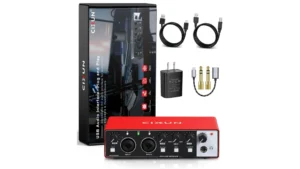
CIXUN 2x2
4.0
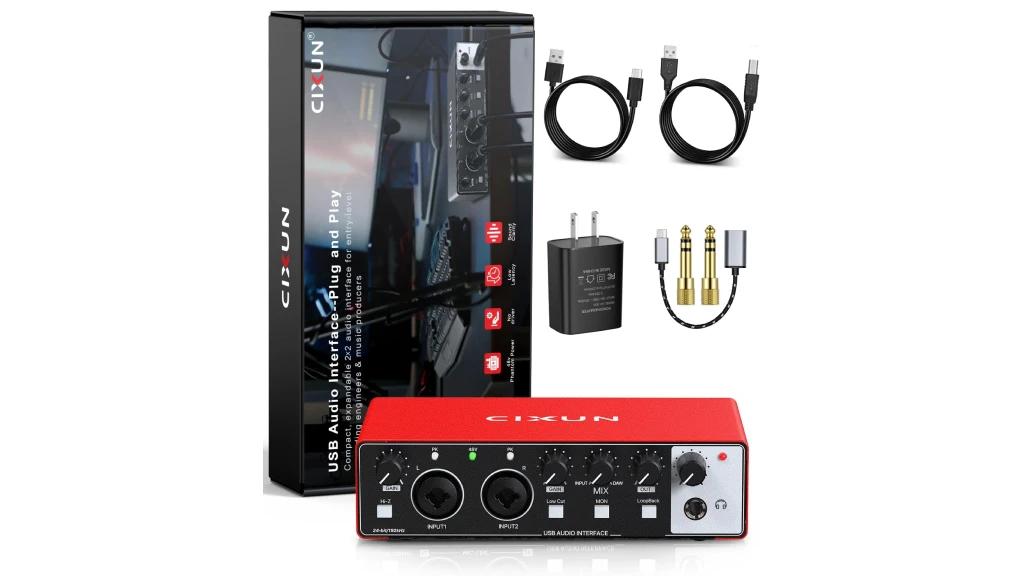
The CIXUN 2×2 is a plug-and-play USB audio interface with 24-bit/192kHz audio quality, 48V phantom power, and loopback functionality—remarkable features at this price point. This is essentially a budget clone of more expensive interfaces, but it works.
| Key Features
- Ultra-budget pricing
- 24-bit/192kHz audio quality
- 2 XLR/TRS combo inputs with 48V phantom power
- Loopback for remote guests
- Zero-latency monitoring
- Plug-and-play (no drivers needed)
Best for: Absolute beginners on the tightest possible budget, students, or anyone testing whether podcasting is right for them before investing more
Overview: During our testing, the audio quality was surprisingly clean for the price. The preamps aren’t silent like premium interfaces, but background noise was acceptable for podcast use. The interface includes zero-latency monitoring, Hi-Z input for guitar, and dedicated gain controls—all the essentials.
The loopback feature works for remote guest recording, which is rare in ultra-budget interfaces. We tested it with Zoom calls and the routing worked, though setup required some trial and error since documentation is minimal.
The metal construction feels more premium than the price suggests, though the interface requires external 5V USB power via a wall adapter—not ideal for portability. Some users report the included USB cable has poor shielding and may introduce noise; upgrading to a better cable solved this in our testing.
This is the interface to buy when budget is the absolute priority and you’re willing to accept some compromises. It works, it sounds decent, and it costs less than dinner for two.
Best Podcasting Interfaces & Bundles
Interface/Bundle | Budget | Loopback |
|---|---|---|
Zoom PodTrak P8 | $$$ | Yes ✅ |
Focusrite Scarlett 2i2 | $$ | Yes ✅ |
Movo Portable Bundle | $$ | Yes ✅ |
Focusrite Vocaster One | $$ | Yes ✅ |
RODECaster Duo | $$$ | Yes ✅ |
PreSonus Studio Bundle | $$ | No ❌ |
Joyo Momix Pro | $ | Yes ✅ |
CIXUN 2x2 | $ | Yes ✅ |
Conclusion
The podcasting equipment landscape has shifted toward complete solutions in 2026. Whether you choose a portable recorder like the Zoom PodTrak P8 for multi-person field recording, a phone-compatible bundle like the Movo system for maximum mobility, or a podcast-specific interface like the Focusrite Vocaster Two for studio-quality two-person shows, you now have purpose-built options designed around actual podcast workflows rather than adapted music recording gear.
For most podcasters, the Focusrite Scarlett 2i2 4th Gen remains the best overall value—it balances exceptional sound quality, intuitive features like Auto Gain, and proven reliability at a mid-range price. If you’re serious about two-person shows or interviews with in-person guests, the Vocaster Two’s independent channel controls and built-in loopback make complex routing simple. For complete beginners on a budget, the PreSonus AudioBox Studio Bundle delivers everything needed to start recording immediately without piecing together components.
The portable recording category has evolved dramatically. The Zoom PodTrak P8 with its 6-input capacity and touchscreen control has become the standard for ambitious on-location podcasts, while the Movo bundle proves you don’t even need a computer to produce professional-sounding episodes from your phone.
The best interface isn’t the most expensive or the most feature-packed—it’s the one that matches your specific recording scenario. Location, format, budget, and technical comfort level all matter. Every option in this guide will produce professional podcast audio that listeners will respect. The real differences are in workflow efficiency, portability, and the podcast-specific conveniences that save you time during recording and editing.
Your next step: Choose the interface or bundle that matches your podcast format, pair it with a quality dynamic microphone like the Rode PodMic or Shure SM58, and start recording. Your podcast’s audio quality will immediately set you apart from the thousands of shows still recording with inconsistent levels, background noise, and that distinctive “recorded in a bedroom” sound. Professional audio isn’t just about sounding good—it’s about keeping listeners engaged long enough to hear what you actually have to say.
FAQ
Do I need an audio interface if I have a USB microphone?
Not technically, but you’re limiting yourself. USB mics are convenient, but audio interfaces give you access to professional XLR microphones with superior sound quality, the flexibility to upgrade or change mics, and the ability to record multiple people simultaneously.
We tested popular USB mics against entry-level XLR mics through various interfaces, and the difference was noticeable. The XLR setup sounded clearer, with better noise rejection and more natural voice tone.
Can I record remote guests with an audio interface?
Yes, with loopback (sometimes called mix-minus). This feature lets you route your computer’s audio output back into the recording, perfect for Zoom or Skype interviews. The Focusrite Vocaster series, Zoom PodTrak P4, Movo MDX-2, RODECaster interfaces, and CIXUN 2×2 have built-in loopback. Other interfaces like the Scarlett 2i2 and AudioBox USB 96 require setting up virtual audio routing software.
What's better for podcasting: a bundle or separate components?
For beginners, bundles offer significant advantages: guaranteed compatibility, simplified setup, and typically lower total cost. The Movo and PreSonus bundles include everything you need to start recording immediately.
For experienced podcasters or those with specific requirements, buying components separately offers more flexibility. You can choose exactly the microphone and interface combination that matches your voice and recording environment.
Should I get a portable recorder or desktop interface?
Choose portable recorders (Zoom PodTrak P4, Movo bundle, JOYO MOMIX PRO) if you:
- Record on location frequently
- Need battery-powered operation
- Want standalone recording without a computer
- Travel with your podcast setup
Choose desktop interfaces (Scarlett 2i2, Vocaster series, RODECaster) if you:
- Record in the same location consistently
- Have access to power and a desk
- Want maximum audio quality
- Need advanced routing and processing
What microphone should I pair with my interface?
For podcasting, dynamic microphones work better than condensers in most home environments. They reject background noise and room echo better.
Budget dynamic mics: Samson Q2U, Audio-Technica ATR2100x
Mid-range dynamic mics: Rode PodMic, Shure SM58
High-end dynamic mics: Shure SM7B, Electro-Voice RE20
The interfaces in this guide all provide enough gain for these microphones, though the SM7B performs best with 60dB+ of gain.

Bruno Bontempo
| ALSO REVIEWED