Guitar Pro 8 Review: The Ultimate Tablature Software?
- Audio Tools
- by Bruno Bontempo
Our honest Guitar Pro 8 Review. We test the new sheet music and tablature editor features. Discover if this software is truly worth the money for composers and teachers.
Our articles may include affiliate links and we may earn a commission. Here how it works.
OUR VERDICT
4.7
As a musician who spends considerable time in my home studio, I’m always looking for tools that bridge the gap between creative inspiration and finished recording.
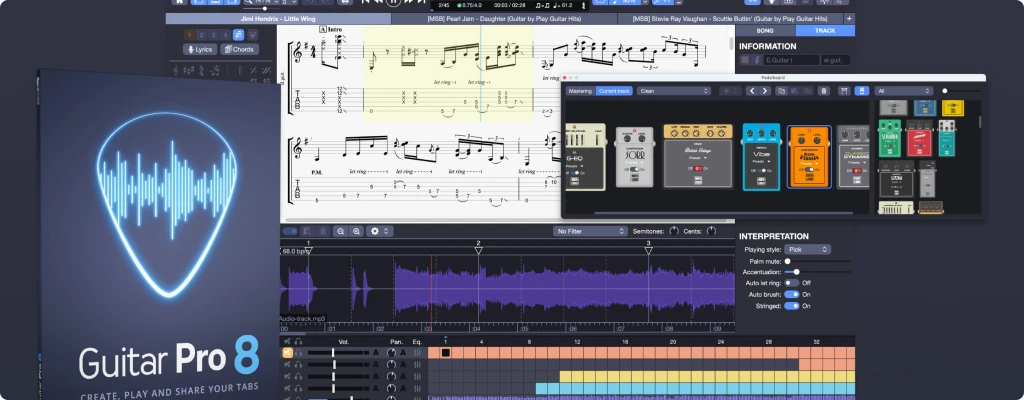
Guitar Pro 8 is tablature and notation software that positions itself as exactly that – a comprehensive solution for creating, editing, and practicing music across all instruments.
After using it for years for composing full band arrangements, practicing complex parts, and preparing material for recording sessions, I’ve found it to be one of the most versatile tools in my digital arsenal, though it certainly has its limitations.
Get Guitar Pro 8
Or try for free (7 days)
For anyone considering whether Guitar Pro 8 deserves a place in their workflow, this review breaks down exactly what it offers, where it excels, and where it might not meet your needs.
| User Type | Guitar Pro 8 Suitability | Key Benefits |
|---|---|---|
Songwriters & Composers |
Excellent |
Quick musical sketching, full arrangements, audio export to DAW |
Practice-Focused Players |
Very Good |
Speed training, looping, track isolation, backing tracks |
Teachers & Educators |
Excellent |
Create exercises, worksheets, professional print layouts |
Multi-Instrumentalists |
Excellent |
Support for diverse instruments from drums to orchestral |
Orchestrators & Arrangers |
Good |
Full score control, though specialized notation software exists |
| Buy if:
- You want to compose full band arrangements with multiple instrument types
- You regularly practice with sheet music and benefit from slowing down and looping sections
- You create educational content or teach music and need clear, printable materials
- You want to transcribe music more efficiently by working with audio files directly in the software
- You appreciate having a centralized library of scores through the mySongBook subscription
| Not ideal if:
- You only need basic score viewing
- If you need a DAW, it's not a DAW replacement
- You work with extremely complex contemporary classical notation requiring specialized software
| Get Guitar Pro 8
1. Key Features at a Glance
Audio Track Import
- What It Means for You: You can import an MP3 or WAV file directly into your score to play along with the original recording or your own recordings. During testing, syncing tracks with flexible tempos required some manual adjustment, but for most click-track recordings, it worked smoothly.
Virtual Pedalboard & Effects
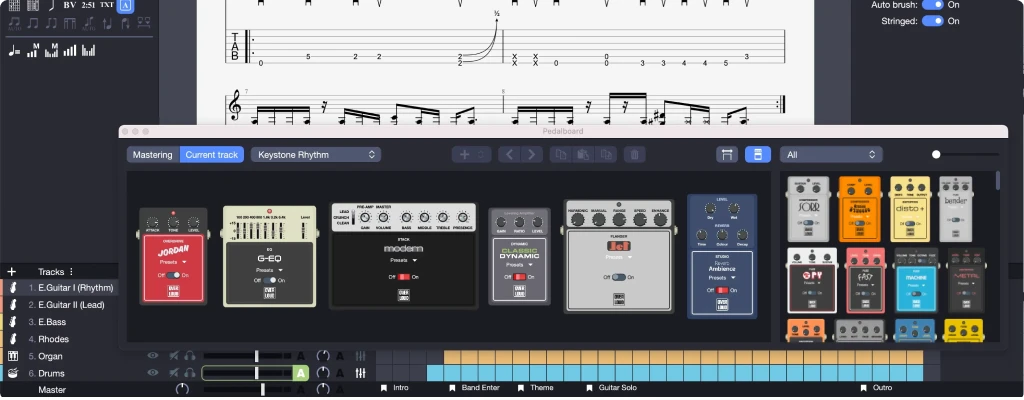
- What It Means for You: The new pedalboard view lets you drag and drop effects like reverb, delay, and modulation in a single window. While it doesn’t replace dedicated amp sim software, it provides surprisingly usable tones for practice and demos.
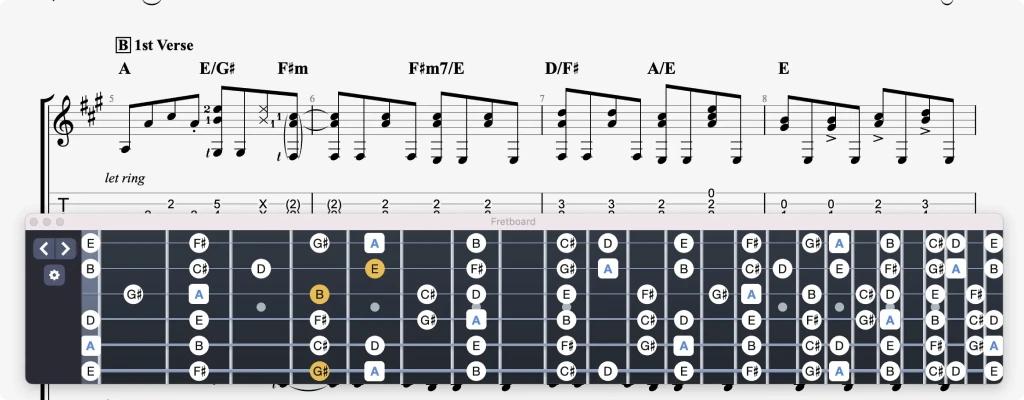
Scale Diagrams & Fretboard Visualization
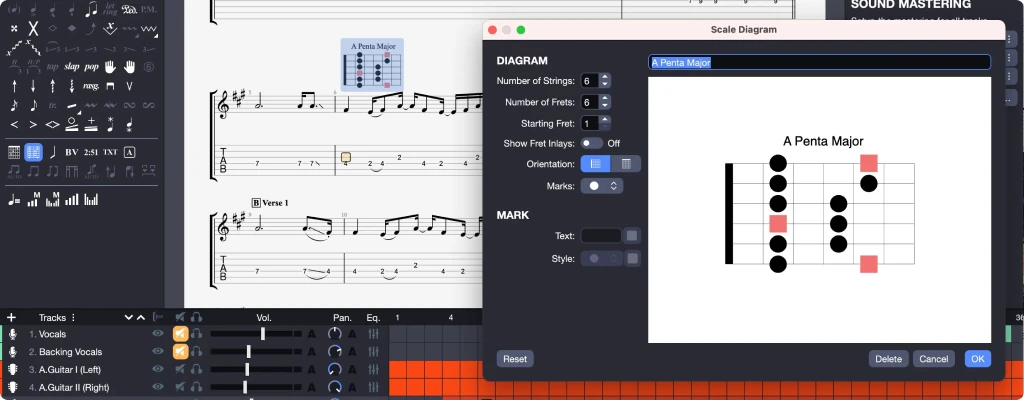
- What It Means for You: You can now insert customizable scale diagrams directly above your tablature. This is particularly helpful for visualizing unfamiliar patterns or creating teaching materials where you want to show the underlying theory behind a passage.
Track Focus Function
- What It Means for You: This feature automatically boosts or lowers the volume of the track you’re currently viewing. When you’re learning a specific part in a dense arrangement, being able to make it stand out without manually adjusting mix levels saves significant time.
Audio Engine and Realistic Sound Engine (RSE)
- What It Means for You: Your scores will sound significantly more authentic during playback, which is crucial when evaluating arrangements or using them as practice backing tracks. The trade-off is that the sounds, while improved, still don’t match the quality of dedicated sample libraries or real recordings
Mobile Companion Apps
- What It Means for You: Guitar Pro is also available on iOS and Android, letting you take your scores on the go. The mobile experience is surprisingly robust for viewing and practicing, though serious editing is still better on the desktop version.
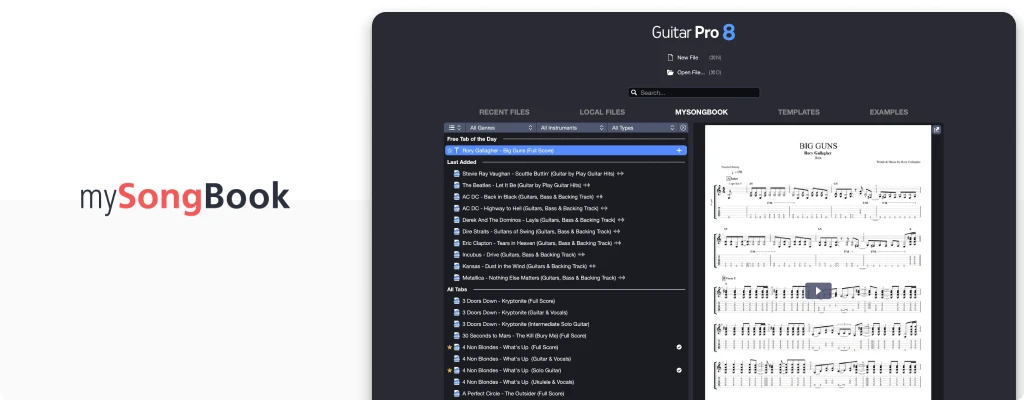
mySongBook Integration
- What It Means for You: This subscription service gives you access to thousands of professionally transcribed scores directly within the software. New scores are added weekly across various genres, which is fantastic for discovering new material without scouring questionable tab websites.
2. What's New in Guitar Pro 8?
Guitar Pro 8 introduces several significant features that enhance its functionality for practice, composition, and transcription. The most substantial updates address longstanding requests from the user community.
Audio Track Integration: The ability to import an audio file directly into your score project is arguably the most impactful addition. In practice, this means you can import the original song you’re transcribing, a vocal track to write accompaniment for, or a drum recording from your bandmate to compose your parts against. The implementation includes tempo-matching tools, though I found it works best with material recorded to a click track – songs with natural tempo fluctuations can be trickier to sync perfectly.
Visual and Workflow Enhancements: The new scale diagram feature lets you insert fretboard diagrams directly into your scores. Meanwhile, the Command Palette (Ctrl/Cmd+E) allows quick access to functions by simply typing what you want to do, significantly speeding up editing once you learn the basic commands.
Refined Core Tools: The virtual pedalboard provides a more intuitive way to manage effects chains, and the Track Focus feature creates a more dynamic practice experience by automatically emphasizing whatever instrument you’re currently viewing.
Get Guitar Pro 8
Or try for free (7 days)
3. Specs Table
| Feature | Practical Application | User Experience |
|---|---|---|
Audio Track Import |
Transcribing, adding vocals/drums |
Game-changing but finicky with rubato |
Virtual Pedalboard |
Tone shaping, effects routing |
More intuitive than previous systems |
Scale Diagrams |
Teaching, theory visualization |
Customizable and visually clear |
Command Palette |
Faster editing, keyboard workflows |
Steep learning curve but efficient |
Track Focus |
Practice, part isolation |
Creates a more interactive experience |
Arobas Music, the developer behind Guitar Pro, has been refining this software for over 25 years. This longevity shows in the thoughtful, musician-centric design approach, even if some interface elements feel dated compared to newer applications.
| Pros
- Tab & notation for all instruments
- Import to transcribe & play along
- Looping, speed trainer for practice
- Full band arrangements
- Huge library via mySongBook
| Cons
- Not a DAW replacement
- Steep learning curve
4. Guitar Pro 8 in a Home Studio Workflow
Audio Engine Performance and Resource Usage
During testing, Guitar Pro 8 ran smoothly on macOS systems with modest specifications. The audio engine introduces negligible latency when using the Line-in feature to play your instrument through the software’s effects. However, for the best experience when recording through Guitar Pro, I’d still recommend using an ASIO-compatible audio interface to minimize latency.
The built-in sounds, particularly the “Signature” instrument libraries, represent a noticeable improvement over previous versions. While the tones won’t replace meticulously recorded instruments or premium virtual instruments, they sit well in a mix and provide a much more inspiring starting point for demos than the artificial sounds of earlier Guitar Pro versions.
Integration with Your Existing Setup
Where Guitar Pro 8 genuinely shines in a studio context is its ability to bridge the gap between initial idea and final recording. You can export individual tracks or your entire arrangement as audio files (MP3, WAV, FLAC) or MIDI, making it simple to import elements into your DAW for further development. This workflow effectively turns Guitar Pro into a powerful sketchpad for working out arrangements before committing to proper recordings.
The software supports ReWire and can function alongside your DAW, though this setup requires some technical configuration. More straightforward is simply exporting the score as a PDF for reference during recording sessions or sending to band members who prefer traditional notation.
5. Design and Usability
Interface Layout and Learning Curve
Guitar Pro 8 maintains a familiar interface for longtime users while gradually introducing modernizations. The various panels and toolbars can feel overwhelming initially, but the logical grouping of functions by category (notes, effects, layout) eventually creates an efficient workspace.
The software strikes a reasonable balance between depth and accessibility. Basic tasks like creating a simple score or adjusting tempo are intuitive, while advanced features like automation or nested tuplets require deeper exploration. Fortunately, the new Command Palette (Ctrl/Cmd+E) significantly accelerates workflow once you overcome the initial learning curve.
Mobile Experience and Companion Apps
The mobile versions of Guitar Pro for iOS and Android provide surprisingly capable score viewing and practice tools. Having your entire library of scores available on a tablet is incredibly convenient for rehearsal spaces or practicing away from your computer. The mobile apps sync with the mySongBook subscription service, giving you access to thousands of professional transcriptions on the go.
TrueFire integration and Play Guitar Hits content expand the learning resources available within the ecosystem, though these are separate from the core software functionality. These partnerships indicate Arobas Music’s direction toward creating a more comprehensive learning platform rather than just a notation tool.
Learning Resources and Support
Arobas Music provides extensive documentation, including starter guides and video tutorials. The user community represents another valuable resource, with active forums and countless third-party tutorial creators sharing tips and techniques.
Get Guitar Pro 8
Or try for free (7 days)
6. Who Truly Needs Guitar Pro 8?
After thoroughly exploring Guitar Pro 8’s capabilities, I can confidently recommend it for specific types of musicians while suggesting alternatives for others.
Guitar Pro 8 is worth your investment if:
- You regularly write or arrange music for multiple instruments and need a quick, intuitive tool to capture your ideas
- You learn songs using sheet music and want to take advantage of practice features like looping and tempo adjustment
- You teach music and need to create clear, professional-looking worksheets, exercises, or full transcriptions
- You want to transcribe music more efficiently using the integrated audio track feature
You compose for bands or ensembles and need to create readable parts for diverse instruments
Consider alternatives if:
- You only occasionally view scores and don’t create your own (free score viewers or even the mobile app might suffice)
- Your primary need is high-quality audio production (dedicated DAWs like FL Studio or Ableton Live are better suited)
- You work mainly with extremely complex contemporary classical notation (Dorico or Sibelius provide more specialized tools)
- Your budget is extremely limited (MuseScore and TuxGuitar offer free notation alternatives)
For my home studio workflow, Guitar Pro 8 has become an indispensable tool for songwriting, arrangement planning, and creating practice materials. While it doesn’t replace my DAW for recording and mixing, it seamlessly integrates into my creative process as the starting point for many projects.
The software’s ability to bridge the gap between initial inspiration and finished recording, combined with its practice-focused features, makes it a uniquely valuable tool for composers and multi-instrumentalists. Despite some interface quirks and the occasional bug, it remains one of the most musician-centric notation software available.
Get Guitar Pro 8
Or try for free (7 days)
8. FAQ
What are the main advantages of Guitar Pro 8 over free alternatives?
While capable free alternatives like MuseScore exist, Guitar Pro 8 provides workflow advantages for band composition and practice. The multi-instrument approach, realistic sound engine, and practice-oriented tools like speed trainer and looping create a more comprehensive experience for musicians working with diverse instruments. Additionally, the extensive library of third-party Guitar Pro scores available online makes format compatibility a significant advantage.
Can I use Guitar Pro 8 for orchestration and full band arrangements?
Sure. Guitar Pro 8 supports a wide range of instruments beyond fretted strings, including orchestral instruments, drums, keyboards, and custom instruments. You can create comprehensive scores with multiple instrument sections, though specialized notation software might be better for extremely complex contemporary classical works with advanced notation requirements.
How does Guitar Pro 8 fit into a recording workflow with a DAW?
Guitar Pro 8 complements rather than replaces your DAW. It excels at pre-production tasks like songwriting, arrangement planning, and creating guide tracks. You can export individual tracks as MIDI or audio files to import into your DAW for proper recording and mixing. Many composers use Guitar Pro to quickly sketch ideas before moving to more resource-intensive DAW projects.
What is mySongBook and do I need it?
mySongBook is a subscription service that provides access to thousands of professionally transcribed scores directly within Guitar Pro. If you regularly learn new songs and want accurate, well-produced transcriptions across multiple instruments, it’s worth considering. However, if you primarily write your own music or use free scores from the internet, you may find the additional subscription unnecessary.

| ALSO REVIEWED