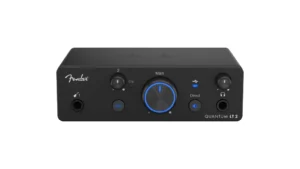
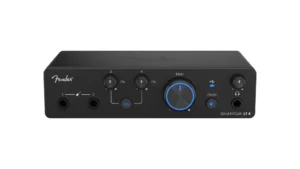

Fender Quantum LT Series Review (2026): Which is Best?
- Audio Interface, Comparisons
- by Bruno Bontempo
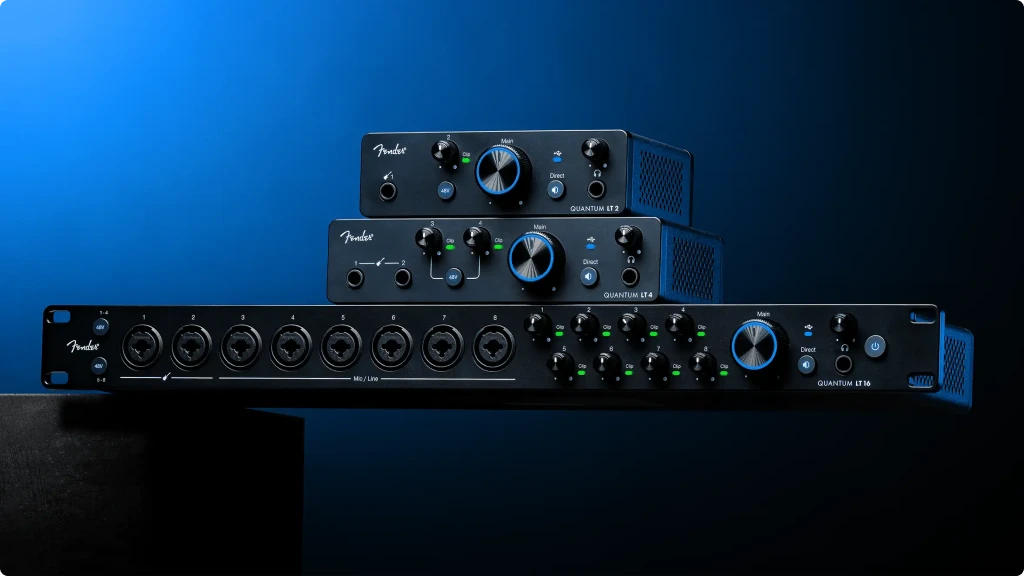
Fender Quantum LT Series Review. We tested all three: LT 2, LT 4, and LT 16. Find out which interface offers the right balance of MAX-HD preamps, inputs, and budget for guitarists.
Our articles may include affiliate links and we may earn a commission. Here how it works.
Jump to...
| QUICK OVERVIEW
Quantum LT 2
4.5
Best for solo guitarists and content creators who record one source at a time. USB-powered, ultra-portable, with Fender-designed instrument inputs.
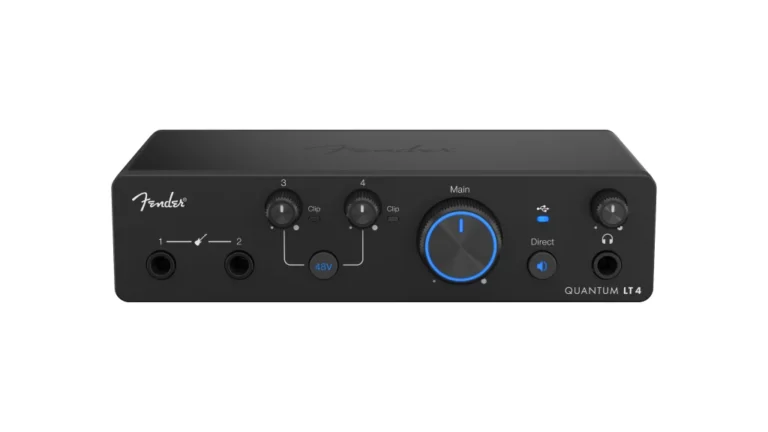
Quantum LT 4
4.7
The sweet spot. Two preamps and two instrument inputs let you record guitar + vocals or two musicians simultaneously. USB-powered with the same MAX-HD quality as the flagship.
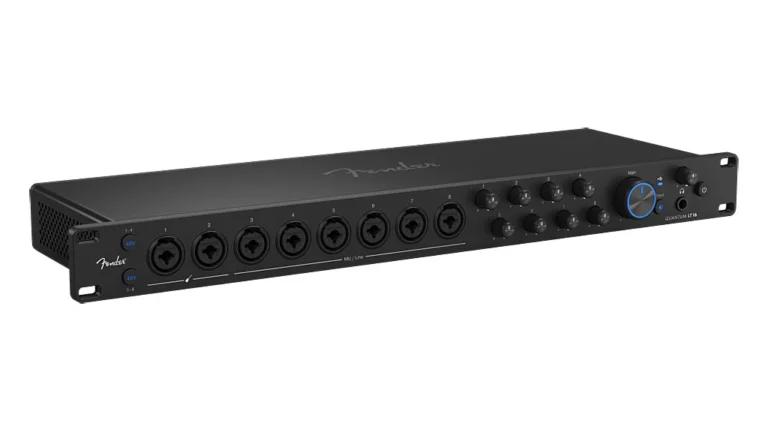
Quantum LT 16
4.9
The full studio solution. Eight MAX-HD preamps, 14 line inputs, MIDI I/O, DC-coupled outputs, and a perpetual Fender Studio Pro license for serious multi-tracking and hybrid workflows.
A Player's Perspective on Recording Guitar and Bass
When Fender announced they were entering the audio interface market, I paid attention. This is the company that shaped how electric guitar sounds for over 70 years. The Stratocaster, the Telecaster, the Precision Bass, the Twin Reverb—Fender literally defined the sonic vocabulary of modern music. So when they claim to have designed instrument inputs specifically for guitarists, it’s not marketing fluff. They actually know what a guitar is supposed to sound like.
The Quantum LT series emerged from Fender’s acquisition of PreSonus, combining PreSonus’s proven interface engineering with Fender’s instrument expertise. The result is something genuinely different from the Scarletts and MOTUs of the world.
As a bass player and guitarist with two decades of recording experience, I’ve plugged into dozens of interfaces. Most treat the instrument input as an afterthought—a high-impedance jack that technically accepts your signal but doesn’t capture the character of your playing. You end up compensating with EQ, compression, and amp sims to get back what the interface stripped away.
The Fender-designed inputs on the Quantum LT series work differently. They’re voiced to preserve the natural dynamics and frequency response of your instrument. Plug in a Jazz Bass, and the low-end growl comes through intact. Plug in a Telecaster, and the snap and twang remain present without harshness.
What I’ve found matters most when recording guitar and bass:
- Whether the input stage preserves pick attack and playing dynamics
- How much preamp gain is available for ribbon mics on acoustic recordings
- The responsiveness of monitoring when tracking through amp sims
- How seamlessly the interface integrates into a mobile or home studio workflow
In this guide, I’ll share my hands-on experience with Fender’s Quantum LT series, breaking down how each model handles these real-world recording scenarios and help you choose the right interface for your studio.
The significance of Fender entering this space isn’t just brand recognition—it’s that they’ve applied decades of instrument design knowledge to the recording chain. These interfaces were built by people who understand what guitarists actually need.
Budget Entry Point
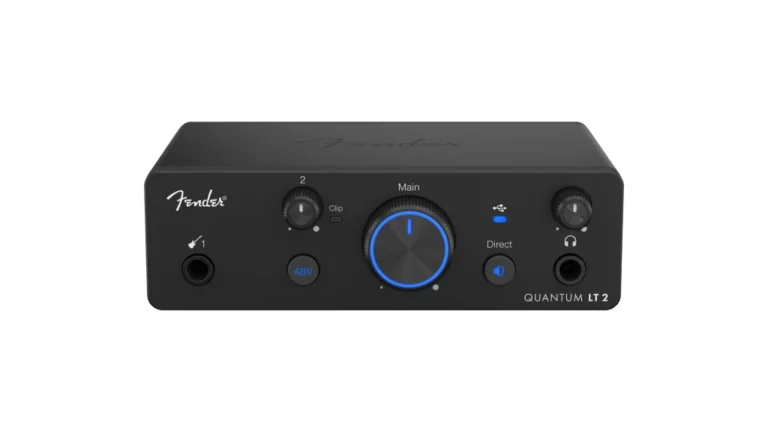
Fender Quantum LT 2
4.5
The Quantum LT 2 proves you don’t need to spend a lot to get Fender’s guitar-focused technology. This compact interface packs MAX-HD preamp quality into a portable, USB-powered package designed for solo creators.
| Pros
- MAX-HD preamp with massive 75dB gain
- USB-powered and light enough for your gig bag
- Fender-designed instrument input optimized for guitar/bass
- Standalone Mixer Mode for DAW-free use
- Loopback for streaming and podcasting
| Cons
- Single preamp only
- No MIDI I/O
- 6-month Fender Studio Pro trial (not perpetual)
| Key Features
- Inputs: 1 Combo XLR/Hi-Z + 1 Line
- Outputs: 2 TRS + Headphone
- Compatibility: Windows, Mac iOS/iPadOS/Android
- Connectivity: USB-C (Bus-Powered)
- Resolution: 24-bit/192kHz
- Plus: Loopback and software bundle
| Buy if...
- You want professional sound on a budget
- You're starting your home studio
- You need mobile device compatibility
- You primarily record one instrument at a time
- You want simple, straightforward operation
| Not ideal for...
- You need multiple simultaneous inputs
- You want MIDI connectivity
- You require more than one preamp
READ FULL REVIEW
Overview
Testing the Fender Quantum LT 2 revealed a guitar-centric interface that doesn’t compromise on sound quality. The MAX-HD preamp with its massive 75dB of gain works exceptionally well for any microphone, from delicate condensers to gain-hungry ribbons—no external preamps or boosters required.
The Fender-designed instrument input proved particularly impressive. Unlike generic Hi-Z inputs on most interfaces, Fender has leveraged their decades of guitar and amplifier expertise to create an input stage that captures the natural dynamics of your instrument. Plug in a Stratocaster or a Precision Bass, and it sounds exactly like you’d expect—transparent, dynamic, and responsive to your playing.
What surprised me was how well the standalone Mixer Mode performed. You can use the LT 2 as a simple analog mixer without opening your DAW, which is perfect for quick practice sessions or when you want to jam without booting up your computer.
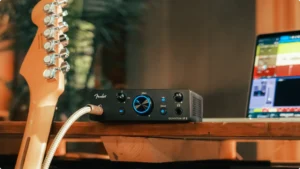
The Fender-designed instrument input makes plugging in a guitar feel natural and immediate. No fiddling with impedance or gain staging—just plug and play.
The included 6-month trial of Fender Studio Pro software provides excellent value for beginners. You’re getting access to a professional DAW along with exclusive Mustang Guitar and Rumble Bass amp plugins right out of the box.
Best Value
Fender Quantum LT 4
4.7
The Quantum LT 4 delivers professional-quality recording in a compact, affordable package. If you’re looking for the sweet spot between features and price, this interface brings essential elements for duos and small ensembles without breaking the bank.
| Pros
- Two MAX-HD preamps with 75dB gain
- Two Fender-designed instrument inputs
- Best price-to-feature ratio
- Loopback for streaming
- iOS/iPadOS/Android compatible
| Cons
- No MIDI I/O
- No DC-coupled outputs
- 6-month Fender Studio Pro trial (not perpetual)
| Key Features
- Inputs: 2 Combo XLR/Line + 2 Hi-Z Instrument
- Outputs: 2 TRS + Headphone
- Compatibility: Windows, Mac iOS/iPadOS/Android
- Connectivity: USB-C (Bus-Powered)
- Resolution: 24-bit/192kHz
- Plus: Loopback and software bundle
| Buy if...
- You want professional features at a mid-range price
- You record guitar plus vocals simultaneously
- You need flexibility for duo recording sessions
- You record maximum 4 sources at a time
- You value portability
| Not ideal for...
- You require more than four inputs
- You need MIDI connectivity
- You want CV outputs for modular synths
READ FULL REVIEW
Overview
During testing, the Quantum LT 4 proved itself as a remarkable value proposition. The interface maintains the same high-quality MAX-HD preamps and conversion as the flagship LT 16, just in a more streamlined package.
The two Fender-designed instrument inputs represent a practical improvement over the LT 2. You don’t have to choose between guitar and microphone—you can record both simultaneously, which opens up singer-songwriter workflows and the ability to capture a clean DI alongside a mic’d amp.
I really enjoyed the flexibility of having two instrument inputs. Recording a guitarist and bassist at the same time, or capturing both a clean DI and processed signal, is seamless.
The custom low-latency drivers worked wonders for real-time monitoring. Combined with the loopback functionality, the LT 4 is well-suited for content creators who want to stream or podcast with professional-quality audio without additional hardware.
For bass recording, the extended low-frequency response captures sub-bass detail beautifully. Combined with the Fender-designed input optimized for instrument signals, the LT 4 delivers professional bass tones without post-processing.
Advanced
Fender Quantum LT 16
4.9
Ready to take your recordings to the next level? The Quantum LT 16 stands as the best choice for project studios, bands, and electronic musicians who demand maximum flexibility. With eight MAX-HD preamps and extensive connectivity, you’ll capture every nuance of your session.
| Pros
- Eight MAX-HD preamps with 75dB gain
- 14 total line inputs for synths and outboard gear
- 5-pin MIDI I/O
- 8 DC-coupled outputs for CV/modular
- Standalone Mic Pre Mode, perpetual Fender Studio Pro license included
| Cons
- Requires wall power—less portable
- Higher price point
- Takes more desk space
| Key Features
- Inputs: 8 XLR/TRS Combo + 2 Hi-Z + 14 TRS Line
- Outputs: 8 TRS (DC-coupled) + Headphone
- Compatibility: Windows, Mac iOS/iPadOS/Android
- Connectivity: USB-C
- Resolution: 24-bit/192kHz
- Plus: Loopback and software bundle
| Buy if...
- You need professional-grade recording quality with maximum I/O
- You record full bands or drum kits
- You work with modular synths and need CV outputs
- You want a perpetual DAW license
- You value standalone mic preamp functionality
| Not ideal for...
- You're on a tight budget
- You need portability (USB power)
- You only need basic recording capabilities
Overview
During recordings, the Fender Quantum LT 16 proved itself as a powerhouse interface for serious studios. The eight MAX-HD preamps with 75dB gain handle everything from delicate room mics to close-miked drum kits with equal authority.
Think of it as having a complete recording ecosystem in one box. This is particularly useful for bands and project studios where you need to track multiple sources simultaneously.
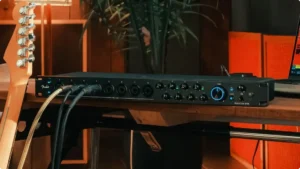
The six front-panel combo inputs paired with eight rear-panel line inputs make integrating external gear incredibly straightforward. Connect your outboard preamps, hardware synths, drum machines, and other line-level devices without daisy-chaining or adapter nightmares.
What was really impressive was the standalone Mic Pre Mode—the LT 16 transforms into an 8-channel mic preamp without your computer, making it a powerful addition to hybrid recording rigs.
The DC-coupled outputs are a standout feature for electronic musicians. You can send control voltage directly from your DAW to compatible modular synths, effects units, or pedals, bridging digital and analog creativity in ways most interfaces simply can’t.
The built-in MIDI I/O is more useful than it sounds. Having 5-pin MIDI on the interface means you can integrate vintage synths, hardware sequencers, and other MIDI devices without a separate interface cluttering your setup.
The external power requirement enables higher-current operation for all those preamps and outputs. If you’re building a serious studio rather than a mobile rig, this matters.
Specs Table
| Feature | Quantum LT 2 | Quantum LT 4 | Quantum LT 16 |
|---|---|---|---|
| Inputs | 1 XLR/Hi-Z Combo | 2 XLR/Line + 2 Hi-Z | 8 XLR/TRS + 2 Hi-Z + 14 Line |
| Outputs | 2 TRS + Headphone | 2 TRS + Headphone | 8 TRS + Headphone |
| Preamps | 1 MAX-HD (75dB) | 2 MAX-HD (75dB) | 8 MAX-HD (75dB) |
| Instrument Inputs | 1 | 2 | 2 |
| Power | USB Bus-Powered | USB Bus-Powered | External Power |
| MIDI I/O | x | x | ✓ |
| DC-Coupled Outputs | x | x | ✓ |
| Standalone Mode | Mixer Mode | Mixer Mode | Mixer + Mic Pre Mode |
| Software Bundle | 6-month trial | 6-month trial | Perpetual license |
Why Guitar Players Need Fender-Designed Inputs
Most audio interfaces treat guitar as an afterthought. They slap on a Hi-Z input, call it “instrument ready,” and move on. But anyone who has spent time recording guitar knows that the interaction between your pickups and the input stage dramatically affects your tone.
This is where Fender did something different. After decades building some of the most iconic guitars and amplifiers in history, they understood that capturing great guitar tone starts before the signal even hits your DAW. The Quantum LT series was built around this insight.
Why Guitar Players Need Fender-Designed Inputs
MAX-HD Preamps with 75dB Gain: The highest gain in this interface class. Whether you’re using a delicate ribbon mic or a dynamic SM57, you’ll have more than enough headroom without external preamps or boosters.
Custom Low-Latency Drivers: Fender developed proprietary drivers that deliver class-leading converter latency performance. The recording experience feels immediate and responsive—crucial for monitoring through amp sims while tracking.
Universal Control Integration: All models work seamlessly with Fender Studio Pro and Universal Control software, allowing remote mix adjustments from your computer, tablet, or phone.
Understanding MAX-HD: Why 75dB Gain Matters
Before diving deeper, let’s explain why MAX-HD preamps are such a big deal—because once you understand it, you’ll appreciate what Fender has accomplished here.
Your microphone needs a certain amount of gain to produce a usable signal level. Dynamic mics like the SM7B or ribbon mics are notoriously “gain hungry,” often requiring 60-70dB of amplification to reach proper recording levels.
High gain (75dB - MAX-HD preamps):
- Works with any microphone without external boosters
- Handles ribbon mics and gain-hungry dynamics effortlessly
- Low self-noise for quiet recordings
- Best for: Vocals, acoustic instruments, quiet sources
Adequate gain (50-60dB - typical interfaces):
- Fine for condensers and loud sources
- May require external preamps for ribbons
- Can introduce noise when pushed to maximum
- Best for: Loud sources, condenser mics
Most budget interfaces cap out around 50-60dB of gain. The Quantum LT series delivers 75dB—the highest in its class. In practice, this means you can plug in any microphone, from a Shure SM7B to a Royer R-121, and get clean, transparent recordings without the Cloudlifter or FetHead that other interfaces require.
I’ve found this particularly useful for recording acoustic guitar with ribbon mics. The low-level signal captures beautifully without the noise floor issues that plague underpowered preamps.
Fender Studio Pro: Your Included Software
All three Quantum LT models integrate with Fender’s software ecosystem, though the bundled licenses differ.
What You Get:
LT 2 and LT 4: 6-month Fender Studio Pro trial
LT 16: Perpetual Fender Studio Pro license (valued at $199.99)
Fender Studio Pro Features:
- Full professional DAW (rebranded from PreSonus Studio One Pro)
- Exclusive Mustang Guitar amp plugins
- Exclusive Rumble Bass amp plugins
- AI-powered stem separation
- Integrated Launcher for drag-and-drop workflow
- Deep Flight One virtual instrument
- Native Splice integration
- Apple Spatial Audio monitoring
- Built-in pattern editing and live looping
- Award-winning notation tools
- Fully integrated mastering workflow
Universal Control is also included for all models, providing:
- Input/output level metering
- Phantom power control
- Sample rate selection
- Direct monitoring blend (zero-latency)
- Output routing configuration
- Remote control from tablet or phone
The software is clean and functional. You won’t spend hours configuring it, but you’ll appreciate having full control of your interface without digging through your DAW.
Final Verdict: Which Fender Quantum LT Should You Buy?
Buy the Quantum LT 2 if:
- You’re on a tight budget but want professional quality
- You only record one instrument at a time
- Portability is important (laptop sessions, travel)
- You’re starting out and want to grow into the Fender ecosystem
Buy the Quantum LT 4 if:
- You want to record guitar plus vocals (or two musicians)
- You want the best balance of features and price
- USB power matters for your setup
- You’re a content creator who needs loopback
Buy the Quantum LT 16 if:
- You’re building a dedicated project studio
- You record full bands or drum kits
- You work with modular synths and need CV outputs
- The perpetual Fender Studio Pro license adds value to your workflow
- You want standalone mic preamp functionality
For most guitarists reading this, the Quantum LT 4 is the smartest buy. It has everything that matters for great guitar recordings without paying for features you might not use. The LT 2 is excellent if budget is tight and you truly only record solo. The full LT 16 is worth it only if you’ll actually use the expanded I/O and the perpetual software license justifies the price difference.
All three deliver what general-purpose interfaces can’t: Fender’s guitar and amplifier expertise applied to the recording chain. If you trust Fender with your instruments, it makes sense to trust them with capturing your sound.
FAQ
Can I use Quantum LT with amp simulators other than Fender Studio Pro?
Yes. The Quantum LT works with any amp sim: Neural DSP plugins, Line 6 Helix Native, Positive Grid BIAS, STL Tones, IK Multimedia AmpliTube, etc. The Fender-designed inputs shape your signal before it reaches any plugin, so they improve results with any software.
Are the MAX-HD preamps the same across all three models?
Yes. All three Quantum LT interfaces use the same MAX-HD preamp technology with 75dB of gain. You’re not sacrificing preamp quality by choosing the LT 2—you’re only sacrificing quantity (one preamp vs. two vs. eight).
Do I need a DI box with the Quantum LT?
No. The Fender-designed instrument inputs are optimized for direct guitar and bass connections. Unlike generic Hi-Z inputs, these don’t require impedance matching or external DI boxes.
What's the latency like for live monitoring through plugins?
The custom low-latency drivers deliver class-leading converter latency. At low buffer sizes (64-128 samples), monitoring through amp sims feels immediate. For ultra-critical situations, all models include direct monitoring for zero-latency playback.
Is the Quantum LT compatible with my phone or tablet?
Yes. All three models work with iOS, iPadOS, and Android devices via USB-C. This makes mobile recording and content creation seamless.
| Why Can You Trust Us

Bruno Bontempo
I've been recording, producing, and playing bass for over 20 years—from touring with my first band at 15 to playing progressive metal across Europe today. Through multiple albums, projects (Madness of Light, Rising Course, Roots of Ascendant, Human|Archive), and production work, I've tested audio interfaces in every scenario imaginable. At Best Audio Hub, I combine my historian background with years of hands-on music and audio experience. No marketing fluff—just honest insights from someone who's been in the trenches.
| ALSO REVIEWED