Fender Quantum LT 4 Review (2026): The Sweet Spot for Guitarists?
- Audio Interface, Reviews
- by Bruno Bontempo
Our articles may include affiliate links and we may earn a commission. Here how it works.
OUR VERDICT
The Fender Quantum LT 4 delivers what guitarists and content creators need most: instrument inputs that actually preserve your tone and preamps with enough gain for any microphone. At lest than 200$, it hits a sweet spot between basic starter interfaces and premium options. The dual MAX-HD preamps provide 75 dB of gain—enough to drive ribbon mics and quiet dynamics without external boosters. Add the loopback functionality, standalone Mixer Mode, and bus-powered portability, and you get a capable interface for duos, home studios, and creators who want professional results without complexity.
Release Date
Jan 2026
18x9x4.5 cm
7x3.45x1.7 in
820 g
1.8 lb
| Pros
- 75 dB preamp gain handles ribbon mics without external boosters
- Fender-designed instrument inputs preserve guitar dynamics and tone
- Custom low-latency drivers deliver responsive real-time monitoring
- Loopback and Mixer Mode add versatility for streaming and DAW-free use
- Bus-powered and compact for mobile setups
| Cons
- No MIDI I/O—synthesizer users need external solutions
- Only 2 main outputs limits multi-monitor setups
- 6-month DAW trial requires paid upgrade for continued use
| Key Features
- Inputs: 2 XLR/TRS combo + 2 Hi-Z inputs
- Outputs: 2 balanced TRS + 1 Headphone output
- Compatibility: macOS, Windows, iOS, iPadOS, Android
- Connectivity: USB-C (USB 2.0), bus-powered
- Resolution: 24-bit / 192 kHz
- Plus: 6-month Fender Studio Pro trial, Universal Control app, loopback audio, standalone Mixer Mode
| Best for...
- Singer-songwriters recording guitar and vocals simultaneously
- Duos who need to track two sources at once
- Guitarists and bassists seeking quality DI tone
- Podcasters and streamers wanting integrated loopback
- Content creators needing a portable, bus-powered solution
| Not ideal for...
- Electronic musicians requiring MIDI connectivity
- Studios that need more than two simultaneous preamps
- Users who require multiple headphone outputs for tracking
Fender Enters the Recording World: A Quantum LT 4 Overview
When Fender announced their audio interface line at NAMM 2025, I paid attention. This is the company that defined how electric guitar sounds for over 70 years—the Stratocaster, the Telecaster, the Precision Bass, the Twin Reverb. They literally wrote the sonic vocabulary of modern music. Therefore, when they claim to have designed instrument inputs specifically for guitarists, it carries weight.
The Fender Quantum LT 4 emerges from Fender’s acquisition of PreSonus, combining decades of guitar expertise with PreSonus’s proven interface engineering. The result sits at $199—positioned between entry-level options like the AudioBox Go ($86) and the flagship LT 16 ($499).
What makes the LT 4 stand out? In short, it addresses the common frustrations guitarists face with budget interfaces: lackluster instrument inputs, insufficient preamp gain for demanding microphones, and driver latency that makes monitoring through amp sims feel sluggish.
MAX-HD Preamps and Fender Inputs: Features That Matter
Understanding what each feature actually does for your recordings helps you decide if the Quantum LT 4 fits your needs. Here’s what Fender included and why it matters.
MAX-HD Mic Preamps with 75 dB Gain
The preamps are the heart of any interface. Fender’s MAX-HD design delivers 75 dB of gain across a 20Hz–20kHz range, which is the highest in this interface class.
- What It Means for You: Think of preamp gain like a volume knob for your microphone signal before it reaches your computer. A quiet microphone—like a ribbon or a Shure SM7B—needs a lot of that volume boost to reach proper recording levels. With only 50-60 dB available (common in budget interfaces), you either record too quiet and add noise later, or buy an external booster. The LT 4’s 75 dB means you can record any microphone cleanly, right out of the box.
Fender-Designed Instrument Inputs
These aren’t generic Hi-Z inputs. Fender applied their decades of guitar and amplifier knowledge to voice these inputs specifically for instruments.
- What It Means for You: Most interfaces treat the instrument input as an afterthought. You plug in, it works, but something feels off—the low end is muddy, the pick attack is soft, the character of your guitar gets flattened. Fender’s inputs preserve the natural dynamics and frequency response of your instrument. Plug in a Jazz Bass, and the growl stays intact. Plug in a Telecaster, and the snap comes through without harshness.
Custom Low-Latency Drivers
Fender developed proprietary drivers that deliver what they call “class-leading converter latency performance.”
- What It Means for You: Latency is the delay between playing a note and hearing it through your monitors. High latency feels like playing through molasses—you hear yourself a split second late, which throws off your timing. The LT 4’s custom drivers make monitoring feel immediate, especially when tracking through amp sims. You play, you hear, there’s no disconnect.
Loopback Audio Routing
Loopback allows you to route your computer’s audio back into the interface as a recordable signal.
- What It Means for You: Want to add backing tracks to a livestream? Loopback handles it. Recording a podcast where you need to capture both your voice and audio from a call? Loopback covers that too. It eliminates the need for virtual audio cables or additional hardware when mixing system audio with your live input.
Standalone Mixer Mode
The LT 4 can function as a simple analog mixer without a computer or DAW.
- What It Means for You: Practice sessions don’t require booting your laptop. Jam nights, rehearsal rooms, quick recordings—just plug in and go. The interface remembers your last mix settings, so it’s ready when you are.
Universal Control and Remote Monitoring
Software integration with Fender Studio Pro and Universal Control lets you adjust your direct monitoring mix from any device—computer, tablet, or phone.
- What It Means for You: Tracking vocals in a vocal booth? Adjust your headphone mix from your phone instead of running back to your desk. It adds flexibility to your workflow, especially in spaces where the interface isn’t within arm’s reach.
Fender Quantum LT 4 Specifications: The Numbers
Before you commit, verify these specs match your studio requirements. I’ve double-checked each detail against manufacturer documentation.
| Feature | Specification | Practical Benefit |
|---|---|---|
| Simultaneous I/O | 4-in / 2-out | Record two sources simultaneously, monitor through main outputs |
| Inputs | 2 XLR/TRS combo (mic/line), 2 TS instrument inputs | Handle mic, line, guitar, and bass signals from one interface |
| Outputs | 2 balanced TRS main, 1 stereo headphone | Connect studio monitors and headphones |
| Compatibility | macOS, Windows, iOS, iPadOS, Android | Works with virtually any device you own |
| Connectivity | USB-C (USB 2.0), bus-powered | Single cable for power and audio, no wall adapter needed |
| Resolution | 24-bit / 192 kHz | Professional recording quality with ample headroom |
| Preamp Gain | 75 dB | Enough for ribbon mics and quiet dynamics without boosters |
| Frequency Response | 20 Hz – 20 kHz | Full audible spectrum captured |
| Phantom Power | 48V (switchable) | Powers condenser microphones |
| Software Included | 6-month Fender Studio Pro trial | Professional DAW with Mustang and Rumble amp plugins |
| Dimensions | 178 x 88 x 44 mm (7 x 3.5 x 1.7 in) | Compact footprint fits any desk or bag |
| Weight | 0.82 kg (1.8 lbs) | Light enough for mobile recording |
| Price | $199 USD | Competitive mid-range positioning |
How the Quantum LT 4 Performs: Real-World Recording Results
Numbers tell part of the story. Actual recording sessions tell the rest. Here’s what I found when putting the LT 4 through its paces.
Guitar Recording Performance: The Fender-designed instrument inputs are the standout feature for guitarists. I plugged in a Precision Bass first, and the difference compared to other interfaces was immediately noticeable. The low-end stayed tight and defined—none of the muddy compression that happens with generic Hi-Z inputs. The growl in the mids came through as I expect from a P-Bass.
Switching to a Stratocaster, the snap and sparkle of the single coils translated cleanly. Pick dynamics responded accurately—soft picking stayed soft, aggressive attack came through aggressive. The input preserved what I was actually playing instead of flattening it into something generic.
For bassists especially, this interface makes a strong case. The extended low-frequency response captures sub-bass detail that often gets lost in budget interfaces. Combined with the instrument input optimization, the LT 4 delivers bass tones you can actually use without extensive post-processing.
Preamp Performance: The MAX-HD preamps live up to their gain claims. I tested with an SM7B—a notoriously gain-hungry dynamic mic—and achieved proper recording levels with room to spare. No cloudlifter, no inline booster. Just clean signal.
With a large-diaphragm condenser, the preamps proved equally transparent. No audible coloration, no noise floor issues at reasonable gain settings. The 48V phantom power performed as expected.
What impressed me was the consistency across both channels. Both preamps delivered identical performance, which matters when you’re recording two sources and need matching quality.
Latency and Monitoring: The custom drivers performed well during testing. Monitoring through amp simulation plugins felt responsive—no perceptible delay when playing through Fender’s included Mustang amp models or third-party sims. This makes the LT 4 usable for tracking with software processing in real-time, which isn’t always the case with budget interfaces.
The direct monitoring path works without involving your computer at all, routing your input signal directly to the outputs for zero-latency monitoring. Combined with the Universal Control app, you can dial in a mix of your direct signal and DAW playback that suits your tracking workflow.
Streaming and Content Creation: The loopback functionality worked seamlessly in testing. Routing system audio alongside microphone input required no additional software—select the loopback source in your streaming application, and you’re set.
Mixer Mode proved useful for quick sessions without launching a DAW. The interface remembered my previous settings, making it genuinely convenient for practice or casual recording.
Where It Falls Short: The Quantum LT 4 doesn’t include MIDI connectivity. If you’re working with synthesizers, drum machines, or hardware that uses MIDI, you’ll need a separate interface or adapter.
Two main outputs limit routing flexibility. Studios that run multiple monitor pairs or need dedicated sends will find this restrictive.
The headphone output is singular. Tracking sessions with multiple musicians—where everyone needs their own mix—require external solutions.
Build Quality and Layout: Designing for Daily Use
The Quantum LT 4 uses a compact chassis that feels solid without being heavy. The metal enclosure inspires confidence for transport, and the rubberized feet keep it stable on a desk.
Front Panel
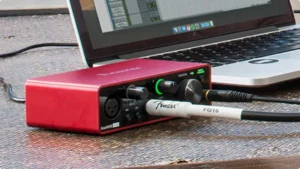
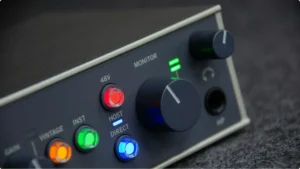
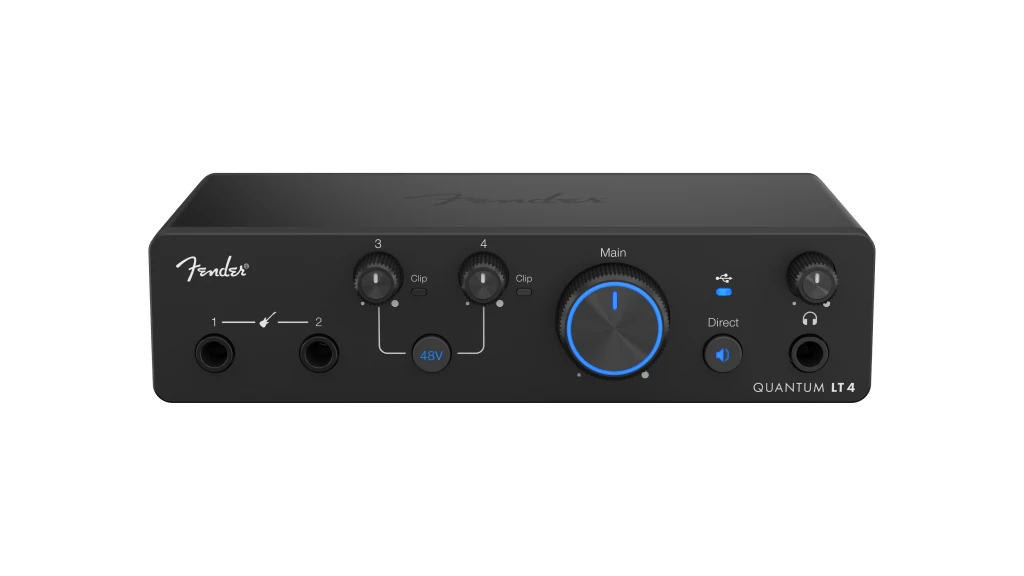
Fender placed the most-used controls up front. The two combo XLR/TRS inputs dominate the left side, with dedicated gain knobs above each. The instrument inputs sit to the right with their own gain controls. A main volume knob controls the balanced outputs, and a separate headphone volume knob provides independent level control.
Status LEDs indicate phantom power, signal presence, and clip warnings. The layout is logical—inputs on the left, output controls on the right, everything labeled clearly.
The headphone jack uses a standard 1/4″ TRS connection, which I prefer over the 3.5mm jacks found on some portable interfaces.
Back Panel
The rear keeps things simple: USB-C port, two balanced TRS main outputs, and a Kensington lock slot. Everything you need, nothing extraneous.
The balanced outputs connect easily to studio monitors. If you’re using powered monitors with TRS inputs, a pair of standard cables gets you set up.
Setup Experience
Getting started took about five minutes. Plug in the USB-C cable, download Universal Control from Fender’s site (or through the My Fender integration), and the interface is recognized immediately on macOS and Windows. iOS devices worked through the USB connection using Apple’s camera adapter.
The included 6-month Fender Studio Pro trial downloads through My Fender access built into the interface. Registration and software setup happen through a unified process—no hunting through separate sites or email verifications.
Getting the Most from Your Fender Quantum LT 4: Practical Tips
The interface is straightforward, but a few workflow adjustments help you get better results.
Optimizing Guitar Tone at the Source: The Fender instrument inputs respond to your playing dynamics. This means your recording technique matters more than it might with a compressed, flattened input stage.
If your recordings sound lifeless, check your input gain staging first. Too hot, and you lose dynamic range. Too quiet, and you’re adding gain (and noise) later. Aim for peaks hitting around -12 to -6 dBFS—enough signal for a clean recording without risking clipping.
The inputs are designed for passive guitar and bass pickups. If you’re using active electronics, you may need to reduce your instrument’s output volume to avoid the preamp stage coloring your signal.
Using Amp Simulations Effectively: The low-latency drivers make tracking through plugins practical. Configure your DAW’s buffer size to balance latency against CPU performance—lower buffers mean less delay but more processor demand.
Fender Studio Pro includes authentic Mustang Guitar and Rumble Bass amp models. These match well with the interface, obviously, but third-party plugins like Neural DSP, Amplitube, or Guitar Rig work equally well.
For critical tracking, consider using direct monitoring for your input signal while only monitoring the DAW’s output for playback. This hybrid approach gives you zero-latency input with full access to your DAW’s effects and plugins on playback tracks.
Streaming and Podcast Setup: Enable loopback in your Universal Control settings, then select the interface as your audio source in OBS, Streamlabs, or your streaming platform. The loopback channels appear alongside your physical inputs, allowing you to route system audio into your broadcast.
For podcasts, the dual preamps let you host a two-person conversation with separate microphone inputs and independent gain control. Both guests get properly leveled audio without riding faders during recording.
Mobile Recording Workflow: The bus-powered design makes the LT 4 ideal for field recording with a laptop. USB-C connectivity works with iPad and most Android devices through appropriate adapters.
Standalone Mixer Mode extends this portability further—use the interface as an analog mixer for practice sessions, acoustic jams, or rehearsals where lugging a laptop doesn’t make sense.
Final Verdict: Is the Fender Quantum LT 4 Right for Your Studio?
The Fender Quantum LT 4 earns its place in the $200 interface market through thoughtful design aimed squarely at guitarists and content creators. The combination of Fender-designed instrument inputs and 75 dB MAX-HD preamps solves two common frustrations with budget interfaces: poor DI tone and insufficient gain for demanding microphones.
For singer-songwriters, the dual preamp configuration lets you record guitar and vocals simultaneously with professional quality. Duos get a capable tracking interface that handles two performers without compromise. Streamers and podcasters benefit from integrated loopback and simple setup.
The limitations are predictable at this price point. No MIDI means synthesizer users need supplemental gear. Two outputs restrict routing options. A single headphone jack limits tracking flexibility with multiple musicians.
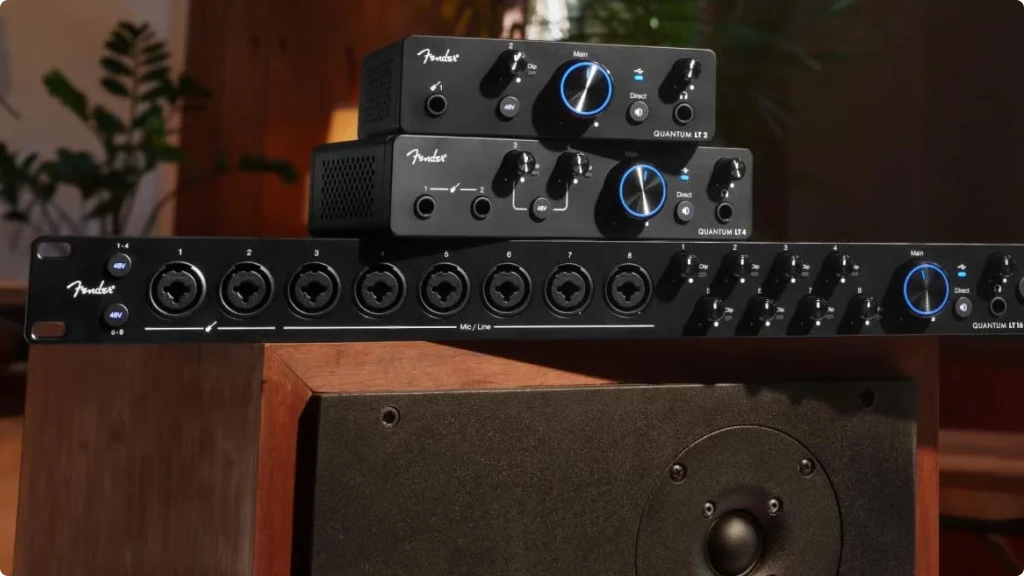
If you’re comparing against the Focusrite Scarlett 2i2 or MOTU M2, the Quantum LT 4’s guitar-focused instrument inputs give it an edge for players. Against the smaller Quantum LT 2, the LT 4 adds a second preamp and instrument input—worthwhile upgrades if you track more than one source.
Looking at the full Fender Quantum LT Series, the LT 4 represents the sweet spot: all the preamp quality and driver performance of the flagship LT 16, scaled to a duo’s needs at a duo’s budget.
For guitarists seeking their first quality interface, or home studios upgrading from basic USB options, the Quantum LT 4 delivers. It’s a confident first step from a company that understands what guitarists need—because they’ve been building our gear for decades.
8. FAQ
Does the Fender Quantum LT 4 work with GarageBand and Logic Pro?
Yes. The Quantum LT 4 is class-compliant and works with all major DAWs on macOS, including GarageBand and Logic Pro, without requiring additional drivers. For optimal performance, installing Universal Control is recommended—it provides additional features and allows firmware updates—but basic recording works immediately upon connection.
Can I use the Fender Quantum LT 4 with an iPad for mobile recording?
The Quantum LT 4 works with iPad through a USB connection using Apple’s Camera Connection Kit or a USB-C hub (for USB-C iPads). It’s bus-powered, so it draws power directly from the iPad—no separate power supply needed. Check your iPad’s power output if you’re also charging other devices, as insufficient power can cause connection issues.
What's the difference between the Quantum LT 4 and the Quantum HD 2?
The Quantum LT 4 ($199) uses 24-bit conversion and includes a 6-month Fender Studio Pro trial. The Quantum HD 2 ($599) steps up to 32-bit conversion, adds ADAT and S/PDIF digital I/O, includes MIDI connectivity and re-amp outputs, and comes with a perpetual Fender Studio Pro license rather than a trial. The HD series targets professional studios needing expanded connectivity and higher resolution, while the LT series serves home studios and mobile setups at accessible prices.
| Why Can You Trust Us

| ALSO REVIEWED