
Best Audio Interface for Mac: Top Picks for 2026
- Audio Interface, Buying Guides
- by Bruno Bontempo
Discover the best audio interface for Mac in 2026. From budget-friendly to pro-grade options, find the perfect interface for your recording needs and budget.
Our articles may include affiliate links and we may earn a commission. Here how it works.
Jump to...
| QUICK OVERVIEW
Introduction
Finding the right audio interface for your Mac in 2026 is crucial for turning your computer into a proper recording powerhouse. I’ve noticed that many Mac users struggle with this decision – there’s a lot to consider, from driver compatibility to sound quality and connection options.
The good news? Mac-compatible audio interfaces have come a long way. Today’s options range from premium units with onboard processing to budget-friendly Mac audio interfaces that deliver professional results. But here’s the thing: the best interface for you depends entirely on how you plan to use it.
In this guide, I’ll break down each interface’s strengths and limitations, compare their features, and help you understand which one makes the most sense for your specific situation. I’ll focus on real-world performance rather than just specs, so you can make an informed decision based on practical experience.
Some key factors I considered when selecting these interfaces:
- Mac compatibility and driver stability
- Sound quality and preamp performance
- Build quality and reliability
- Value for money
- Workflow integration
- Future expansion possibilities
Let’s dive into the details and find the perfect audio interface for your Mac setup.
Best for Mac Mini M4
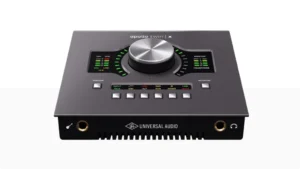
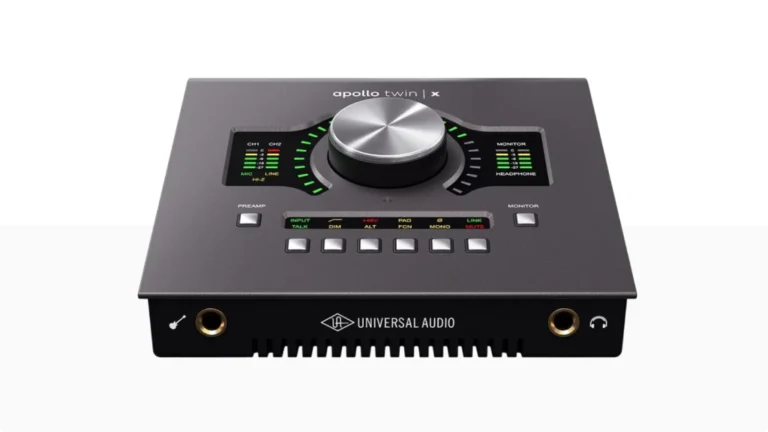
Apollo Twin X DUO
The Universal Audio Apollo Twin MkII is a complete recording ecosystem that combines top-tier preamps with onboard DSP processing, meaning you can track through legendary compressors and EQs without taxing your computer’s CPU.
| Pros
- Real-time UAD plugin processing
- Unison preamp technology with analog emulation
- Built-in monitor controller (Mute, DIM, Mono, ALT)
- Expandable up to 4 Apollo units
- ADAT expansion for up to 10 inputs
| Cons
- Requires Thunderbolt adapter for Mac Mini M4
- UAD plugins require additional investment
- Only 2 mic preamps without expansion
| Key Features
- Inputs: 2 x Unison mic/line preamps (XLR/TRS combo), 1 x Hi-Z instrument input, optical ADAT/S/PDIF (up to 8 additional channels)
- Outputs: 4 x analog line outputs (1/4" TRS), 1 x headphone output
- Compatibility: macOS (Thunderbolt), Windows 10/11 (requires Thunderbolt 3 adapter)
- Connectivity: Thunderbolt 2
- Resolution: 24-bit/192 kHz
- Plus: Built-in UAD-2 DSP (SOLO, DUO, or QUAD), Unison preamp technology, LUNA integration, talkback mic, ALT/DIM/MONO monitor controls
Why to Buy:
- You want real-time UAD plugin processing while tracking
- You need professional monitor controller features on your desktop
- You're building a Mac-based studio that may expand with additional Apollo units
- You record vocals and want access to vintage preamp emulations through Unison technology
- You value the ability to run plugins with near-zero latency
| Not ideal for...
- Budget is a primary concern
- You need USB connectivity (Thunderbolt only for this model)
- You don't plan to invest in the UAD plugin ecosystem
Overview
The Apollo Apollo Twin X DUO set a benchmark for desktop interfaces when it launched, and it continues to deliver where it matters: sound quality and workflow integration. The Unison preamp technology isn’t just marketing speak. When you load a Neve or API preamp emulation, the interface actually changes its impedance and gain staging to match the original hardware. The result is a more authentic interaction between your microphone and the virtual preamp.
For Mac Mini M4 users, connection requires an Apple Thunderbolt 3 to Thunderbolt 2 adapter since the Apollo Twin X DUO uses the older Thunderbolt standard. This adds a minor cost but doesn’t affect performance. The interface draws power through Thunderbolt, so no external power supply is needed.
The monitor section alone justifies consideration. Mute, DIM, mono, and ALT speaker switching live right on the front panel. I found myself reaching for these controls constantly during mixing sessions, and having them at arm’s length beats clicking through software menus.
The included Realtime Analog Classics bundle provides a solid starting point, but budget for additional UAD plugins. The ecosystem is where this interface truly shines. If you’ve used interfaces like the MOTU M2 or Focusrite Scarlett and want to step up to serious processing power, the Apollo Twin MkII is a logical upgrade path.
Professional Choice
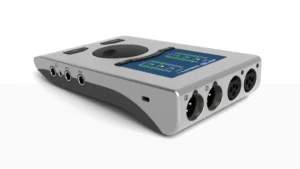
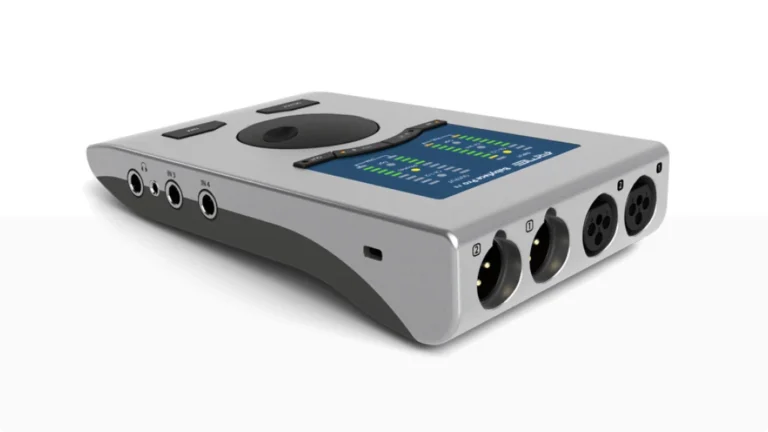
RME Babyface Pro FS
RME built their reputation on one thing above all else: reliability. The Babyface Pro FS continues that tradition with drivers that simply work, every time, at buffer sizes other interfaces can only dream about.
| Pros
- Industry-leading driver stability and latency
- SteadyClock FS femtosecond-level jitter reduction
- TotalMix FX with DSP EQ, reverb, and delay
- Dual headphone outputs (1/4" and 3.5mm)
- DC-coupled outputs for modular synths
| Cons
- Higher price point
- TotalMix FX has steep learning curve
- Requires external power for iOS
| Key Features
- Inputs: 2 x XLR mic inputs (rear), 2 x 1/4" TS instrument/line inputs (side), optical ADAT/S/PDIF (up to 8 additional channels)
- Outputs: 2 x XLR balanced line outputs (rear), 1 x 1/4" TRS headphone output, 1 x 3.5mm TRS headphone output, optical ADAT/S/PDIF
- Compatibility: macOS, Windows, iOS (class-compliant mode)
- Connectivity: USB-C
- Resolution: 24-bit/192 kHz with 115 dB dynamic range
- Plus: SteadyClock FS ultra-low jitter technology, TotalMix FX DSP mixer with EQ/reverb/delay, 76 dB mic preamp gain, DC-coupled outputs, standalone operation
Why to Buy:
- You need rock-solid stability for live performance or critical recording sessions
- You work at extremely low buffer sizes and need actual, measurable low latency
- You want the same clocking technology found in RME's flagship converters
- You need an interface that works reliably with iOS in class-compliant mode
- You're a working professional who can't afford crashes or driver issues
| Not ideal for...
- Budget constraints make the price prohibitive
- You find TotalMix FX software intimidating or overly complex
- You want a simpler plug-and-play experience
Overview
The RME Babyface Pro FS doesn’t try to impress you with marketing features. It impresses you by doing exactly what it’s supposed to do, perfectly, every single time. This is the interface I reach for when failure isn’t an option.
The SteadyClock FS technology deserves attention because it addresses something most users don’t think about: jitter. Clock inaccuracies create subtle artifacts that degrade audio quality over time. RME’s solution measures jitter in femtoseconds—one-quadrillionth of a second. In practical terms, this translates to recordings that sound more dimensional and less fatiguing during long mixing sessions.
Where the Babyface Pro FS truly separates itself is latency performance. Using Oblique Audio’s Round-Trip Latency Utility, the interface measured 3.1ms at 48 samples/44.1kHz. More importantly, it actually works at these settings. Many interfaces claim low buffer capabilities but become unstable in practice. RME’s drivers deliver consistent performance across all buffer sizes without clicks, pops, or dropouts.
The TotalMix FX software provides a full 288-channel mixer with 46-bit internal resolution. It includes 3-band parametric EQ on every channel, reverb with 15 algorithms, echo, and comprehensive control room features including talkback. The learning curve is real—this isn’t a simple “set and forget” control panel—but the flexibility rewards users who invest time in understanding it.
The hardware itself is machined from a solid block of aluminum, giving it substantial weight that keeps it stable on your desk. The large rotary encoder controls everything from preamp gain to headphone levels, with the four LED meters providing clear feedback. Two headphone outputs (1/4″ and 3.5mm) operate simultaneously and can receive different mixes.
For Mac Mini M4 users, the Babyface Pro FS connects via USB-C without adapters. It runs bus-powered from USB 3 ports with no performance degradation, though iOS use requires external power. If you’ve been frustrated by interface instability or want to work at genuinely low latencies, this is the interface that sets the standard.
Best Budget
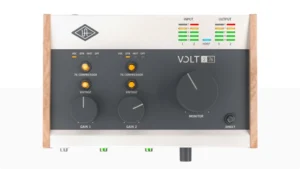
Volt 276
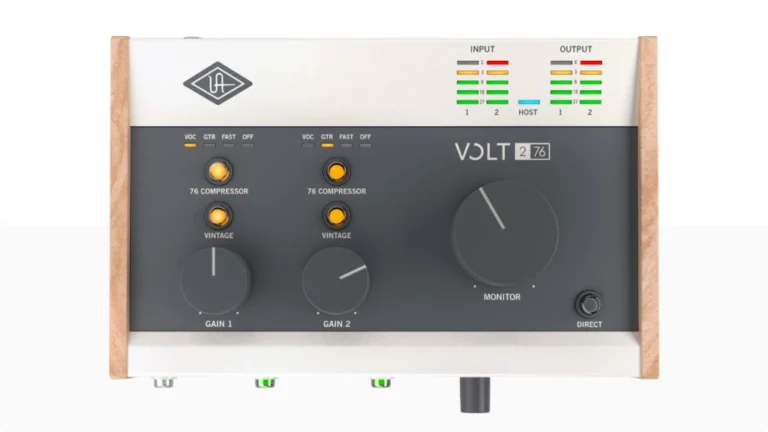
Universal Audio changed the entry-level interface conversation by asking a simple question: why not include actual analog processing instead of just clean conversion? The Volt 276 answers that question with a 610-style preamp and 1176-inspired compressor built directly into the signal path.
| Pros
- Analog 610-style Vintage preamp mode
- Built-in 76 Compressor with 3 presets
- VU-style input meters
- Class-compliant with Mac, Windows, iOS
- LUNA DAW and UAD plugins included
| Cons
- No loopback functionality
- 76 Compressor presets only (no adjustable parameters)
- Phantom power is global (both channels)
| Key Features
- Inputs: 2 x mic/line/instrument inputs (XLR/TRS combo)
- Outputs: 2 x balanced line outputs (1/4" TRS), 1 x headphone output
- Compatibility: macOS, Windows, iOS (class-compliant)
- Connectivity: USB-C
- Resolution: 24-bit/192 kHz
- Plus: Vintage preamp mode (610 tube emulation), 76 Compressor with 3 presets, MIDI DIN I/O, VU-style input meters
Why to Buy:
- You want the character of classic analog gear without buying outboard equipment
- You're a vocalist or guitarist who benefits from compression during tracking
- You appreciate thoughtful industrial design and build quality
- You want a complete recording solution that sounds polished out of the box
- You're starting out and want to learn how compression affects recordings
| Not ideal for...
- You prefer completely transparent, uncolored recording
- You want adjustable compression parameters rather than presets
- You want loopback functionality
Overview
The Volt 276 represents Universal Audio’s philosophy that recording should sound good from the moment you capture it. Instead of adding color in post-production, you can track through circuits designed to add the warmth and punch that makes classic recordings timeless.
The Vintage preamp mode deserves explanation because it’s often misunderstood. This isn’t a digital emulation or plugin—it’s an actual analog circuit that changes how your signal is processed. Engaging the Vintage button adds harmonic saturation similar to UA’s 610 tube preamps. The effect is subtle at moderate input levels but becomes more pronounced as you push the gain. For vocals, it adds body without muddiness. For guitars, it provides warmth that sits well in a mix.
The 76 Compressor follows the same philosophy. It’s an analog FET compressor circuit inspired by the 1176, not a digital recreation. Three presets (VOC, GTR, FAST) provide different attack and release characteristics optimized for common sources. You don’t get parameter control, but that’s intentional—UA designed these presets to work musically without requiring compression expertise.
The combination of Vintage mode and 76 Compressor can be used independently or together. Running both adds significant character that works well for genres where polish and presence matter more than clinical accuracy. For singer-songwriters, this means professional-sounding vocals and guitars without needing plugins or mixing knowledge.
Build quality matches UA’s reputation, with a metal chassis and wooden side panels that give it a distinct appearance. The VU-style meters add visual feedback that’s both functional and satisfying to watch. MIDI DIN I/O is a welcome inclusion that many competitors omit at this price point.
One notable omission: the Volt 276 doesn’t include loopback functionality, which matters for streamers and podcasters who need to capture computer audio alongside their microphone. If that’s your use case, the Arturia MiniFuse 4 might be a better choice.
The included software bundle is substantial: LUNA Recording System, Ableton Live Lite, Melodyne Essential, Softube Marshall amp simulation, and more. LUNA provides a DAW experience optimized for UA interfaces, though it’s Mac-only. iOS compatibility through class-compliant operation makes the Volt 276 genuinely portable.
Standard for Home Studios
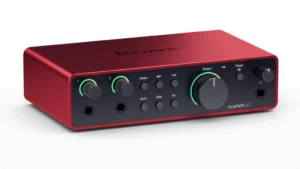
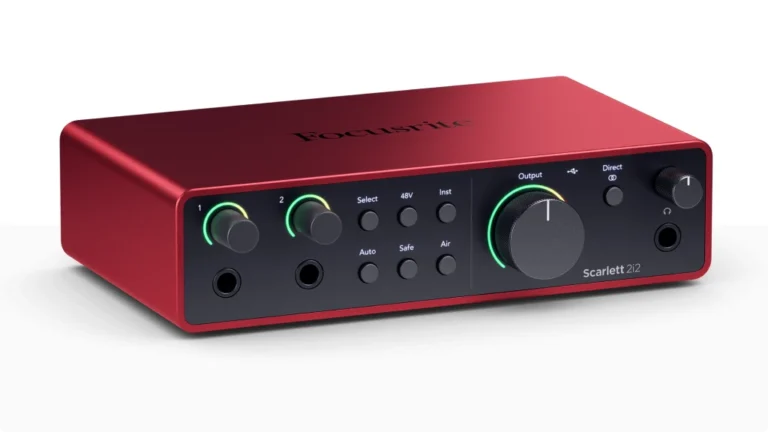
Scarlett 2i2 4th Gen
The Focusrite Scarlett 2i2 has earned its reputation through four generations of refinement. The current version addresses nearly every complaint users had about previous models while adding features that streamline the recording process.
| Pros
- 69 dB preamp gain handles demanding mics like SM7B
- Auto Gain and Clip Safe prevent level mistakes
- Dual Air modes add musical character
- Class-compliant with Mac, Windows, and iPad
- 120 dB dynamic range
| Cons
- Single headphone output
- No ADAT expansion
- No DSP
| Key Features
- Inputs: 2 x mic/line/instrument inputs
- Outputs: x balanced line outputs (1/4" TRS), 1 x headphone output
- Compatibility: macOS, Windows, iPad (USB-C)
- Connectivity: USB-C
- Resolution: 24-bit/192 kHz with 120 dB dynamic range
- Plus:
Why to Buy:
- You want reliable, high-quality recording without complexity
- You're a singer-songwriter who records voice and guitar simultaneously
- You need an interface that works immediately with Mac, Windows, and iPad
- You want intelligent features like Auto Gain to speed up your workflow
- You're building your first professional home studio
| Not ideal for...
- You need more than 2 simultaneous inputs
- You need extensive routing options or multiple headphone mixes
- You need onboard DSP effects
Overview
The 4th Gen Scarlett 2i2 brought meaningful improvements where they count. The preamps now offer 69 dB of gain, which is enough headroom for demanding dynamic microphones like the Shure SM7B. I tested this specifically because low-gain preamps have been a criticism of budget interfaces for years. The Scarlett handled the SM7B without needing an external preamp or cloud lifter.
Auto Gain is a feature I initially dismissed as unnecessary but came to appreciate. You press the button, make noise for 10 seconds, and the interface sets your input level automatically. Clip Safe takes it further by actively adjusting gain if your signal approaches clipping. For singers with dynamic performances or guitarists who dig in hard on certain passages, this prevents ruined takes.
The Air mode now comes in two flavors: Presence adds high-frequency lift for clarity, while Harmonic Drive introduces subtle saturation inspired by Focusrite’s ISA preamps. Both are tasteful and musical, though I found myself using Presence mode more often for vocals and acoustic guitar.
USB-C connectivity means plug-and-play operation on Mac. The interface is class-compliant, so no driver installation is needed on macOS. This also means it works with iPad, which opens up mobile recording possibilities with apps like GarageBand or Cubasis.
For most home studio applications, the Scarlett 2i2 4th Gen offers the best balance of sound quality, features, and reliability. It’s the interface I recommend to anyone asking where to start.
Best Analogue Character
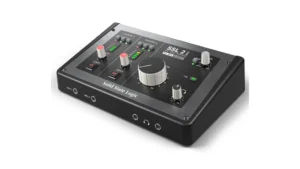
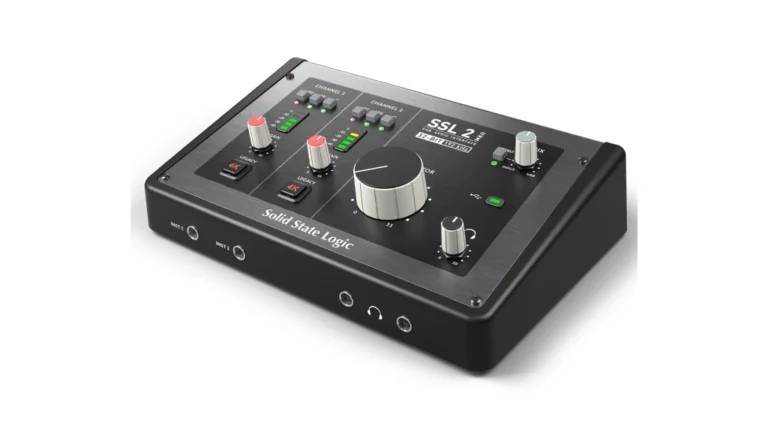
SSL 2 MKII
Solid State Logic’s reputation was built on large-format recording consoles that shaped the sound of countless hit records. The SSL 2+ MKII distills that heritage into a desktop interface that sounds unmistakably professional.
| Pros
- Legacy 4K analog enhancement circuit
- 32-bit/192 kHz conversion
- DC-coupled outputs for CV control
- Dual independent headphone outputs
- High-pass filter per channel
| Cons
- No ADAT expansion
- Premium price
- Only 2 XLR inputs
| Key Features
- Inputs: 2 x mic/line inputs (XLR combo, rear), 2 x Hi-Z instrument inputs (1/4" TS, front)
- Outputs: 4 x balanced line outputs (1/4" TRS), 2 x headphone outputs with independent volume
- Compatibility: macOS, Windows (USB-C, bus-powered)
- Connectivity: USB-C
- Resolution: 32-bit/192 kHz with 120 dB dynamic range
- Plus: Legacy 4K analog enhancement circuit, DC-coupled outputs for CV, MIDI DIN In/Out, 64 dB preamp gain, high-pass filter per channel
Why to Buy:
- You want console-quality sound with character you can hear
- You work with synths and want DC-coupled outputs for control voltage
- You need MIDI connectivity alongside your audio I/O
- You appreciate build quality with Alps pots and Neutrik connectors
- You want 32-bit conversion for maximum dynamic range capture
| Not ideal for...
- You prefer completely transparent preamps without color
- You want more than 2 microphone inputs
- Budget constraints make the SSL 2 MKII a better choice (fewer outputs)
Overview
The MKII update brought significant improvements over the original SSL 2+. The converter upgrade from 24-bit to 32-bit/192 kHz isn’t just a spec sheet number—it provides noticeably improved headroom and detail in recordings. The headphone outputs now achieve 119.5 dB dynamic range, which is genuinely impressive for bus-powered outputs.
The Legacy 4K circuit is where this interface reveals its personality. Engaging the 4K button adds harmonic enhancement inspired by the SSL 4000-series console’s mix bus. It’s not a dramatic effect but rather a subtle glue that makes sources sit better in a mix. On vocals, it adds presence without harshness. On drums, it provides punch without being aggressive. I left it engaged for most tracking sessions.
The preamps deliver 64 dB of gain with that SSL clarity—detailed and punchy without being sterile. Each channel includes an independent high-pass filter, which saves time when you need to clean up low-frequency rumble from air conditioning or floor vibrations.
For electronic musicians, the DC-coupled outputs enable sending control voltage directly to modular synths or hardware with CV inputs. This opens creative possibilities for automation and sequencing that most interfaces in this price range don’t support.
The front-panel Hi-Z inputs auto-detect when you plug in a guitar or bass, switching from the rear XLR inputs automatically. This workflow consideration shows SSL understands how people actually use these interfaces in practice.
The SSL Production Pack software bundle includes plugins from SSL and partner brands valued over $1,100. Highlights include the SSL Native FlexVerb, Drumstrip, and Vocalstrip 2. These aren’t stripped-down versions—they’re full plugins that integrate with the interface’s character.
Best for Content Creators
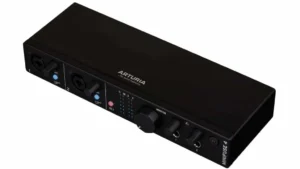
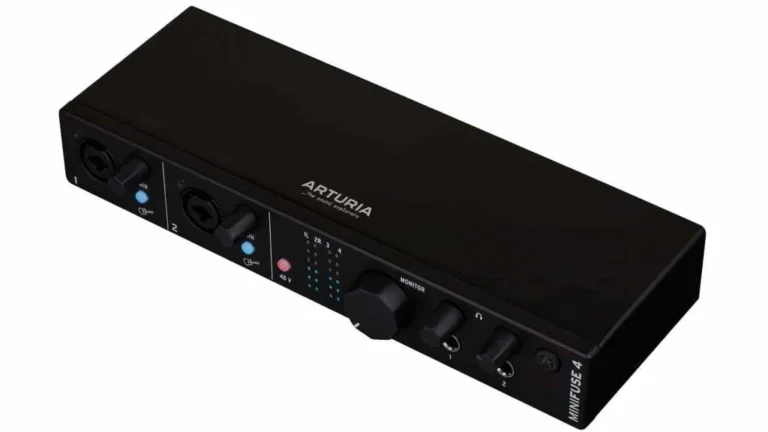
Arturia MiniFuse 4
RME built their reputation on one thing above all else: reliability. The Babyface Pro FS continues that tradition with drivers that simply work, every time, at buffer sizes other interfaces can only dream about.
| Pros
- Dual independent headphone outputs
- Built-in USB hub (2 x USB-A ports)
- Virtual loopback for streaming
- MIDI DIN I/O included
- Five-year warranty
| Cons
- No built-in DSP or analog processing
- External power supply required
- Only 2 microphone preamps
| Key Features
- Inputs: 2 x mic/line/instrument inputs (XLR/TRS combo), 2 x line inputs (1/4" TRS)
- Outputs: 4 x balanced line outputs (1/4" TRS), 2 x headphone outputs with independent volume
- Compatibility: macOS, Windows (USB-C)
- Connectivity: USB-C
- Resolution: 24-bit/192 kHz with 114 dB dynamic range
- Plus: MIDI DIN In/Out, built-in USB hub (2 x USB-A ports), virtual loopback for streaming, 5-year warranty
Why to Buy:
- You create content that requires mixing audio sources during live streams
- You need MIDI connectivity for hardware synths or controllers
- You want multiple headphone outputs for monitoring or collaboration
- You need a USB hub to reduce cable clutter
- You value build quality and long-term reliability
| Not ideal for...
- You only need basic 2-in/2-out functionality (MiniFuse 2 would be more appropriate)
- You want built-in DSP effects
- You need more than 2 microphone preamps
Overview
Content creation demands more from an audio interface than traditional recording. You might need to capture your voice, mix in system audio for video playback, and route everything to a streaming platform simultaneously. The MiniFuse 4 handles this through its three-bus architecture and loopback functionality.
The loopback feature creates a virtual audio input that captures your computer’s audio output. In practice, this means you can pull audio from YouTube, Spotify, or any application into your stream or recording without physical cable routing. I use this constantly for podcast interviews where I need to capture both my microphone and my guest’s audio from a video call.
Having four line outputs proves useful for connecting two sets of monitors or routing audio to external processors. The dual headphone outputs can access different output pairs, so you can send yourself the main mix while a guest or collaborator monitors a different feed.
The built-in USB hub is a surprisingly practical addition. I connected my MIDI keyboard controller directly to the interface, keeping one fewer cable running to my computer. Each port provides up to 250mA, which handles most USB devices without issue.
Arturia’s software bundle deserves mention: Ableton Live Lite, Analog Lab Intro, Native Instruments Guitar Rig 6 LE, and several Arturia effects plugins. It’s a legitimate collection that provides immediate creative tools rather than time-limited demos.
The MiniFuse Control Center software enables mixer functionality for creating custom headphone mixes, adjusting phantom power, and updating firmware. It’s straightforward without being oversimplified.
Best Mid-Range Upgrade
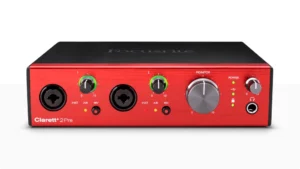
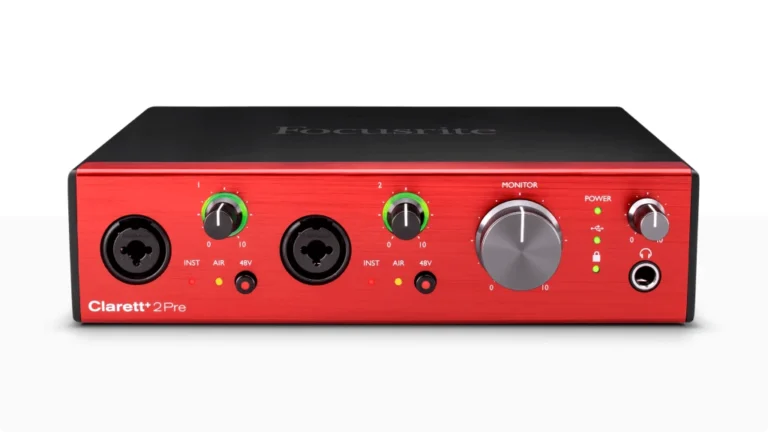
Focusrite Clarett+ 2Pre
The Clarett+ 2Pre occupies an interesting position: it’s the interface for people who’ve outgrown their Scarlett but don’t need (or want) the complexity of higher-tier options. It delivers noticeably better conversion and preamps without adding unnecessary features.
| Pros
- 124 dB dynamic range on D/A conversion
- All-analog Air mode with impedance switching
- JFET instrument inputs preserve guitar tone
- ADAT expansion up to 10 inputs
- 15W USB-C bus power option
| Cons
- Requires 15W USB-C port for bus power
- No built-in DSP processing
- Higher cost than Scarlett range
| Key Features
- Inputs: 2 x mic/line/instrument inputs (XLR/TRS combo, front), optical ADAT (up to 8 additional channels via ADAT or 2 via S/PDIF)
- Outputs: 4 x balanced line outputs (1/4" TRS), 1 x headphone output
- Compatibility: macOS, Windows (USB-C, supports 15W bus power)
- Connectivity: USB-C
- Resolution: 24-bit/192 kHz with 124 dB dynamic range (D/A)
- Plus: All-analog Air mode with impedance switching, JFET instrument inputs, MIDI DIN I/O, Focusrite Control app (desktop and mobile)
Why to Buy:
- You've used a Scarlett interface and want measurably better audio quality
- You need ADAT expansion for future growth (up to 10 inputs total)
- You record acoustic instruments and vocals and want the Air mode's character
- You appreciate premium build quality and want an interface that feels professional
- You need MIDI connectivity without adding a separate interface
| Not ideal for...
- Budget is tight and the Scarlett 2i2 meets your needs
- You need more than 2 microphone inputs without external expansion
- You want onboard DSP effects rather than software processing
Overview
The Clarett+ exists because Focusrite understood that some users want better sound without more complexity. It’s essentially a Scarlett with superior components throughout—better converters, better preamps, better build quality—while maintaining the straightforward workflow that made Focusrite popular in the first place.
The Air mode on the Clarett+ differs from the Scarlett’s implementation. It’s entirely analog, using actual impedance switching (to 2.2kΩ) combined with two high-frequency shelving boosts. The result is a subtle but genuine transformation that adds presence and clarity to vocals and acoustic instruments. It’s not about making things brighter; it’s about recreating the character of Focusrite’s ISA console preamps.
The JFET instrument inputs deserve mention because they address a real problem. Most interface instrument inputs sound thin compared to plugging into an actual amplifier. Focusrite designed these inputs to mirror amp input characteristics, preserving the natural interaction between your guitar’s pickups and the input circuit. For guitarists recording direct, this makes a noticeable difference in feel and tone.
Conversion quality sees meaningful improvement over the Scarlett range. The D/A converters achieve 124 dB dynamic range, and the lower THD figures translate to recordings with more detail and less distortion. These aren’t spec-sheet numbers you’ll never hear—they represent real improvements that become apparent when mixing or monitoring through quality speakers.
The ADAT input opens expansion possibilities that the Scarlett 2i2 can’t match. Connect a Clarett OctoPre and you have 10 simultaneous mic inputs, all with Air mode. This scalability makes the Clarett+ 2Pre a sensible long-term investment rather than an interface you’ll outgrow.
Focusrite Control software handles routing, monitoring, and settings from desktop or mobile devices. It’s cleaner and more intuitive than many competing apps, allowing remote adjustment of input settings from anywhere in your recording space. The iOS app is particularly useful during tracking sessions.
Bus power works over USB-C, but your port must supply 15W—not all USB-C ports do. Focusrite includes an external PSU for systems that can’t provide adequate power. For Mac Mini M4 users, the USB-C ports should handle bus power without issues.
Portability for Guitar & Bass
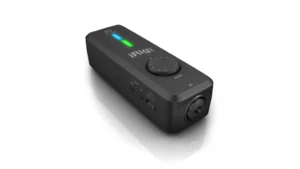
iRig Pro I/O
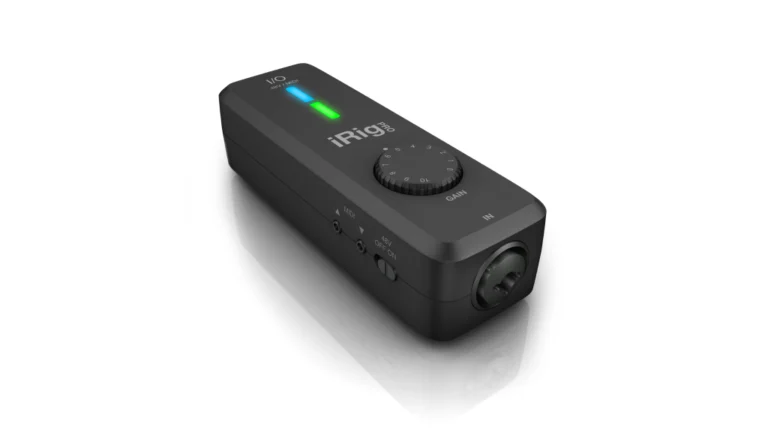
When you need professional recording capabilities in a pocket-sized package, the IK Multimedia iRig Pro I/O delivers. It’s the most versatile mobile interface I’ve tested, working with iPhone, iPad, Mac, PC, and Android devices through a single unit.
| Pros
- Works with Mac, Windows, iOS, and Android
- Battery operation (2 x AA)
- MIDI In/Out included
- 48V phantom power
- AmpliTube 4 full version included
| Cons
- Single input only
- 24-bit/96 kHz maximum resolution
- No line-level outputs for monitors
| Key Features
- Inputs: 1 x combo XLR/1/4" input (mic/line/instrument)
- Outputs: 1 x 1/8" stereo headphone output with level control
- Compatibility: macOS, Windows, iOS, Android
- Connectivity: USB / Lightning
- Resolution: 24-bit/96 kHz
- Plus: MIDI In/Out (2.5mm with included breakout cables), 48V phantom power, battery or USB/Lightning powered, charges iOS devices with optional PSU
Why to Buy:
- You need to record ideas on iPhone or iPad with professional quality
- You travel frequently and can't carry a desktop interface
- You want MIDI connectivity for mobile music apps
- You use multiple platforms (Mac, iOS, Android) and need one interface for all
- You're a guitarist who wants to practice with amp simulators anywhere
| Not ideal for...
- You need more than one simultaneous input
- You require multiple outputs for studio monitoring
- You want the lowest possible latency (desktop interfaces perform better)
Overview
The iRig Pro I/O fits in a jacket pocket yet handles condenser microphones with phantom power, high-impedance guitar signals, and MIDI controllers. This versatility comes from thoughtful design rather than compromise.
The Neutrik combo jack accepts XLR microphones or 1/4″ instrument cables. The gain control features printed markings, so you can recall settings when switching between different microphones or guitars. I appreciated this detail when moving between sessions—knowing that my SM58 worked well at position 4 meant I could dial it in immediately.
For guitarists, the high-impedance input provides proper loading for pickups. Combined with IK Multimedia’s AmpliTube software (included with purchase), you get a complete amp modeling solution that travels with you. I used this setup for practicing in hotel rooms and capturing ideas during travel. The latency is low enough for comfortable playing, though not quite matching what you’d achieve with a desktop Thunderbolt interface.
The MIDI I/O through included 2.5mm to 5-pin DIN cables enables connecting hardware synths, drum machines, or controllers to iOS music apps. This capability isn’t common in ultra-portable interfaces and makes the iRig Pro I/O genuinely useful for electronic musicians.
Battery operation (2 x AA) provides true mobility when AC power isn’t available. With the optional iRig PSU 3A power supply, the interface can charge your iPhone or iPad while recording, solving the problem of draining your device during longer sessions.
The included software bundle includes full versions of AmpliTube 4 for Mac/PC, T-RackS mastering processors, and SampleTank instruments. For guitarists especially, AmpliTube alone justifies a significant portion of the purchase price.
Best Value
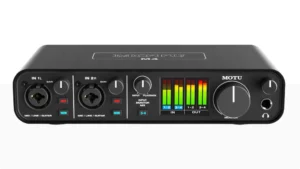
MOTU M4
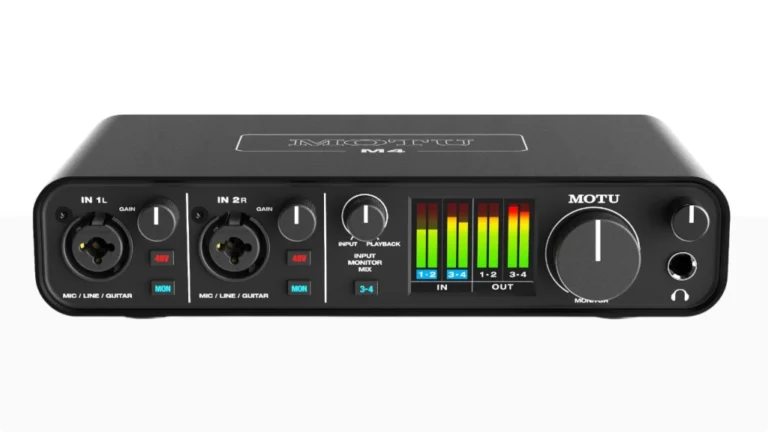
MOTU did something unusual with the M4: they put flagship-quality components into an entry-level interface and priced it competitively. The result is an interface that outperforms its price point in almost every measurable specification.
| Pros
- ESS Sabre32 Ultra DAC (flagship-quality conversion)
- Full-color LCD metering for all I/O
- DC-coupled outputs for CV/gate
- Loopback functionality included
- 2.5ms round-trip latency at 96kHz
| Cons
- No built-in analog processing
- Only 2 microphone preamps
- Ships with USB-A cable only
| Key Features
- Inputs: 2 x mic/line/instrument inputs (XLR/TRS combo, front), 2 x balanced line inputs (1/4" TRS, rear)
- Outputs: 2 x balanced monitor outputs (1/4" TRS), 2 x balanced line outputs (1/4" TRS), 2 x RCA stereo outputs (mirrored), 1 x headphone output
- Compatibility: macOS, Windows, iOS
- Connectivity: USB-C
- Resolution: 24-bit/192 kHz with 120 dB dynamic range
- Plus: ESS Sabre32 Ultra DAC, full-color LCD metering, DC-coupled outputs, MIDI DIN I/O, loopback functionality, standalone mixer mode
Why to Buy:
- You want the best possible conversion quality at an affordable price
- You use hardware synthesizers and need DC-coupled outputs for CV
- You appreciate visual feedback and want real metering, not just LEDs
- You're a podcaster or streamer who needs loopback functionality
- You want an interface that can work standalone without a computer
| Not ideal for...
- You want built-in analog processing or character (M4 is transparent)
- You prefer a simpler interface with fewer outputs
- You want onboard DSP effects
Overview
Loopback functionality through the included driver makes podcasting and streaming straightforward. You can capture computer audio (Skype calls, music playback) alongside live microphone input in your recording software. Combined with the mix knob for balancing live input against playback, it’s a complete solution for content creators.
MOTU’s drivers deliver measured round-trip latency of 2.5ms at 96kHz with a 32-sample buffer—figures that compete with interfaces at much higher price points. For tracking through virtual instruments or amp simulators, this low latency is essential for natural performance feel.
Standalone operation using USB power lets the M4 function as a basic mixer without a computer. Enable phantom power, adjust gain, and route inputs directly to outputs. It’s useful for quick monitoring setups or situations where a full computer rig isn’t practical.
Battery operation (2 x AA) provides true mobility when AC power isn’t available. With the optional iRig PSU 3A power supply, the interface can charge your iPhone or iPad while recording, solving the problem of draining your device during longer sessions.
The included software bundle includes full versions of AmpliTube 4 for Mac/PC, T-RackS mastering processors, and SampleTank instruments. For guitarists especially, AmpliTube alone justifies a significant portion of the purchase price.
Specs Table
| Product | Category | Inputs | Outputs | Resolution | Connectivity | Compatibility | Plus |
|---|---|---|---|---|---|---|---|
| Apollo Twin | Best UAD for Mac Mini M4 | 2 mic + 1 Hi-Z | 4 line + 1 HP | 24-bit/192kHz | Thunderbolt 2 | Mac | Unison preamps, UAD plugins, ADAT |
| Babyface | Best Driver Stability | 2 mic + 2 line | 4 line + 2 HP | 24-bit/192kHz | USB-C | Mac, Windows, iOS | SteadyClock FS, TotalMix FX, DC-coupled |
| Volt 276 | Best Analog Character | 2 mic + 2 Hi-Z | 2 line + 1 HP | 24-bit/192kHz | USB-C | Mac, Windows, iOS | 610 preamp mode, 76 Compressor, LUNA |
| Scarlett 2i2 | Best for Home Studios | 2 mic + 1 Hi-Z | 2 line + 1 HP | 24-bit/192kHz, 120dB DR | USB-C | Mac, Windows, iOS | Auto Gain, Clip Safe, Air mode |
| SSL 2 MKII | Best Console Sound | 2 mic + 2 Hi-Z | 4 line + 2 HP | 32-bit/192kHz, 120dB DR | USB-C | Mac, Windows | Legacy 4K circuit, DC-coupled, HPF |
| MiniFuse 4 | Best for Creators | 2 mic + 2 line | 4 line + 2 HP | 24-bit/192kHz, 114dB DR | USB-C | Mac, Windows, iOS | USB hub, loopback, MIDI, Analog Lab |
| Clarett+ | Best Mid-Range Upgrade | 2 mic + 1 Hi-Z | 4 line + 1 HP | 24-bit/192kHz, 124dB DR | USB-C | Mac, Windows, iOS | All-analog Air, JFET DI, ADAT, MIDI |
| iRig Pro | Best Portability | 1 mic/line/Hi-Z | 1 HP (1/8") | 24-bit/96kHz | USB, Lightning | Mac, Windows, iOS, Android | Battery powered, MIDI, AmpliTube 4 |
| MOTU M4 | Best Value for Specs | 2 mic + 2 line | 4 line + 1 HP | 24-bit/192kHz, 120dB DR | USB-C | Mac, Windows, iOS | ESS Sabre32 DAC, LCD, loopback, MIDI |
Conclusion: Finding the Best Audio Interface for Mac
Choosing the right audio interface for your Mac depends largely on your specific needs and budget. The Apollo Twin X stands as our top pick for its exceptional sound quality and powerful DSP capabilities, making it perfect for professional productions. The RME Babyface Pro FS offers unmatched reliability and routing flexibility, ideal for mobile recording and live situations.
For those seeking a balance of features and value, the Focusrite Clarett+ 2Pre delivers professional-grade sound with room to grow. The Universal Audio Volt 276 brings premium features to an accessible price point, perfect for home studios and content creators. The MOTU M4 rounds out the selection with its robust build and straightforward operation, ideal for reliable multi-source recording.
Consider alternatives like the Behringer U-Phoria UMC204HD for its clean preamps and affordable price. The Apogee Duet 3 offers another premium option with its outstanding Mac integration.
FAQ
Will These Audio Interfaces Work with My M1/M2 Mac?
Yes, all these interfaces are compatible with Apple Silicon Macs. Manufacturers have updated their drivers to ensure stable performance with M1 and M2 processors. The RME Babyface Pro FS and MOTU M4 work particularly well in class-compliant mode.
Can I Use These Audio Interfaces for Live Streaming on Mac?
Yes, these interfaces work well for streaming. The MOTU M4’s loopback feature is particularly useful, while the Apollo Twin X’s processing power helps create professional-sounding streams. The Clarett+ 2Pre’s Air mode can enhance voice quality during broadcasts.
Do I need a Thunderbolt adapter to connect an audio interface to the Mac Mini M4?
It depends on your interface. The Mac Mini M4 has three Thunderbolt 4/USB 4 ports on the back (Thunderbolt 5 on M4 Pro) and two USB-C ports on the front. Most modern USB-C audio interfaces connect directly to any of these ports without adapters. However, if you have an older Thunderbolt 2 interface like the Apollo Twin MkII, you’ll need Apple’s Thunderbolt 3 to Thunderbolt 2 adapter. Some users have reported connectivity issues when using USB-A to USB-C adapters on the rear Thunderbolt ports. If you experience intermittent disconnections, try the front USB-C ports or use quality adapters from reputable brands. USB-C interfaces like the Scarlett 2i2 4th Gen, MiniFuse 4, and SSL 2+ MKII work plug-and-play without any adapters on Mac Mini M4.v
| Why Can You Trust Us

Bruno Bontempo
I've been recording, producing, and playing bass for over 20 years—from touring with my first band at 15 to playing progressive metal across Europe today. Through multiple albums, projects (Madness of Light, Rising Course, Roots of Ascendant, Human|Archive), and production work, I've tested audio interfaces in every scenario imaginable. At Best Audio Hub, I combine my historian background with years of hands-on music and audio experience. No marketing fluff—just honest insights from someone who's been in the trenches.
| ALSO REVIEWED