IK Multimedia AXE I/O Comparison (2026): Which is Best?
- Audio Interface, Comparisons
- by Bruno Bontempo
IK Multimedia AXE I/O review. We tested all three: Solo, One and 2×2. Find out which guitar interface offers the right balance of Z-TONE features, inputs, and budget.
Our articles may include affiliate links and we may earn a commission. Here how it works.
Jump to...
Quick Decision Guide
In a hurry? Here’s the short version:
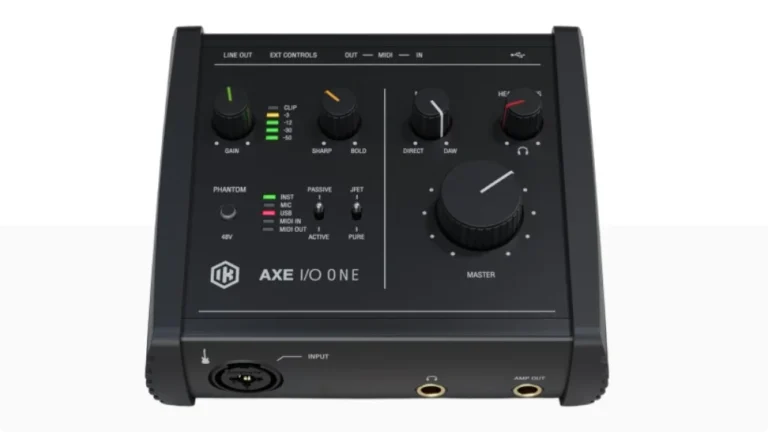
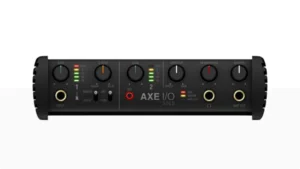
AXE I/O ONE
4.5
Best for solo guitarists who record one track at a time. USB-powered, ultra-portable, still has all the Z-TONE magic.
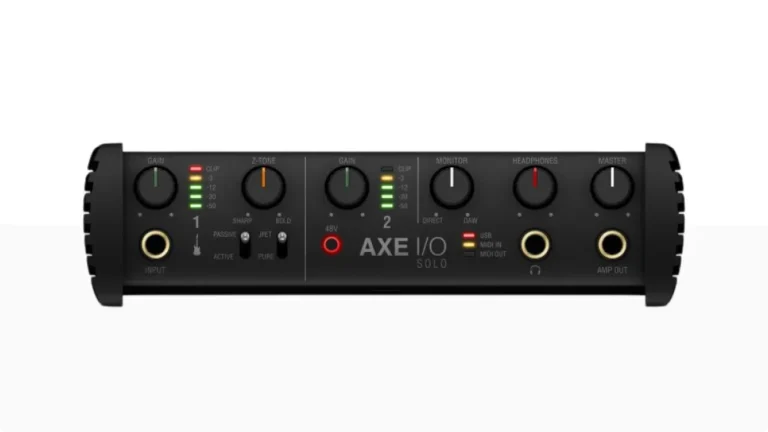
AXE I/O Solo
4.7
The sweet spot. Two inputs let you record guitar + mic simultaneously. USB-powered with the same premium tone-shaping as the flagship.
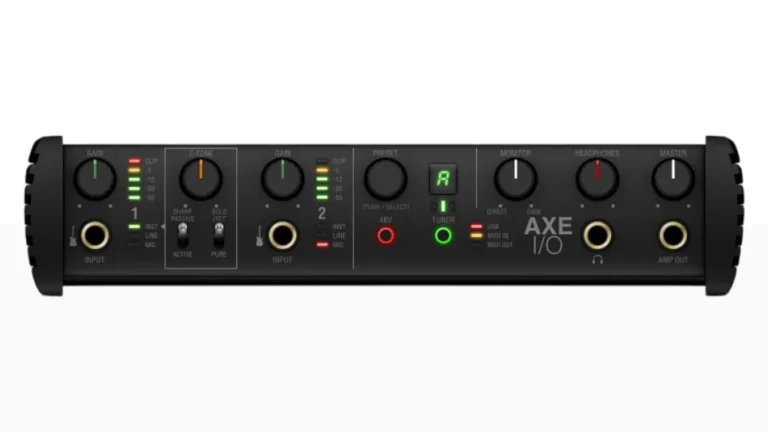
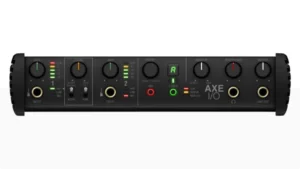
AXE I/O
4.9
The full studio solution. External power for better headphone output, built-in tuner, preset knob for AmpliTube, and four inputs for serious multi-tracking.
A Player's Perspective on Recording Guitar and Bass
For guitarists, modern recording techniques often involve multiple tracks to create a full sound. The standard approach includes recording the same part at least twice, panning one take to the left and another to the right, which creates that massive stereo image you hear in professional recordings. Some sessions might even require four or more layers, combining different guitars, amps, or microphone positions to achieve the desired tone.
Therefore, having an interface that maintains consistent sound quality across multiple takes is crucial.
Since I’m primarily a bass player, I can say that recording brings its own set of challenges and requirements. A common professional technique involves recording at least two separate tracks: a clean DI (Direct Input) signal that captures the pure tone of the instrument, and an processed track with effects or amp simulation (or not). Moreover, during mixing, these tracks are often split into separate frequency bands – typically isolating the low end (below 200Hz) from the mid and high frequencies.
Consequently, your audio interface needs to handle these multiple signal paths while maintaining exceptional clarity in the low end.
What I’ve learned through experience is that the quality of your audio interface directly impacts several critical aspects of recording:
- The noise floor of your recordings (especially important for high-gain guitar tones)
- The accuracy of your bass frequencies
- The ability to reamp signals
- The overall “feel” of playing through the interface while monitoring
- The flexibility to experiment with different signal chains and routing options
Most importantly, your choice of an audio interface for guitar affects not just the recording quality, but also your workflow efficiency. These interfaces combine high-quality audio performance with guitar-centric and a dedicated app for full control of your gear.
In this guide, I’ll share my hands-on experience with IK Multimedia’s AXE I/O series, breaking down how each model handles these real-world recording scenarios and help you to choose the best audio interface for guitar.
Budget Entry Point
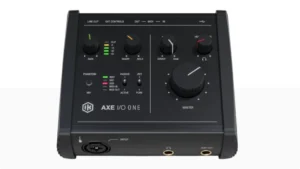
IK Multimedia AXE I/O ONE
4.5
The AXE I/O ONE proves you don’t need to spend a lot to get IK’s guitar-focused technology. This compact interface packs every tone-shaping feature from its bigger siblings into a portable, USB-powered package.
| Pros
- Full Z-TONE and JFET/PURE features
- USB-powered and light enough for your gig bag
- Fully iOS/iPad compatible
- Amp Out for reamping capability
- AmpliTube 5 SE and TONEX SE
| Cons
- Single input only
- No built-in tuner or preset knob
- 96kHz maximum resolution - 192kHz listed but most real-world use is at 96kHz
| Key Features
- Inputs: 1 Combo XLR/Hi-Z
- Outputs: 2 TRS + Amp Out
- Resolution: 24-bit/192kHz
- Frequency Response: 11Hz - 45kHz
- Dynamic Range: 110 dB
- Connectivity: USB-C
| Buy if...
- You want professional sound on a budget
- You're starting your home studio
- You need iPad compatibility
- You primarily record one instrument at a time
- You want simple, straightforward operation
| Not ideal for...
- You need multiple simultaneous inputs
- You want the built-in tuner and preset browsing
- You need to operate presets directly
Overview
Testing the IK Multimedia AXE I/O ONE revealed a guitar-centric interface that doesn’t compromise on sound quality. The Z-TONE impedance control works just as effectively as on its more expensive siblings, allowing you to dial in everything from vintage warmth to modern precision.
The combined Hi-Z/XLR input with phantom power for condenser microphones proved versatile enough for both electric and acoustic guitars, bass, and vocals.
What surprised me was how well the JFET mode performed on clean tones. It adds a three-dimensional quality that makes single-coil pickups feel more alive. For high-gain, switching to PURE kept the signal tight without unwanted coloration.
The included AXE I/O ONE Control Panel, AmpliTube 5 SE, and TONEX SE software provide excellent value for beginners. You’re getting access to over 80 gear models and IK’s AI-powered amp modeling right out of the box.
Best Value
AXE I/O Solo
4.7
The AXE I/O Solo delivers professional-quality recording in a compact, affordable package. If you’re looking for the sweet spot between features and price, this interface brings the essential elements of its bigger brother without breaking the bank.
| Pros
- Two simultaneous inputs
- USB-powered portability
- Improved dynamic range — 113 dB
- Best price-to-feature ratio
- Same Z-TONE quality as flagship AXE I/O
| Cons
- No built-in tuner
- No preset browsing knob
- USB power limits headphone output
| Key Features
- Inputs: 1 Hi-Z instrument + 1 combo XLR/TRS
- Outputs: 2 TRS + Amp Out
- Resolution: 24-bit/192kHz
- Frequency Response: 10Hz - 45kHz
- Dynamic Range: 113 dB
- Connectivity: USB-C
| Buy if...
- You want professional features at a mid-range price
- You want the flexibility of real amp integration
- You need high-quality preamps for vocals or acoustic guitar
- You record maximum 2 sources at a time
- You value portability
| Not ideal for...
- You require four or more inputs
- You want built-in tuner and preset browsing
- You need to operate presets directly
Overview
During testing, the AXE I/O Solo proved itself as a remarkable value proposition. The interface maintains the same high-quality preamps and conversion as the premium version, just in a more streamlined package.
The Z-TONE impedance-adapting circuit worked wonders for shaping guitar tone before it even hit the DAW. It offers direct monitoring like the other models, and the AXE I/O Control Panel gives you full control of routing and levels.
I really enjoyed playing around with the JFET mode and testing the harmonics it adds to clean tones, making them more three-dimensional. The Amp Out feature worked perfectly for both reamping and creating Tone Models in TONEX.
The dedicated Hi-Z input separate from the mic input is a practical improvement over the ONE. You don’t have to choose between guitar and microphone — you can record both simultaneously, which opens up singer-songwriter workflows and the ability to capture DI alongside a mic’d amp.
For bass recording, the extended low-frequency response (10Hz vs 11Hz on the ONE) captures more sub-bass detail. Combined with Z-TONE dialed toward “Bold,” the Solo delivers professional bass tones without post-processing.
Advanced
AXE I/O
4.9
Ready to take your guitar recordings to the next level? The AXE I/O stands as the best choice for advanced guitarists and bassists who demand supreme quality and versatility. With its innovative Z-TONE impedance control and triple-topology preamp, you’ll capture every nuance of your playing.
| Pros
- 117 dB dynamic range
- Built-in chromatic tuner
- Preset knob for AmpliTube
- External power = better headphone amp
- Four inputs total
| Cons
- Requires wall power — less portable
- Higher price
- Takes more desk space
| Key Features
- Inputs: 2 Hi-Z instrument + 2 combo XLR/TRS
- Outputs: 5 total (including Amp Out)
- Resolution: 24-bit/192kHz
- Frequency Response: 3Hz – 32kHz
- Dynamic Range: 117 dB
- Connectivity: USB 2.0 Type-B
| Buy if...
- You need professional-grade recording quality with lowest noise floor
- You want maximum tonal flexibility
- You frequently reamp or use real amps
- You record multiple instruments simultaneously
- You value hands-on control while recording (tuner, preset knob)
| Not ideal for...
- You're on a tight budget
- You need portability (USB power)
- You only need basic recording capabilities
Overview
During recordings, the IK Multimedia AXE I/O proved itself as the best audio interface for guitar in its class. The Z-TONE circuit exceeds expectations — it genuinely transforms your guitar’s tone from sharp and precise to thick and bold with a simple twist of a knob.
Think of it as having multiple pickup characters in one interface. This is particularly useful for bass, where different impedance settings dramatically affect low-end weight.
The PURE preamp delivered crystal-clear recordings of acoustic guitars and bass, while the JFET mode adds warmth that made electric guitars sing through high-gain amp simulations.
It offers direct monitoring and 48V phantom power like the other models, and the AXE I/O Control Panel allows you to manage inputs and outputs, assign routing, and configure controller inputs.
What was really cool was the dedicated Amp Out with ground loop protection — reamping has never been this noise-free and straightforward.
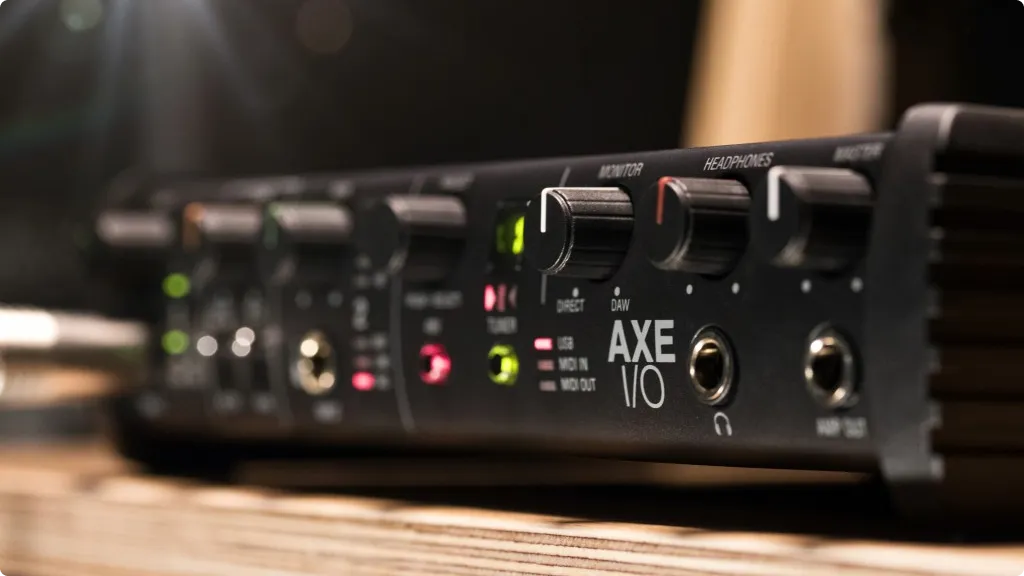
The built-in tuner is more useful than it sounds. Having it always visible on the front panel means you’re never hunting for a tuner app or pedal between takes. The preset knob integrates directly with AmpliTube, letting you audition different amp sounds without touching your computer.
The external power supply enables a high-current headphone amplifier that properly drives studio headphones. If you monitor through headphones extensively, this matters.
Specs Table
Compare to choose the best IK Multimedia AXE I/O audio interface.
| Feature | AXE I/O ONE | AXE I/O Solo | AXE I/O |
|---|---|---|---|
| Category | Budget-Friendly | Best Value | Advanced |
| Inputs | 1 Hi-Z/combo XLR | 1 Hi-Z + 1 combo XLR/TRS | 2 Hi-Z + 2 combo XLR/TRS |
| Outputs | 3 (including Amp Out) | 3 (including Amp Out) | 5 (including Amp Out) |
| Resolution | 24-bit/192kHz | 24-bit/192kHz | 24-bit/192kHz |
| Dynamic Range | 110 dB | 113 dB | 117 dB |
| Frequency Response | 11Hz – 45kHz | 10Hz – 45kHz | 3Hz – 32kHz |
| Compatibility | iOS / iPadOS / macOS / PC | iOS / iPadOS / macOS / PC | iOS / iPadOS / macOS / PC |
| Connectivity | USB-C | USB-C | USB 2.0 Type-B |
| Power | USB Bus-Powered | USB Bus-Powered | External 9V DC |
| Z-TONE Circuit | ✓ | ✓ | ✓ |
| JFET/PURE Preamp | ✓ | ✓ | ✓ |
| Active/Passive Switch | ✓ | ✓ | ✓ |
| Built-in Tuner | ✗ | ✗ | ✓ |
| Preset Knob | ✗ | ✗ | ✓ |
| MIDI I/O | ✓ | ✓ | ✓ |
| Controller Inputs | 2 | 2 | 2 |
| Software Bundle | AmpliTube 5 SE, TONEX SE, Ableton Live Lite | AmpliTube 5 SE, TONEX SE, Ableton Live Lite | AmpliTube 5 SE, TONEX SE, T-RackS Singles, Ableton Live Lite |
Why Guitar Players Need a Different Kind of Interface
Most audio interfaces treat guitar as an afterthought. They slap on a Hi-Z input, call it “instrument ready,” and move on. But anyone who has spent time recording guitar knows that the interaction between your pickups and the input stage dramatically affects your tone.
This is where IK Multimedia did something different. After spending years modeling over 400 pieces of gear for AmpliTube, they understood that capturing great guitar tone starts before the signal even hits your DAW. The AXE I/O series was built around this insight.
Here's what makes IK Multimedia AXE I/O interfaces unique
The Z-TONE circuit lets you continuously adjust input impedance from 1 MΩ (bright and present) down to 2.2 kΩ (warm and thick). This isn’t a gimmick. Different pickups respond differently to impedance loading, and being able to dial this in means you can match vintage single-coils, hot humbuckers, or active EMGs to get exactly the response you want.
The JFET/PURE toggle gives you two distinct preamp characters. PURE is transparent and accurate. JFET adds subtle harmonic warmth that makes clean tones feel more alive and high-gain tones more responsive.
The Active/Passive switch optimizes the circuit for your pickup type, preventing the muddy or thin sound you get when active pickups hit the wrong input stage.
And every model includes a dedicated Amp Out with ground loop protection, making reamping straightforward instead of a cable management nightmare.
Understanding Z-TONE: Why Impedance Matters for Guitar
Before diving into each model, let’s explain why Z-TONE is such a big deal, because once you understand it, you’ll never want an interface without it.
Your guitar pickups have an output impedance (typically 7-15 kΩ for passive pickups). When that signal hits your interface, the input impedance of the interface affects how the pickups “feel” and respond.
High impedance (1 MΩ - "Sharp" on the Z-TONE knob):
- Preserves high frequencies
- Tighter, more articulate attack
- Best for: Modern tones, high-gain, precise picking dynamics
Low impedance (2.2 kΩ - "Bold" on the Z-TONE knob):
- Rolls off some highs naturally
- Warmer, fatter tone
- Increased sustain and compression feel
- Best for: Vintage tones, blues, jazz, bass guitar
Most interfaces lock you at 1 MΩ. The AXE I/O series lets you dial anywhere in between. In practice, this means you can make a bright Telecaster sound warmer for a blues track, or tighten up a dark Les Paul for metal without touching EQ.
I’ve found this particularly useful for bass recording. Rolling the Z-TONE toward “Bold” adds low-end weight that would otherwise require post-processing.
IK Multimedia Control Panel Software: Your Command Center
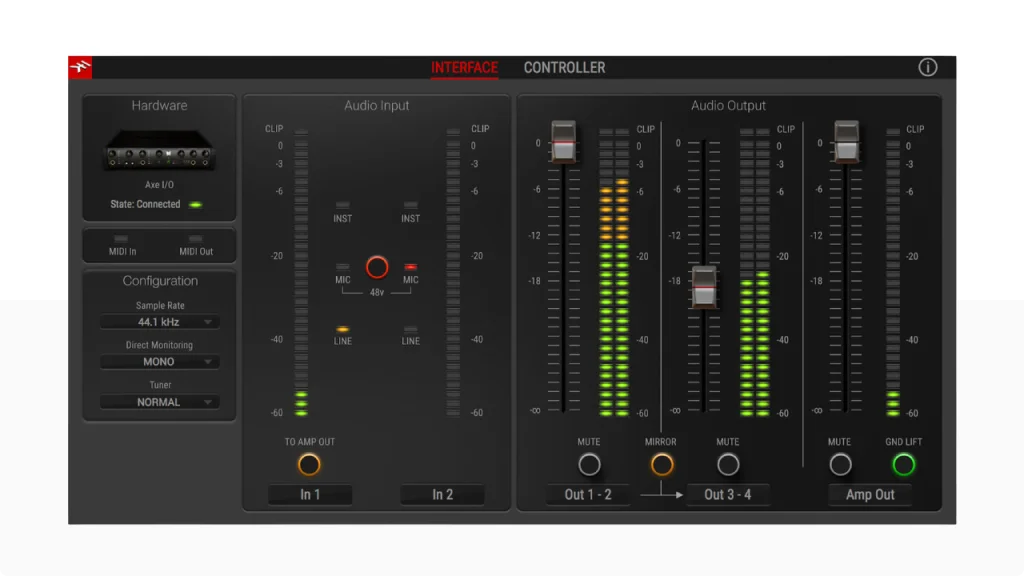
All three AXE I/O models include IK’s Control Panel software, which goes beyond basic driver settings.
Interface Tab:
- Input/output level metering
- Phantom power control
- Ground lift for eliminating noise
- Sample rate selection
- Direct monitoring blend (zero-latency)
- Output routing configuration
Controller Tab:
- Configure expression pedals and footswitches
- Set MIDI channel and CC assignments
- Define min/max values for pedal sweep
- Customize preset knob behavior (AXE I/O only)
The software is clean and functional. You won’t spend hours configuring it, but you’ll appreciate having quick access to ground lift and monitoring settings without digging through your DAW.
How the IK Multimeia AXE I/O Series Compares to Alternatives
The AXE I/O series competes with general-purpose interfaces and guitar-specific options:
vs. Focusrite Scarlett 2i2 4th Gen (~$180): The Scarlett has name recognition and solid drivers, but it treats guitar as just another input. No impedance control, no JFET option, no dedicated amp out. The Air mode adds brightness, but it’s a one-way toggle, not a continuous control. For general recording, Scarlett is fine. For guitar-focused work, AXE I/O Solo offers more for $20 more.
vs. Universal Audio Volt 2 (~$220): The Volt has a “Vintage” mode that emulates UA’s 610 preamp and a built-in 1176-style compressor. These are cool for vocals and overall warmth. But it lacks impedance control, and the compressor is more useful for vocals than guitar. For guitar recording specifically, the AXE I/O’s tone-shaping is more relevant.
vs. Neural DSP Quad Cortex (~$1,849): Different category. The Quad Cortex is primarily an amp modeler that happens to have interface capability. If you need a floor unit for live performance AND studio recording, it makes sense. If you’re desktop-only, the AXE I/O plus AmpliTube/TONEX gives you similar tonal options at a fraction of the cost.
vs. Line 6 POD Go (~$450): Another hybrid option. POD Go is excellent if you want a self-contained floor unit with amp modeling, effects, and interface functionality. But you’re paying for the foot controllers and built-in processing. If you prefer plugins and want better AD/DA quality, the AXE I/O is a better studio choice.
Practical Recording Tips with AXE I/O
Here are some techniques I’ve developed after extensive time with these interfaces:
Double-tracking guitars: Record rhythm parts twice, pan them left and right. The Z-TONE helps here. Try slightly different impedance settings for each take. Left track with Z-TONE at 11 o’clock, right track at 1 o’clock. The subtle tonal difference creates width without phase issues.
Bass recording: I always record bass with Z-TONE around 9-10 o’clock (“Bold” territory). This adds low-end weight and smooth highs that would require post-EQ otherwise. Use JFET mode for rock/metal to add grit, PURE for clean modern tones.
Reamping workflow:
- Record a clean DI through the Hi-Z input with Z-TONE at noon (neutral starting point)
- Connect Amp Out to your amp’s input
- Route the recorded DI track to the Amp Out in your DAW
- Mic your amp and record to a new track
- Experiment with amp settings without re-performing
Using with TONEX: TONEX’s amp capture feature works seamlessly with Amp Out. You can create Tone Models of your own amps and pedals, then use them as plugins. The ground loop protection on the Amp Out keeps things quiet even with high-gain amps.
Final Verdict: Which IK Multimedia AXE I/O Should You Buy?
Buy the AXE I/O ONE if:
- You’re on a tight budget but want professional tone-shaping
- You only record one instrument at a time
- Portability is important (laptop sessions, travel)
- You’re starting out and want room to grow into AmpliTube/TONEX
Buy the AXE I/O Solo if:
- You want to record guitar plus vocals (or guitar plus mic’d amp)
- You want the best balance of features and price
- USB power matters for your setup
- You don’t need the built-in tuner or preset knob
Buy the AXE I/O if:
- You’re building a dedicated guitar recording workstation
- You use high-impedance headphones and want better amplification
- The built-in tuner and preset knob add value to your workflow
- You record multiple instruments and need four inputs
- You want the lowest noise floor for high-gain recording
For most guitarists reading this, the AXE I/O Solo is the smartest buy. It has everything that matters for great guitar recordings without paying for features you might not use. The ONE is excellent if budget is tight. The full AXE I/O is worth it only if you’ll actually use the extras.
All three deliver what general-purpose interfaces can’t: real control over how your guitar interacts with the recording chain. Once you experience the difference Z-TONE makes, you won’t want to go back to a standard Hi-Z input.
FAQ
Can I use AXE I/O with amp simulators other than AmpliTube?
Yes. The AXE I/O works with any amp sim: Neural DSP plugins, Line 6 Helix Native, Positive Grid BIAS, STL Tones, etc. The Z-TONE and JFET/PURE controls shape your signal before it reaches any plugin, so they improve results with any software.
Is the Z-TONE circuit the same across all three models?
Yes. The Z-TONE impedance range (1 MΩ to 2.2 kΩ) and JFET/PURE preamp options are identical on the ONE, Solo, and standard AXE I/O. You’re not sacrificing tone quality by choosing a smaller model.
Do I need a DI box with the AXE I/O?
No. The Hi-Z inputs are specifically designed for guitar and bass. The Z-TONE circuit provides more tonal flexibility than most standalone DI boxes. A DI box would be redundant.
What's the latency like for live monitoring through plugins?
With proper buffer settings (128-256 samples at 44.1/48kHz), round-trip latency is typically 6-10ms, which is playable for most people. All models support direct monitoring for zero-latency practice when plugin processing isn’t needed.
What's the latency like for live monitoring through plugins?
Excellent. Bass benefits enormously from Z-TONE. Rolling toward “Bold” adds low-end weight and smooths harsh highs. The extended low-frequency response (down to 3Hz on the flagship, 10-11Hz on the smaller models) captures fundamental bass frequencies that budget interfaces miss.
| Why Can You Trust Us

Bruno Bontempo
I've been recording, producing, and playing bass for over 20 years—from touring with my first band at 15 to playing progressive metal across Europe today. Through multiple albums, projects (Madness of Light, Rising Course, Roots of Ascendant, Human|Archive), and production work, I've tested audio interfaces in every scenario imaginable. At Best Audio Hub, I combine my historian background with years of hands-on music and audio experience. No marketing fluff—just honest insights from someone who's been in the trenches.
| ALSO REVIEWED