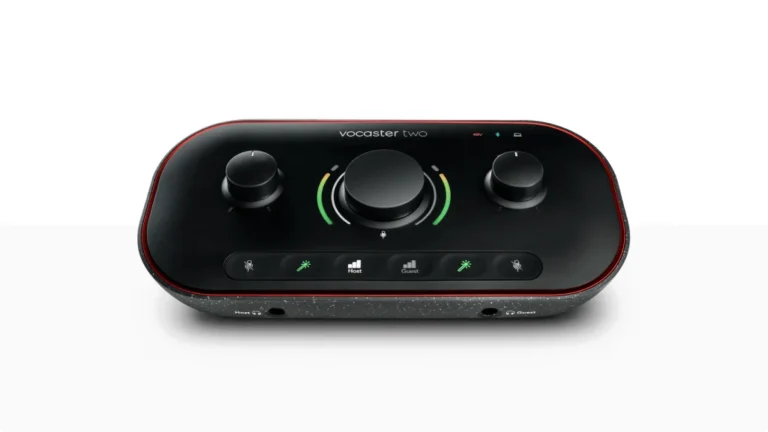

Best Audio Interface Under 100: Top 5 Picks (2026)
- Audio Interface, Buying Guides
- by Bruno Bontempo
Can you get the best audio interface under 100? Yes. I break down 5 affordable picks for home studios, podcasters, and guitarists in this hands-on guide.
Our articles may include affiliate links and we may earn a commission. Here how it works.
Jump to...
| QUICK OVERVIEW
Introduction
Finding a good audio interface under 100 is easier than you might think. This price range sits at a sweet spot—you get meaningful upgrades over ultra-budget options without stretching into semi-pro territory.
At this level, you can expect two simultaneous inputs, phantom power for condenser mics, better preamps, and improved build quality. Some models even include MIDI or higher sample rates.
I compared five audio interfaces under 100 to help you find the right fit for podcasting, recording vocals, tracking guitar, or streaming. Each one serves a different purpose, so let me break down what makes each one worth considering.
Best Overall
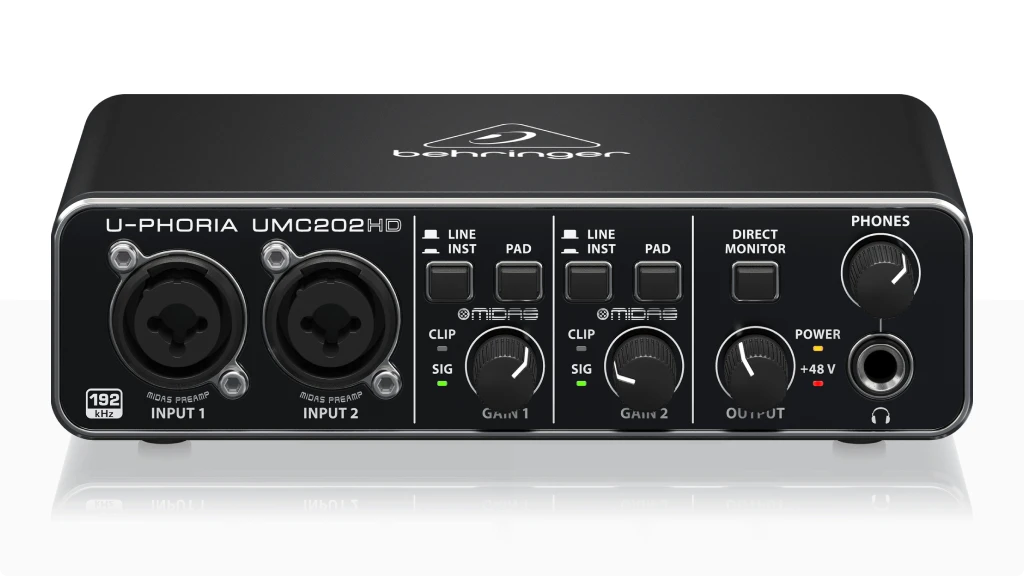
Behringer UMC202HD
4.5
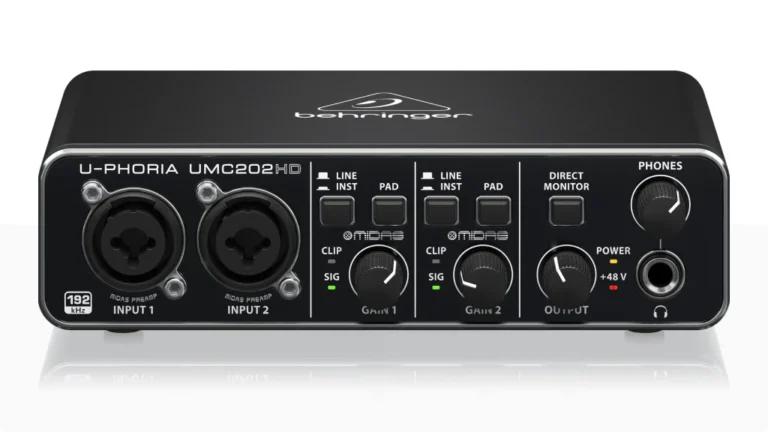
The UMC202HD packs Midas-designed preamps and 192kHz resolution into a cheap metal box. If you want the best sound quality in an audio interface under 100, this is where to start. Two combo inputs handle mics, guitars, and line sources with clean gain and low noise.
| Pros
- Midas preamps offer clean, detailed sound
- 192kHz sample rate—rare at this price
- Two combo inputs with phantom power
- Zero-latency direct monitoring
- Solid metal chassis
| Cons
- Plastic knobs feel cheap
- Signal LEDs only—no proper meters
- No MIDI I/O
| Key Features
- Inputs: 2x XLR/TRS combo with Hi-Z switch
- Outputs: 2x 1/4" TRS balanced + 1x 1/4" headphone
- Compatibility: Mac and Windows
- Connectivity: USB 2.0 Type-B (bus-powered)
- Resolution: 24-bit / 192kHz
- Plus: Phantom power, direct monitoring switch, 110dB dynamic range, Tracktion DAW, 150+ plugins
| Best for...
- Recording vocals at home
- Tracking acoustic or electric guitar
- Making demos or songwriting sessions
- Video post-production (high sample rate)
- General home studio use
| Not ideal for...
- Connecting MIDI keyboards/synths
- Creators requiring polished software experience
- Podcasters requiring features like loopback
Overview
Behringer’s reputation has shifted over the years. The UMC202HD proves that cheap doesn’t mean compromise—at least not where it matters most.
The Midas preamps are the real story here. Midas built its name on high-end mixing consoles used by touring acts worldwide. Behringer borrowed that preamp design and stuffed it into a sub-$70 interface. The result is vocal and instrument recordings that sound clearer than you’d expect at this price.
The 192kHz sample rate is overkill for most home recording, but it’s useful for video work or future-proofing your sessions. In practice, 48kHz or 96kHz covers most needs.
Where the UMC202HD falls short is refinement. The knobs feel plasticky, and the software bundle is minimal compared to PreSonus or Focusrite. But if you prioritize sound over polish, this audio interface under 100 delivers.
I’ve used it for tracking vocals with a condenser mic and DI bass. Both came through with clarity and enough headroom to mix comfortably. For the price, it’s hard to find a better-sounding option.
Best for Beginners
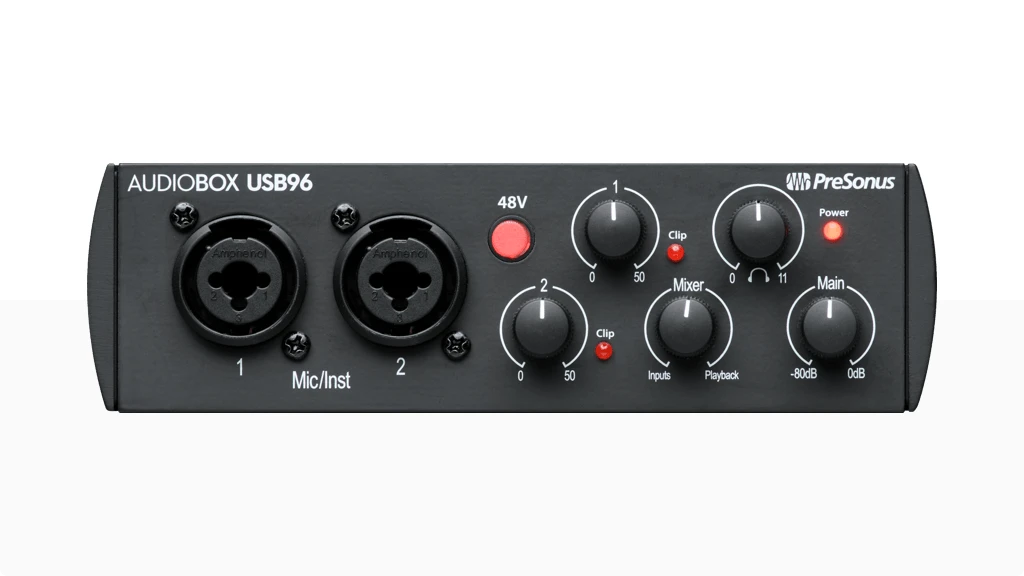
PreSonus AudioBox USB 96
4.5
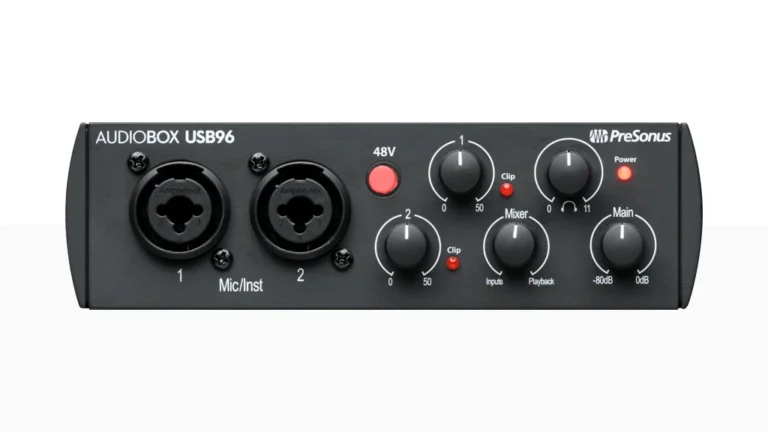
The AudioBox USB 96 combines two Class-A preamps, a rugged steel chassis, and Studio One Artist DAW in one affordable package. If you’re just starting out and want everything ready to go, this audio interface under 100 removes the guesswork.
| Pros
- Studio One Artist DAW included (significant value)
- Built-in MIDI I/O for keyboards and synths
- Class-A mic preamps
- USB class-compliant on Mac (no drivers needed)
- Heavy-duty steel chassis
| Cons
- Limited to 96kHz (no 192kHz option)
- Preamps have less gain than competitors
- No dedicated line-level input switch
| Key Features
- Inputs: 2x XLR/TRS combo
- Outputs: 2x 1/4" TRS balanced + 1x 1/4" headphone (rear)
- Compatibility: macOS, Windows, iOS, iPadOS
- Connectivity: USB 2.0 (bus-powered), MIDI In/Out (5-pin DIN)
- Resolution: 24-bit / 96kHz
- Plus: 48V phantom power, Mix knob, Studio One Artist, Studio Magic plugin suite
| Best for...
- First audio interface for learning recording
- Singer-songwriters tracking vocals and guitar
- Connecting MIDI keyboards or drum machines
- Mobile recording (rugged build, bus-powered)
- Podcasters who also make music
| Not ideal for...
- Need higher sample rates for video work
- Want front-panel headphone access
- Require more preamp gain for dynamic mics
Overview
PreSonus designed the AudioBox USB 96 for people who want to start recording without hunting for additional software or gear. The included Studio One Artist is a fully functional DAW—not a stripped-down demo—and it’s intuitive enough for beginners to learn quickly.
The steel chassis is famously tough. PreSonus once drove a truck over one to prove its durability. That’s useful if you plan to toss it in a backpack or travel with it.
The MIDI I/O is a standout feature at this price. Most cheap interfaces skip MIDI entirely, assuming you’ll use USB controllers. But if you have a keyboard or synth with 5-pin MIDI, the AudioBox USB 96 handles both audio and MIDI in one box.
Where it stumbles: the headphone jack is on the back panel, which is annoying when you need quick access. And the preamps, while clean, don’t have as much gain as the Behringer or Focusrite options. With a Shure SM7B or similar gain-hungry mic, you might struggle.
Still, as a complete package for beginners, this audio interface under 100 is hard to beat. The software alone justifies the price.
Best Portability
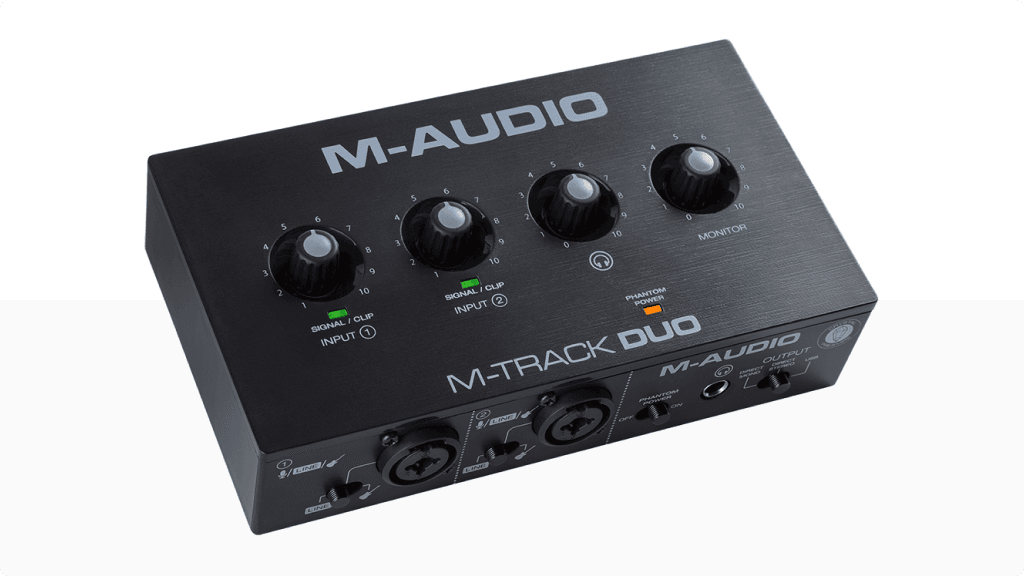
M-Audio M-Track Duo
4.4
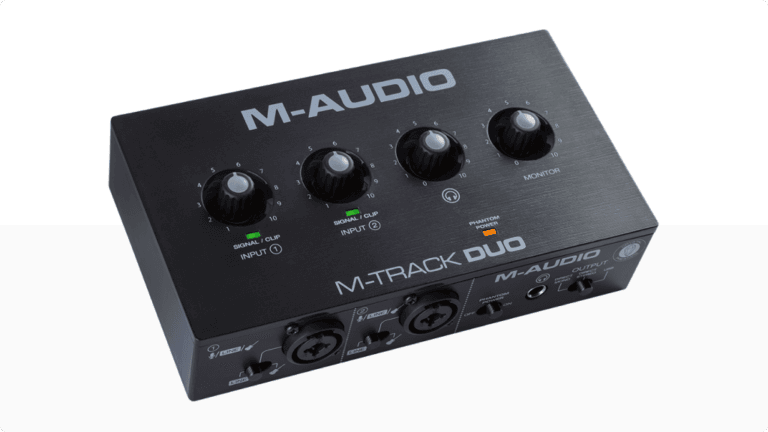
The M-Track Duo is the most compact two-input audio interface under 100. It’s lightweight, USB-powered, and simple to operate—perfect for recording demos on the go or setting up a minimal home studio.
| Pros
- Ultra-compact and lightweight
- Two Crystal preamps with phantom power
- Three-way monitoring switch (USB/Direct Mono/Direct Stereo)
- Works with iOS via adapter
- MPC Beats DAW and AIR plugins included
| Cons
- Limited to 48kHz sample rate
- Plastic build feels less durable
- USB-B connector (not USB-C)
| Key Features
- Inputs: 2x XLR/TRS combo with Line/Instrument switch
- Outputs: 2x 1/4" TRS + 1x 1/4" headphone
- Compatibility: macOS, Windows, iOS (with adapter)
- Connectivity: USB 2.0 Type-B (bus-powered)
- Resolution: 24-bit / 48kHz
- Plus: 48V phantom power, MPC Beats, 80+ AIR effects plugins, Eleven Lite amp sim
| Best for...
- Recording on the go with a laptop
- Capturing rehearsal ideas or demos
- Minimal desk space
- Podcasting interviews in the field
- iOS recording with iPhone or iPad
| Not ideal for...
- Need high-resolution recording (96kHz+)
- Rely heavily on headphone monitoring
- Prefer a more robust build
Overview
The M-Track Duo exists for convenience. Throw it in your laptop bag, plug in two mics, and you’re recording. At around 1 pound and roughly the size of a smartphone, it’s the most portable two-input interface I’ve used.
The Crystal preamps handle vocals and acoustic guitar with respectable clarity. They’re not as refined as the Midas preamps in the Behringer, but for demos and field recordings, they do the job.
The three-way monitoring switch is more useful than it sounds. Direct Stereo gives you zero-latency monitoring of both inputs panned. Direct Mono collapses them to center. USB mode lets you hear playback from your DAW. This flexibility is typically found on pricier units.
The weak point is the headphone amp. Users consistently report needing to crank it to maximum for adequate volume, I felt the same. If you monitor exclusively through headphones, this can be frustrating.
For mobile creators and musicians who need a cheap, portable audio interface under 100, the M-Track Duo makes sense. Just don’t expect audiophile-level specs.
Best for Guitar and Bass
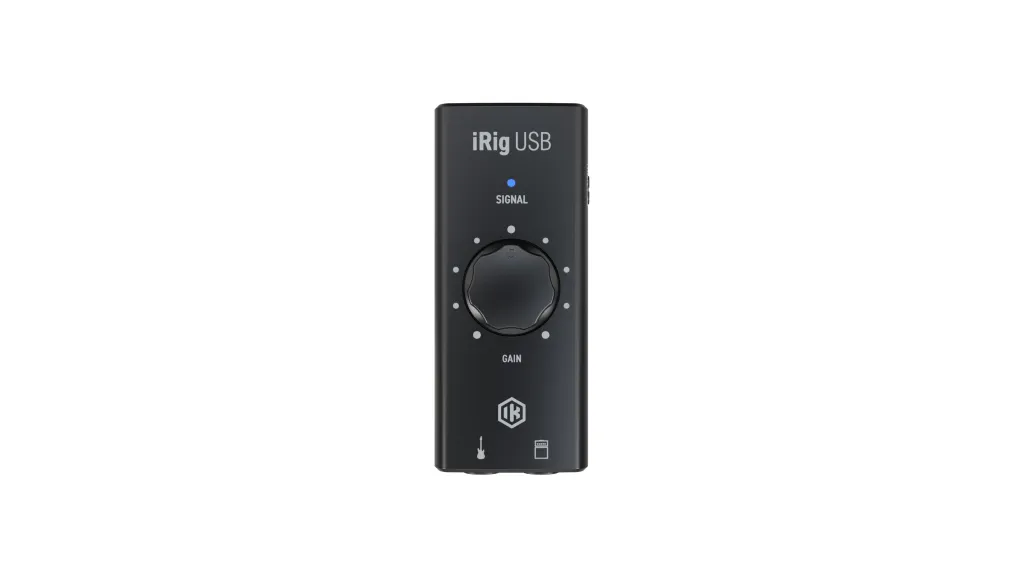
IK Multimedia iRig USB
4.6
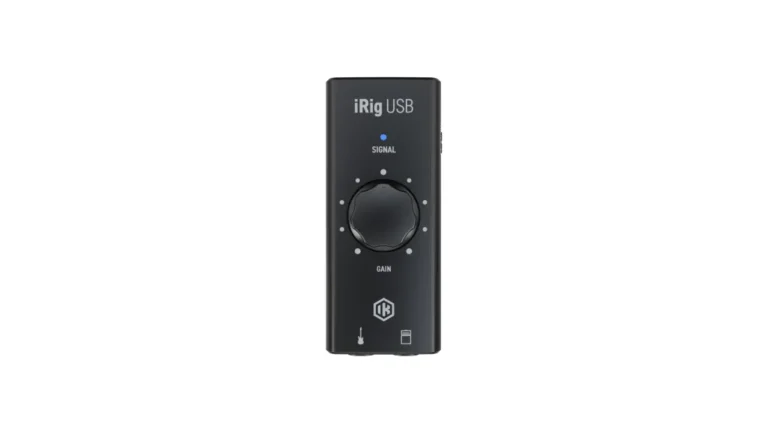
The iRig USB is built specifically for guitarists and bassists. Plug in, launch AmpliTube or TONEX, and you’ve got a full amp rig in your pocket. It’s the most focused audio interface under 100 for players who don’t need microphone inputs.
| Pros
- Pocket-sized and ultra-portable
- AmpliTube and TONEX software included
- Amp Out for connecting to real amplifiers
- Works with Mac, PC, iPad, iPhone 15, Android
- USB-C connectivity
| Cons
- Single instrument input only—no XLR
- 48kHz maximum sample rate
- No direct monitoring blend control
| Key Features
- Inputs: 1x 1/4" instrument (Hi-Z)
- Outputs: 1x 1/4" Amp Out + 1x 1/8" headphone
- Compatibility: macOS, Windows, iOS, iPadOS, Android
- Connectivity: USB-C (bus-powered)
- Resolution: 24-bit / 48kHz
- Plus: AmpliTube 5 SE, TONEX SE, FX/THRU switch, gain LED
| Best for...
- Silent practice with headphones
- Recording guitar or bass DI
- Using amp sims on phone, tablet, or computer
- Connecting processed tones to a real amp
- Traveling musicians who need a tiny rig
| Not ideal for...
- Need to record vocals or microphones
- Want multiple simultaneous inputs
- Require high sample rates
Overview
IK Multimedia made their name with AmpliTube, and the iRig USB is designed to showcase what that software can do. Plug in your guitar, load a preset, and you’ve got access to hundreds of amps, cabs, and pedals.
The Amp Out feature sets it apart from other cheap guitar interfaces. Set the switch to FX, and your processed tone routes to a real amp for practice or performance. Flip it to THRU for a clean pass-through signal to use with tuners or when you want your amp’s natural sound.
Build quality is minimal—it’s a plastic box smaller than a pack of cards. But for what it does, the iRig USB punches above its weight. The included software (AmpliTube 5 SE and TONEX SE) would cost more than the interface if purchased separately.
The limitation is obvious: no microphone input. This is a guitar-only audio interface under 100. If you need to record vocals, podcasts, or anything beyond instrument DI, look elsewhere.
For guitarists who want an affordable way to practice silently, record demos, or explore amp modeling, the iRig USB delivers exactly what it promises.
Best for Podcasters
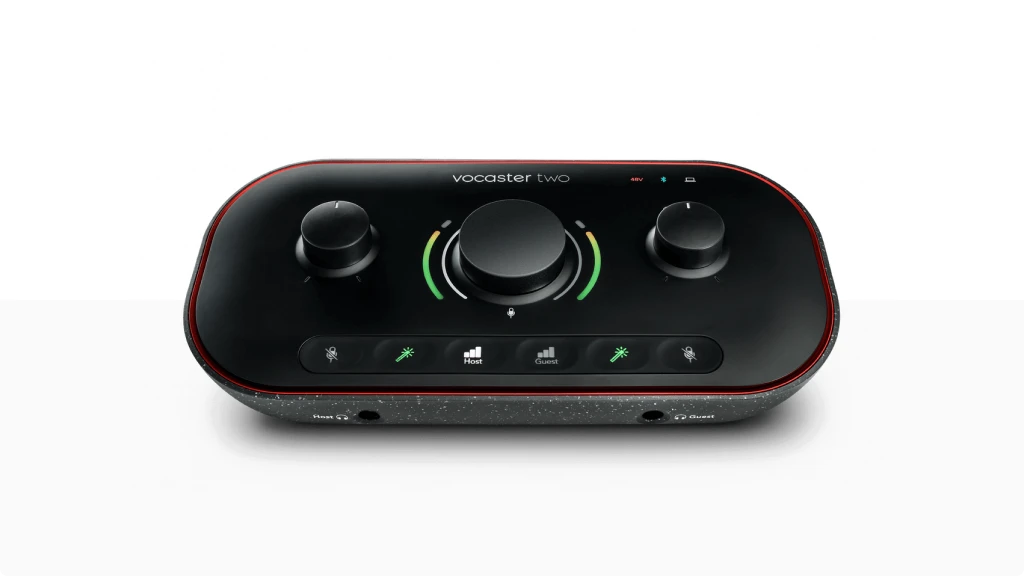
Focusrite Vocaster Two
4.5
The Vocaster Two is purpose-built for podcasting and content creation. Auto Gain, Enhance presets, Bluetooth connectivity, and camera output—everything a podcaster needs, nothing they don’t.
| Pros
- 70dB of gain—powers any dynamic mic without a booster
- Auto Gain sets levels automatically
- Bluetooth and phone connectivity for remote guests
- Camera output for vloggers
- Mute buttons and Enhance voice presets
| Cons
- No instrument inputs (XLR only)
- Limited to 48kHz sample rate
- Enhance presets can sound over-processed
| Key Features
- Inputs: 2x XLR (no combo jacks)
- Outputs: 2x 1/4" TRS balanced + 2x 1/4" headphone + 3.5mm camera out
- Compatibility: macOS, Windows, iPad
- Connectivity: USB-C (bus-powered), Bluetooth, 3.5mm TRRS phone input
- Resolution: 24-bit / 48kHz
- Plus: Auto Gain, Enhance presets (4 options), stereo loopback, Vocaster Hub software, Hindenburg PRO (6 months), Acast Influencer (6 months)
| Best for...
- Two-person podcast recording
- Content creators needing phone call integration
- Vloggers who want synced camera audio
- Beginners who want automatic level setting
- Podcasters using dynamic mics like SM7B
| Not ideal for...
- Need to record guitar, bass, or synths
- Want higher sample rates for music production
- Prefer manual control over automatic processing
Overview
Focusrite designed the Vocaster series specifically for podcasters, and that focus shows in every feature choice.
The 70dB gain range is the headline spec. Most affordable interfaces top out around 50-55dB, which isn’t enough for gain-hungry dynamic mics like the Shure SM7B. The Vocaster Two powers those mics directly—no Cloudlifter or FetHead required.
Auto Gain is genuinely useful. Press the button, speak for 10 seconds, and the interface sets your level. It’s slightly conservative (less gain than I’d dial in manually), but it gets you recording quickly.
The Enhance button applies compression, EQ, and a high-pass filter with one click. Four presets—Clean, Warm, Bright, Radio—let you shape your voice without opening software. Some podcasters love this; others find it heavy-handed. I prefer Clean and handling processing in post.
Phone and Bluetooth connectivity let you bring in remote guests without extra equipment. The camera output sends audio directly to a DSLR for vloggers who want synced sound.
The limitation: this is not a music interface. No instrument inputs, no Hi-Z, no combo jacks. Musicians should look at the other options on this list.
For a two-person podcast setup, the Vocaster Two is the most streamlined audio interface under 100. It prioritizes ease-of-use over versatility.
Specs Table
Feature | UMC202HD | AudioBox USB 96 | M-Track Duo | iRig USB | Vocaster Two |
|---|---|---|---|---|---|
Category | Top Pick | Best for Beginners | Best Portability | Best for Guitar and Bass | Best for Podcasters |
XLR Mic Input | 2x XLR/TRS | 2x XLR/TRS | 2x XLR/TRS | None | 2x XLR |
Hi-Z Input | Yes (Hi-Z) | Yes | Yes | Yes (Hi-Z) | No |
Outputs | 2x TRS + Headphone | 2x TRS + Headphone | 2x TRS + Headphone | Amp Out + Headphone | 2x TRS + 2x Headphone |
Compatibility | Mac, Windows | Mac, Windows, iOS | Mac, Windows, iOS | Mac, Windows, iOS, Android | Mac, Windows, iPad |
Preamps | |||||
Resolution | 24-bit/192kHz | 24-bit/96kHz | 24-bit/48kHz | 24-bit/48kHz | 24-bit/48kHz |
Phantom Power | Yes (48V) | Yes (48V) | Yes (48V) | No | Yes (48V) |
Connectivity | USB-B | USB-B | USB-B | USB-C | USB-C |
Plus | Tracktion | Studio One Artist | MPC Beats | AmpliTube/TONEX | Hindenburg PRO (6mo) |
Final Thoughts: Choosing the Right Audio Interface Under 100
Picking the best audio interface under 100 comes down to what you’re recording and how you work.
The Behringer UMC202HD wins on sound quality. The Midas preamps and 192kHz resolution outperform everything else at this price. If you’re recording vocals, acoustic instruments, or building a home studio, start here.
PreSonus AudioBox USB 96 is the best choice for beginners who want a complete package. The included Studio One Artist is a legitimate DAW, and the MIDI I/O adds flexibility for keyboard players.
M-Audio M-Track Duo suits mobile creators. It’s the smallest two-input interface in this roundup, and it works with iOS for recording on the move.
IK Multimedia iRig USB is the answer for guitarists who want amp simulation without complexity. The bundled AmpliTube and TONEX software turn your phone or laptop into a practice rig.
Focusrite Vocaster Two removes friction from podcasting. Auto Gain, Enhance presets, and Bluetooth guest connectivity make it the most specialized option for spoken-word content.
Each audio interface under 100 on this list serves a clear purpose. Identify your primary use case, and the right choice becomes obvious.
While we’ve selected these specific models for their price, you can see how they compare to higher-priced options in our master guide to the best budget audio interface.If you are on a very tight budget, we recommend checking out our full list of the best audio interfaces under $50 where we test the ultra-budget options.
FAQ
Is an audio interface under 100 good enough for YouTube and podcasting?
Yes. An audio interface under 100 can produce professional-sounding audio for YouTube videos and podcasts. Models like the Focusrite Vocaster Two are designed specifically for this purpose, with features like Auto Gain and Enhance presets that simplify the recording process. The key is pairing your interface with a decent microphone and recording in a quiet space.
What's the difference between cheap and expensive audio interfaces?
The main differences in an audio interface under 100 versus a $500 model are preamp quality, build materials, driver stability, and extra features. Expensive interfaces typically have lower noise floors, more headroom, better converters, and robust software control. For beginners and home studios, an affordable audio interface handles most tasks without noticeable compromise.
Can I use an audio interface under 100 with GarageBand or Audacity?
Every audio interface under 100 in this guide works with GarageBand, Audacity, and most other recording software. Mac users typically get plug-and-play compatibility (class-compliant USB). Windows users may need to install ASIO drivers for low-latency performance. Check the manufacturer’s website for the latest driver downloads.
| Why Can You Trust Us

Bruno Bontempo
I've been recording, producing, and playing bass for over 20 years—from touring with my first band at 15 to playing progressive metal across Europe today. Through multiple albums, projects (Madness of Light, Rising Course, Roots of Ascendant, Human|Archive), and production work, I've tested audio interfaces in every scenario imaginable. At Best Audio Hub, I combine my historian background with years of hands-on music and audio experience. No marketing fluff—just honest insights from someone who's been in the trenches.
| ALSO REVIEWED